Matrix ETERNITY NE System Manual 1169
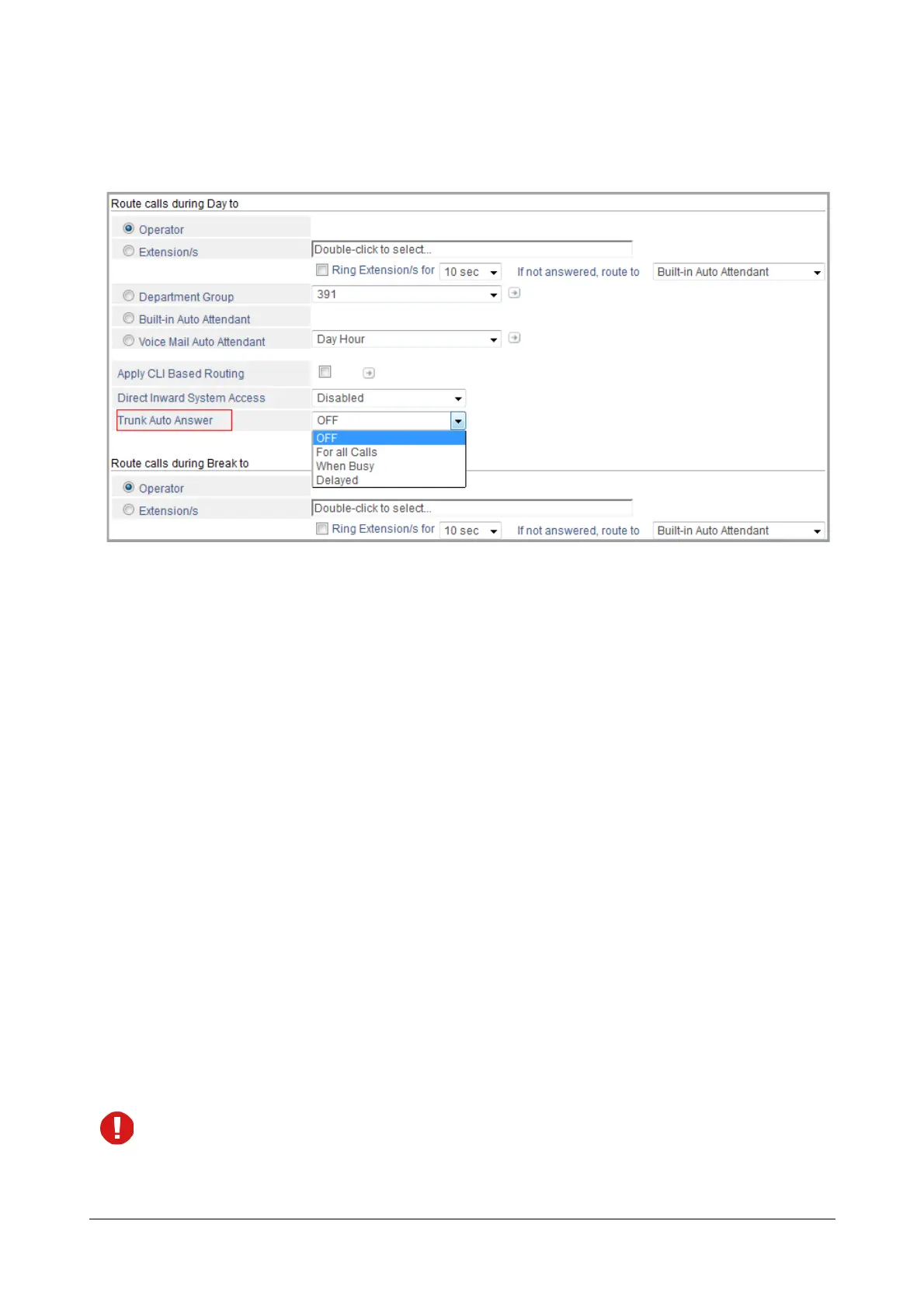
• Select the Type of Trunk Auto Answer for the Day, for Break and for the Night as: For all Calls or When
Busy or Delayed. You may select the same or different options for the Day, Break and Night, as per
your requirement.
• Select Trunk Auto Answer Greeting message, Trunk Auto Answer Ring Back Tone Message and
Trunk Auto Answer Busy Bye Message for the Day, Break and Night.
You may select different Greeting, Ring Back Tone and Busy Bye Message for each time zone.
If you do not want to play messages for Trunk Auto Answer Ring Back Tone, you may select the options:
Music-on-Hold or Do not Play as per your requirement.
• Record and assign Voice Modules for the following Voice Messages related to this feature:
• Trunk Auto Answer Greeting Message
• Trunk Auto Answer Ring Back Tone Message
• Trunk Auto Answer Busy Bye Message
For each of these messages, you can record four different messages.
See “Voice Message Applications” for instructions on recording and assigning voice modules to greeting
messages.
• Configure the Trunk Auto Answer related Timers, if required. The following Timers are of relevance to the
Trunk Auto Answer Feature:
• Built-In Auto Attendant Inactivity Timer (default: 60 seconds)
• Ring Back Tone Timer (default: 45 seconds)
• Busy Tone Timer (default: 7 seconds)
You may change the duration of these timers as per your requirement. See “System Timers and Counts”.
The Ring Back Timer and the Busy Tone Timer are also applicable for the Ring Back Tone and the Busy
Tone played for internal calls.



 To Next Page