1172 Matrix ETERNITY NE System Manual
How to configure
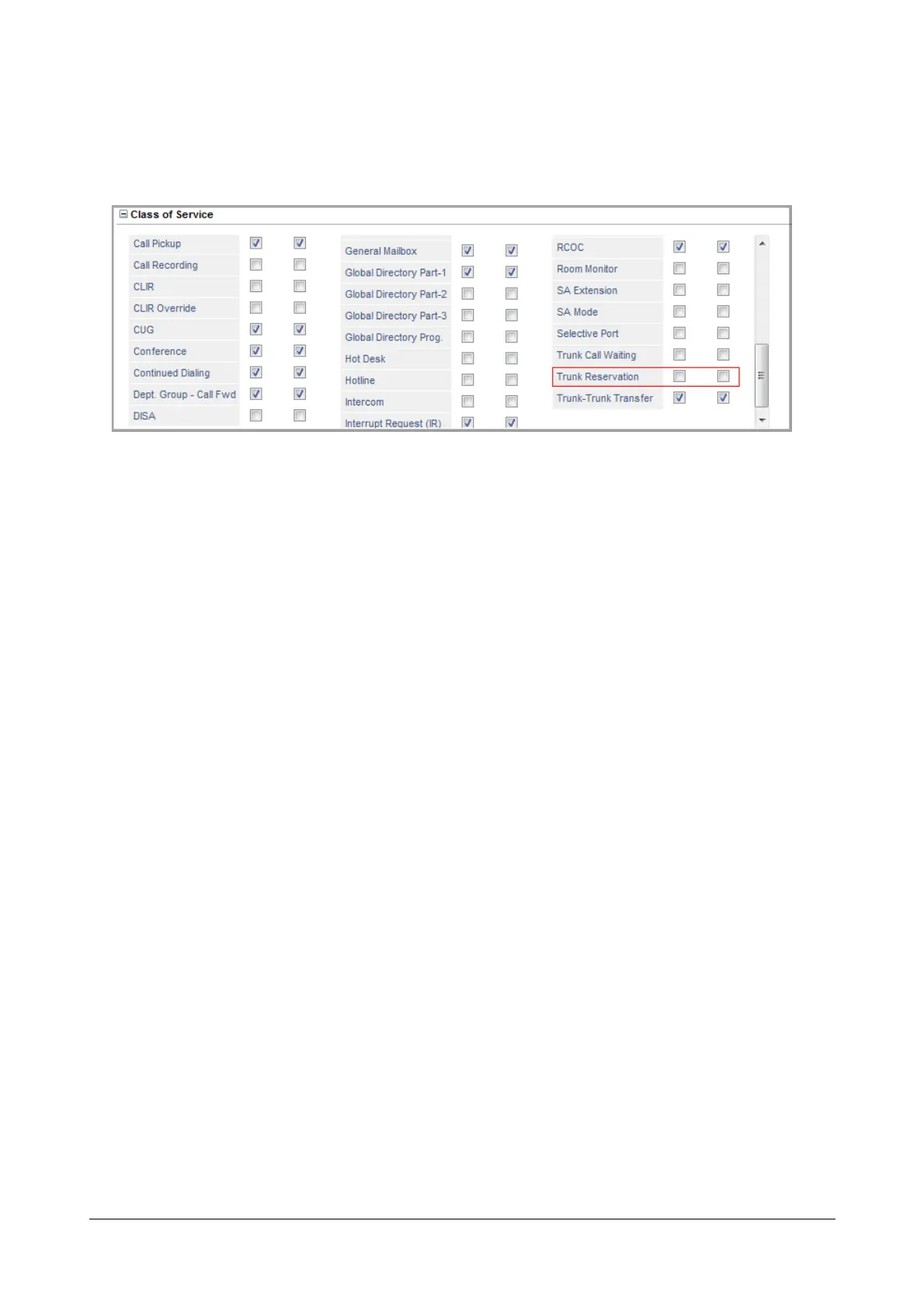
To be able to use Trunk Reservation, extension users must have this feature enabled in their “Class of Service
(CoS)” for the Day and Night/Break time, as required.
See “Basic Settings” for instructions on configuring Class of Service of different extension port types. You may
increase or decrease the duration of the Trunk Reservation Timer. See “System Timers and Counts” for
instructions.
How to use
For Extended IP Phone Users
To set Trunk Reservation, when Trunk you access is busy
• Press DSS Key assigned to Trunk Reservation
OR
• Dial 6 on Busy Tone
To release a reserved Trunk, wait for the Timer to expire, or cancel Trunk Reservation, manually.
To cancel Trunk Reservation Manually,
• Press DSS Key assigned to Trunk Reservation.
OR
• Dial 102
For SLT Users
To set Trunk Reservation, when Trunk you access is busy
• Lift handset.
• Dial 6 on Busy Tone.
• Replace handset.
To cancel Trunk Reservation Manually
• Lift handset.
• Dial 102
• Replace handset.



 To Next Page