Matrix ETERNITY NE System Manual 1245
• Under Maintenance, click Default the System.
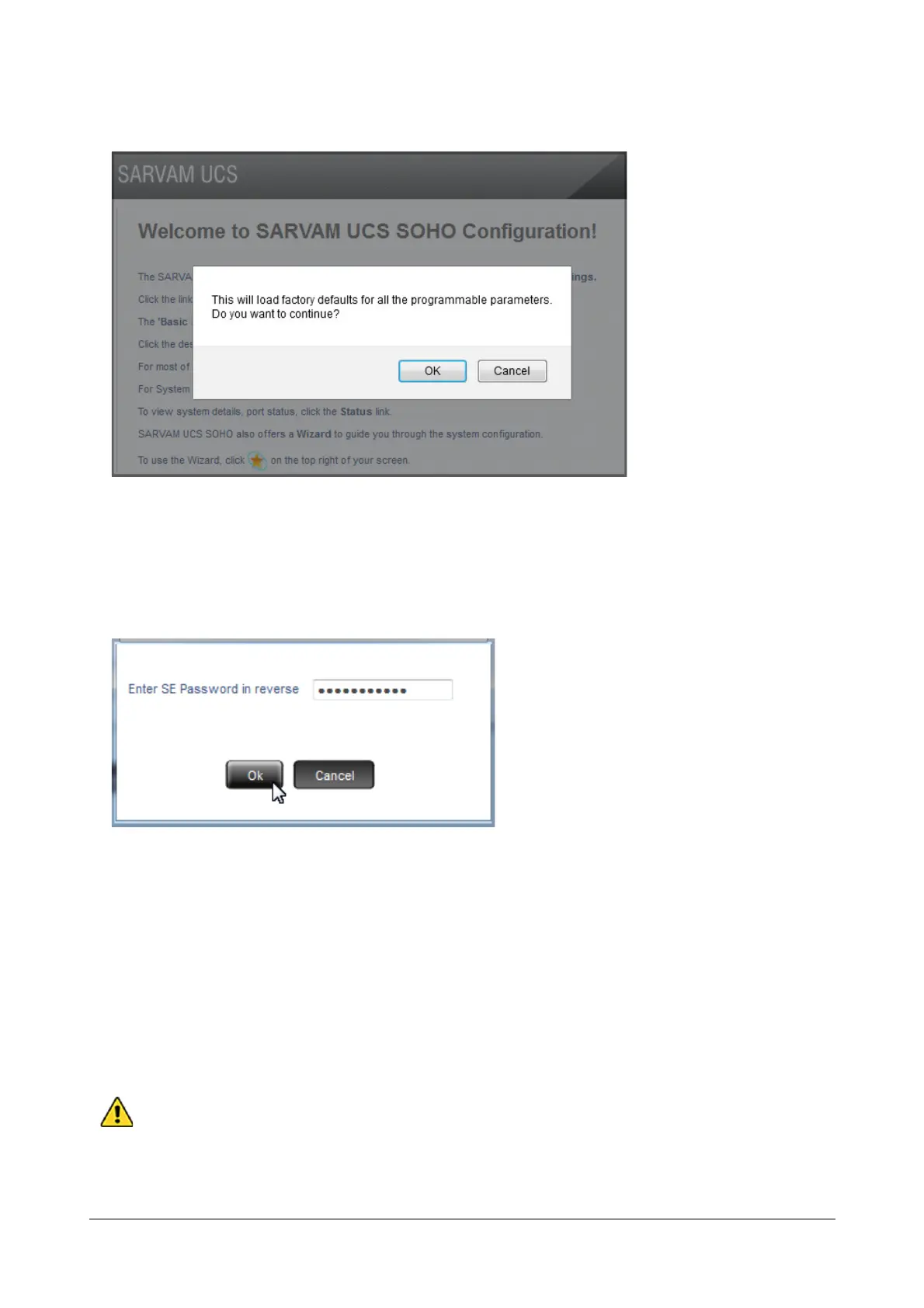
• You will be prompted whether you want to default the system.
• Click OK.
• Enter Reverse SE Password on the prompt.
• The SE password you enter must be the current password. E.g.: if it is 1234, enter 4321 and click OK.
• The system will restart and load the default settings.
• You are returned to the Login page of Jeeves.
• You may now enter SE mode again.
• The names configured for the Extensions will disappear and the default extension numbers assigned to
the extensions will appear.
Without the SE Password, you cannot restore default values using software. If you forget the SE
Password, you must first restore default SE password by changing the Jumper Settings on the CPU
module. See “System Security” for more details.


 To Next Page
 Loading...

