Matrix ETERNITY NE System Manual 141
• Close the window after you have configured the list.
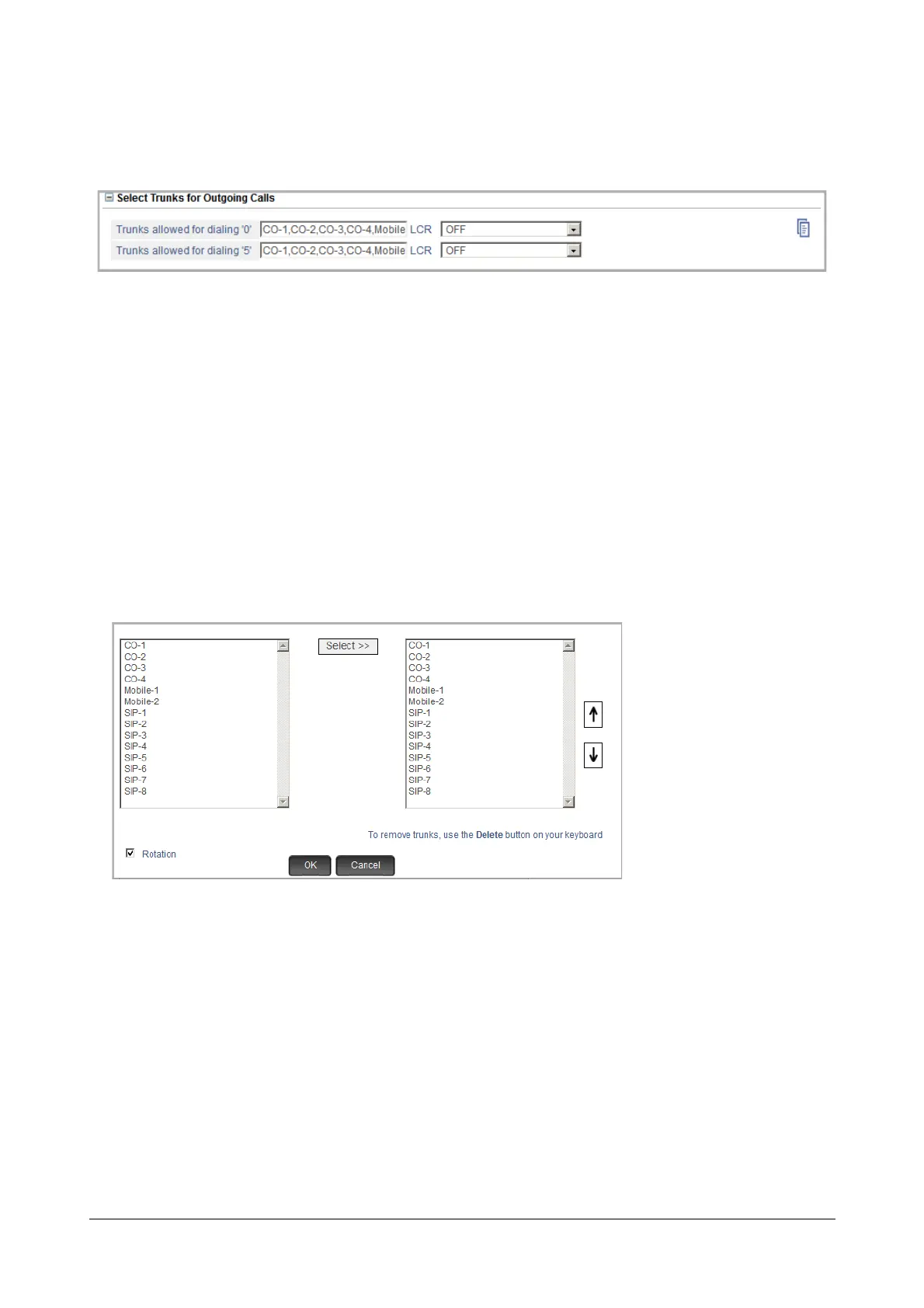
Select Trunks for Outgoing Calls
Outgoing calls (to external numbers) are made by dialing Trunk Access Codes (TAC). Default: 0 (TAC 1) and 5
(TAC 2). You may configure TAC 3 to TAC 6 as desired.
For each TAC, you need to select the Outgoing Trunks. All external calls made by dialing a particular TAC will be
routed through the outgoing trunks you selected for that TAC.
You can also apply Least Cost Routing logic on the selected trunks, so that SARVAM UCS routes the outgoing call
through the trunk that costs the lowest for the call.
• Click Select Trunks for Outgoing Calls to expand options.
• Select Trunks allowed for dialing ‘0’. The outgoing call will be routed through the selected trunks when
the extension user dials TAC ‘0’.
• Double-click the field. A multiple selection box opens.
On the left, the trunks appear with their names (if configured in “Trunks”) and port numbers in a
sequence, starting with CO trunks, followed by Mobile trunks and SIP trunks.
If you have not assigned any names to the trunks, they will appear with their default names (CO, MOB,
SIP) and port numbers.
If you have enabled On-Site Configuration, only those trunks that are connected will appear in the box.
• To select a trunk, place your cursor on the desired trunk, and click Select>>.
Or
• Press the ctrl key and click the left mouse button to select multiple trunks.
• You may change the sequence of the trunks you selected, if required, using the Up and Down arrow
buttons on the right display box.



 To Next Page