Matrix ETERNITY NE System Manual 169
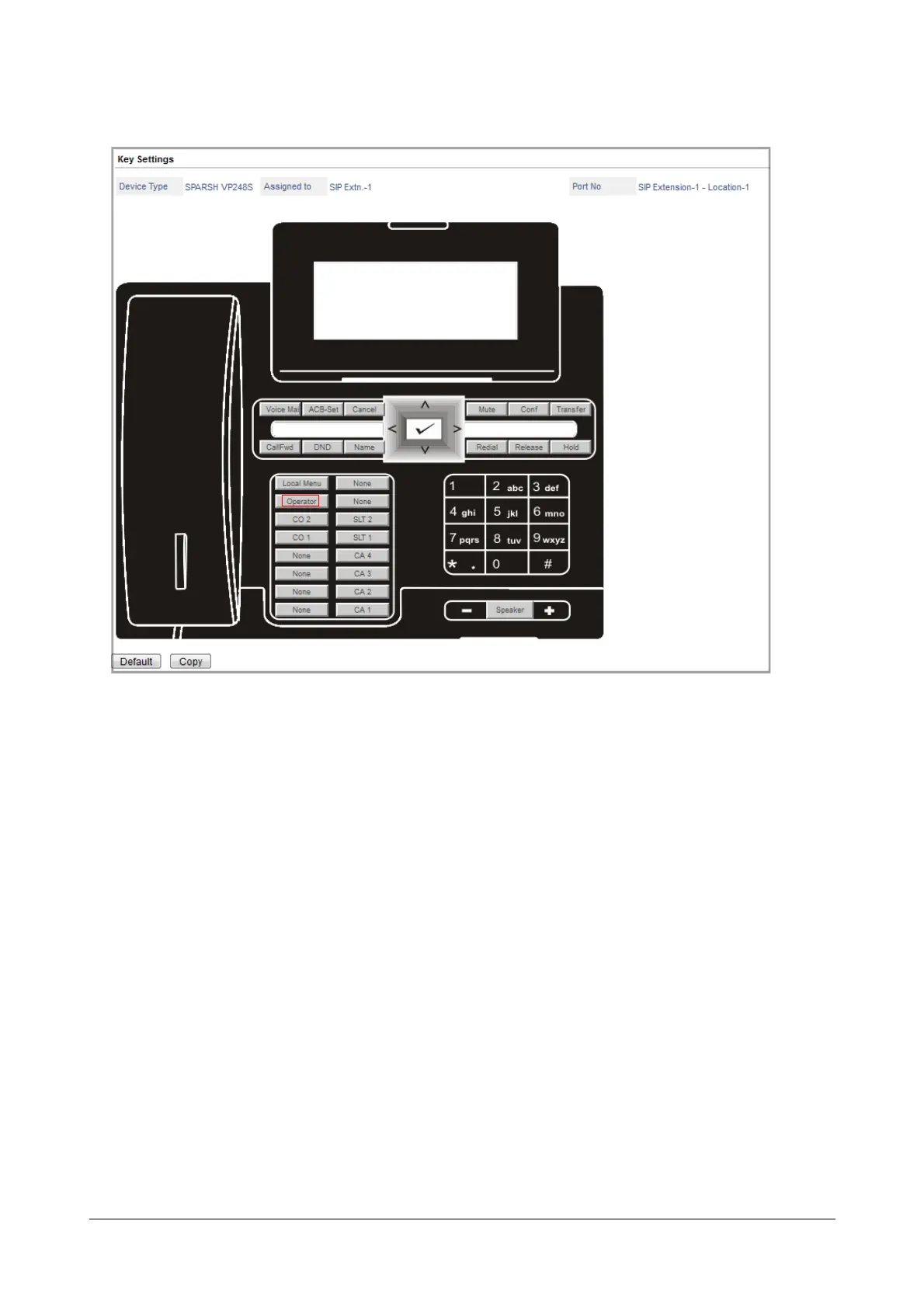
The Operator feature appears on the key label.
Follow the same instructions to assign features to other DSS keys. Selecting the appropriate Function Type
and the Offset for each feature/function.
If you want assign a feature, select Feature as function type, and select the desired feature as Offset.
If you want to use the key to call a SIP extension, select SIP Extension as Function Type and select the
number of the extension as Offset.
To assign direct access to a mobile trunk, select MOBILE as Function Type and the desired port number as
Offset.
To assign direct access to a SIP Trunk, select SIP Trunk as Function Type and the desired trunk number as
Offset.
• Click OK, each time you select a Function Type and Offset in the dialog box.
• You can reinstate default key assignment any time, by clicking the Default button at the bottom of the
window.
• When you complete assigning functions to keys, close the window.
• If you assign/re-assign functions to the following keys, the Phone will restart:
• Speaker
• Headset


 To Next Page