182 Matrix ETERNITY NE System Manual
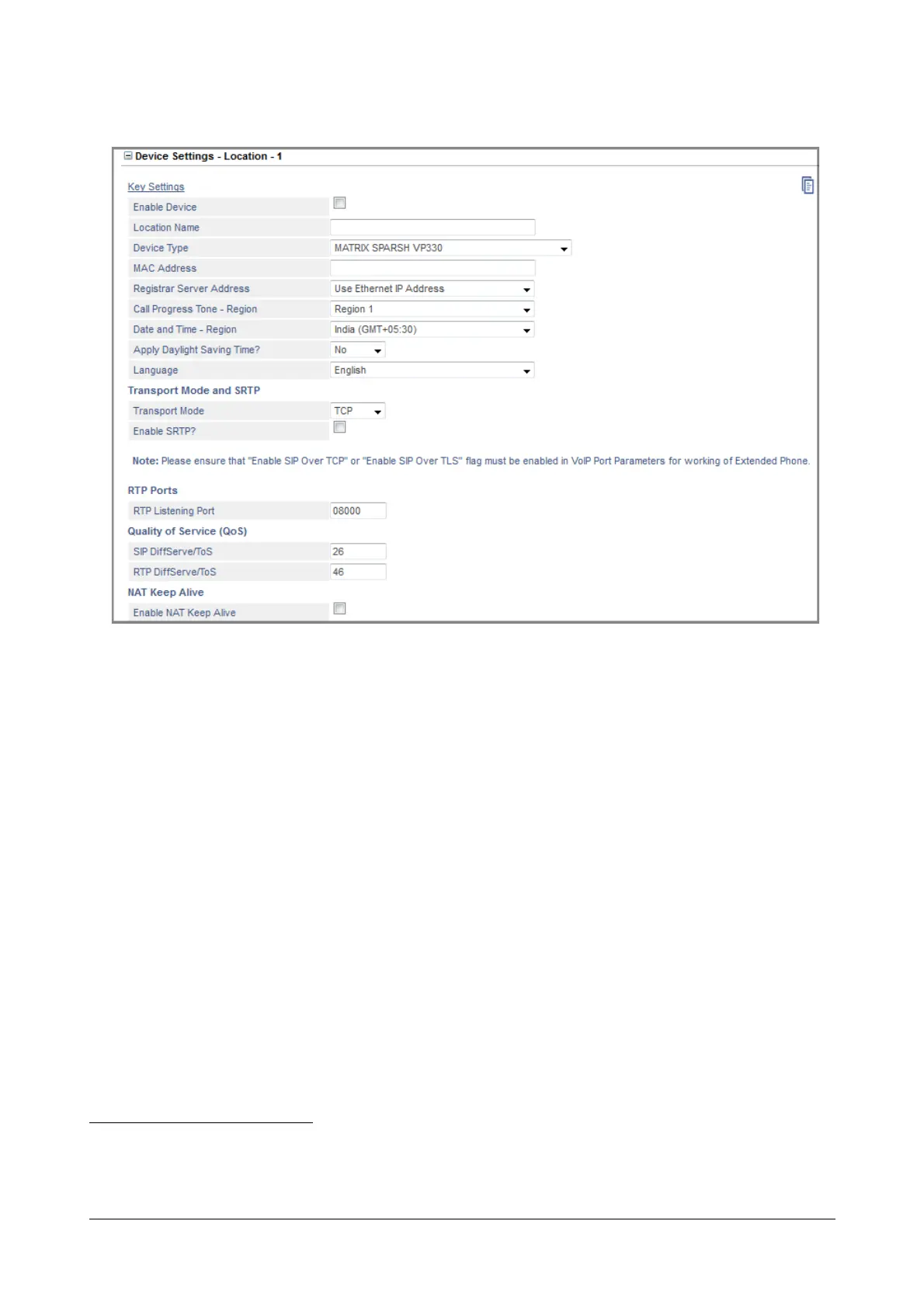
• Click Device Settings - Location 1 to expand.
• Select the Enable Device check box. Default: Disabled.
• Enter the Location Name for the phone to identify the phone. Location name may be the place where the
phone is located (e.g.: Head office, branch, residence). The Location Name may consist of 18 characters
(maximum). Default: Blank.
• Select MATRIX SPARSH VP330 as the Device Type at this location and click Submit to save.
• Enter the MAC Address
40
of the SPARSH VP330 connected at this location in hexadecimal format:
00:50:C2:55:B0:10. Default: blank.
SARVAM UCS validates the SPARSH VP330 on the basis of the MAC Address, and provides
configuration on validation.
As SARVAM UCS allows registration of the SIP Extension from three different locations, it identifies the
SIP Extension in each location by the programmed MAC address
• Select the appropriate Registrar Server Address to register the SPARSH VP330 with the SIP Registrar of
SARVAM UCS, according to your installation scenario:
• If the Extended IP phone is in the same network (LAN) as SARVAM UCS, select Use Ethernet IP
Address as Registrar Server Address.
40. MAC address is the address of the electronic hardware devices such as a computer, which is hard-coded into the device during
manufacture and cannot be modified. No two devices can have similar MAC address and thus it uniquely identifies your phone.
MAC address is assigned as per the IANA standard. The MAC Address of the phone will be used as source MAC address on all
Ethernet frames.



 To Next Page