222 Matrix ETERNITY NE System Manual
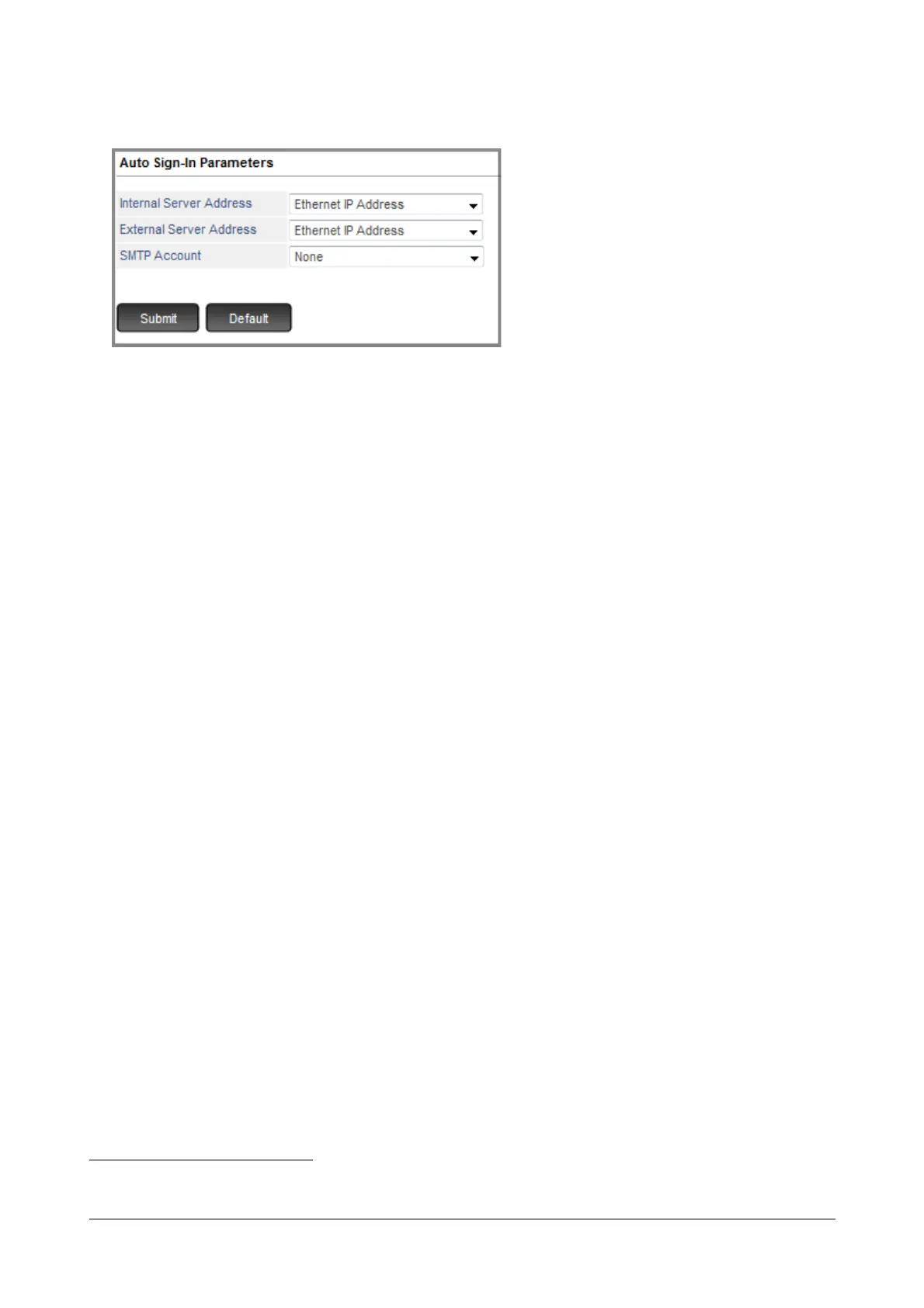
• Click Auto Sign-In Parameters.
• Select the appropriate Internal Server Address to register the application with the SIP Registrar of
SARVAM UCS within a private network. Select the appropriate option as per your installation scenario:
• If you want the application to register using the LAN/WAN network, select Ethernet Port IP Address
as the Internal Registrar Server Address.
• If Dynamic DNS is configured in the Network Parameters, select Dynamic DNS Host Name as Internal
Registrar Server Address.
• If you do not want to configure the Internal Server Address, select Don’t Send.
By default, Ethernet Port IP Address is selected as the Internal Server Address.
• Select the appropriate External Server Address to register the application with the SIP Registrar of
SARVAM UCS from a public network. Select the option according to your installation scenario:
• If you want the application to register using the WAN network, select Ethernet Port IP Address as
External Registrar Server Address.
• If you want the application to register in the Global Network and SARVAM UCS is connected to Internet
over Mobile WAN, select Mobile Port IP Address as External Registrar Server Address.
• If you want the application to register in the Public Network and SARVAM UCS is located behind a
Router, or behind a NAT Router and STUN is programmed, select Router/STUN's IP Address as
External Registrar Server Address.
Make sure you configure either the Router’s Public IP Address or Simple Traversal of UDPs
through NATs (STUN) in the VoIP Port Parameters. See “Network Parameters”.
• If Dynamic DNS is configured in the Network Parameters, select Dynamic DNS Host Name as
External Registrar Server Address.
• If you do not want to configure the External Server Address, select Don’t Send.
By default, Ethernet Port IP Address is selected as the External Server Address.
• Select the SMTP Account
45
though which you want the email to be sent.
45. Make sure that the SMTP settings are configured correctly.For more information, refer “SMTP Settings”.



 To Next Page