Matrix ETERNITY NE System Manual 317
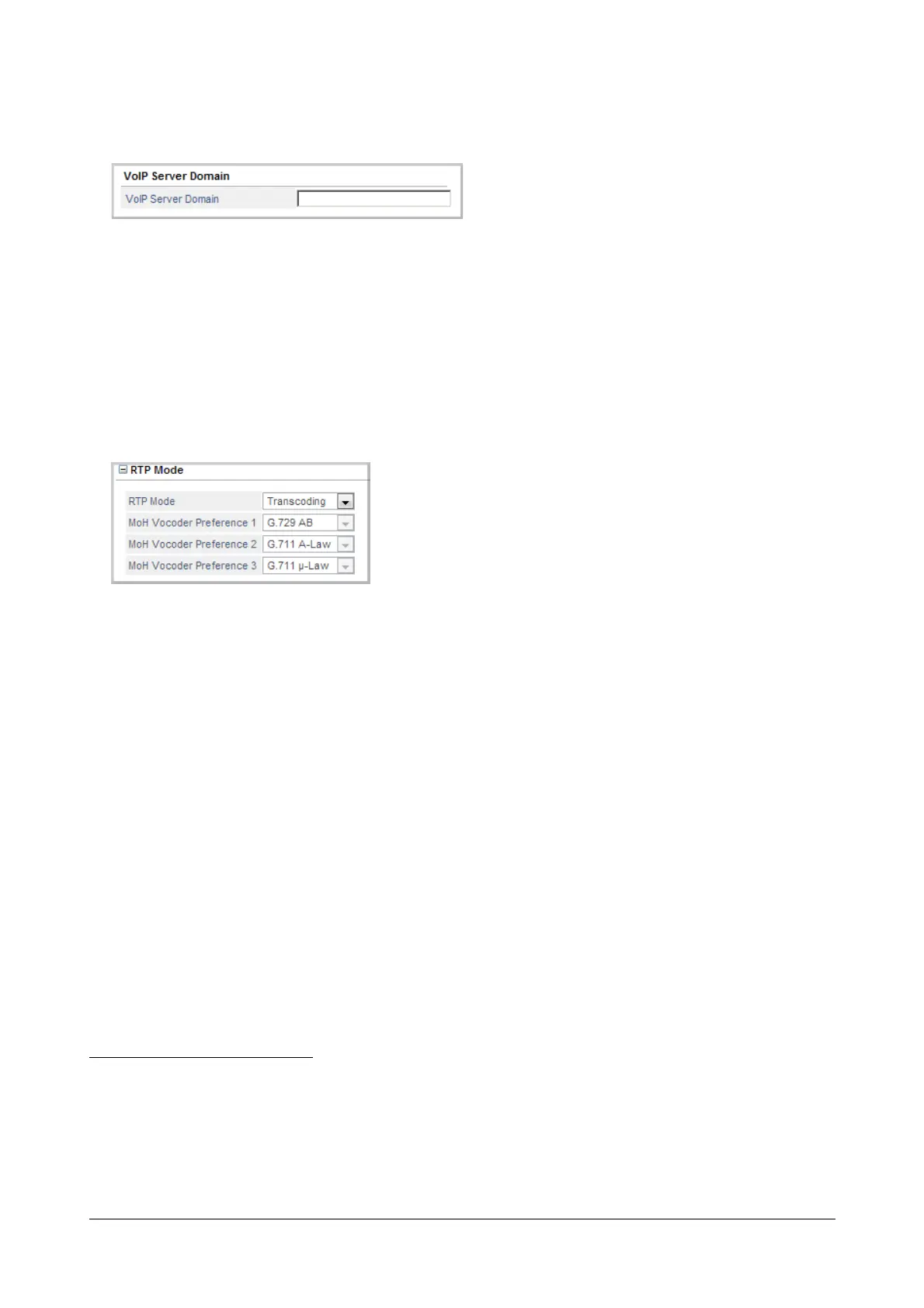
VoIP Server Domain
• Click VoIP Server Domain
71
to expand.
• Enter the VoIP Server Domain, if you want the SIP clients to register with the Registrar Server of the VoIP
application using the domain handled by the SARVAM UCS.
The VoIP module is capable of maintaining a domain for registering SIP clients (any SIP-enabled device) as SIP
Extensions.
RTP Mode
• Click RTP Mode to expand.
• Select the desired RTP mode using which you want SARVAM UCS to route SIP to SIP calls. You can
select from the following:
• Transcoding: When this option is selected, RTP packets will be routed through the VoIP module and
DSP channels will be used for SIP to SIP calls. SIP users (Extended SIP Clients and Open SIP Clients)
will be able to access all the features of SARVAM UCS. This option uses two DSP channels for SIP to
SIP calls. Thus the maximum number of SIP to SIP calls is equal to the number of DSP channels divide
by 2.
• RTP Relay: When this option is selected, RTP packets will be routed through the VoIP module but no
DSP channels will be used for SIP to SIP calls. The system will use DSP channels to route SIP to TDM
calls and vice versa. System will use DSP channels for some features and Open SIP Clients will be
able to use limited features of SARVAM UCS. Refer to “SARVAM UCS Features supported with RTP/
Direct RTP” for more details.
• Direct RTP: When this option is selected, no DSP channel will be used for SIP to SIP calls and RTP
packets will be sent to and fro directly between SIP end points. If transfer of RTP packets is not
possible between SIP end points, system will use RTP Relay as the fallback option. The system will
use DSP channels to route SIP to TDM calls and vice versa. System will use DSP channels for some
71. SIP clients can be registered with the VoIP application either using the domain handled by the VoIP module or using the Ethernet
Port IP Address.
If domain is programmed, VoIP module will listen for the SIP message which is redirected to the programmed domain as well as
will listen for SIP messages on the Ethernet IP address.
But if domain is not programmed, the VoIP module will listen for SIP messages only on the Ethernet Port IP address.



 To Next Page