336 Matrix ETERNITY NE System Manual
For more details, see the description for “Automatic Number Translation”.
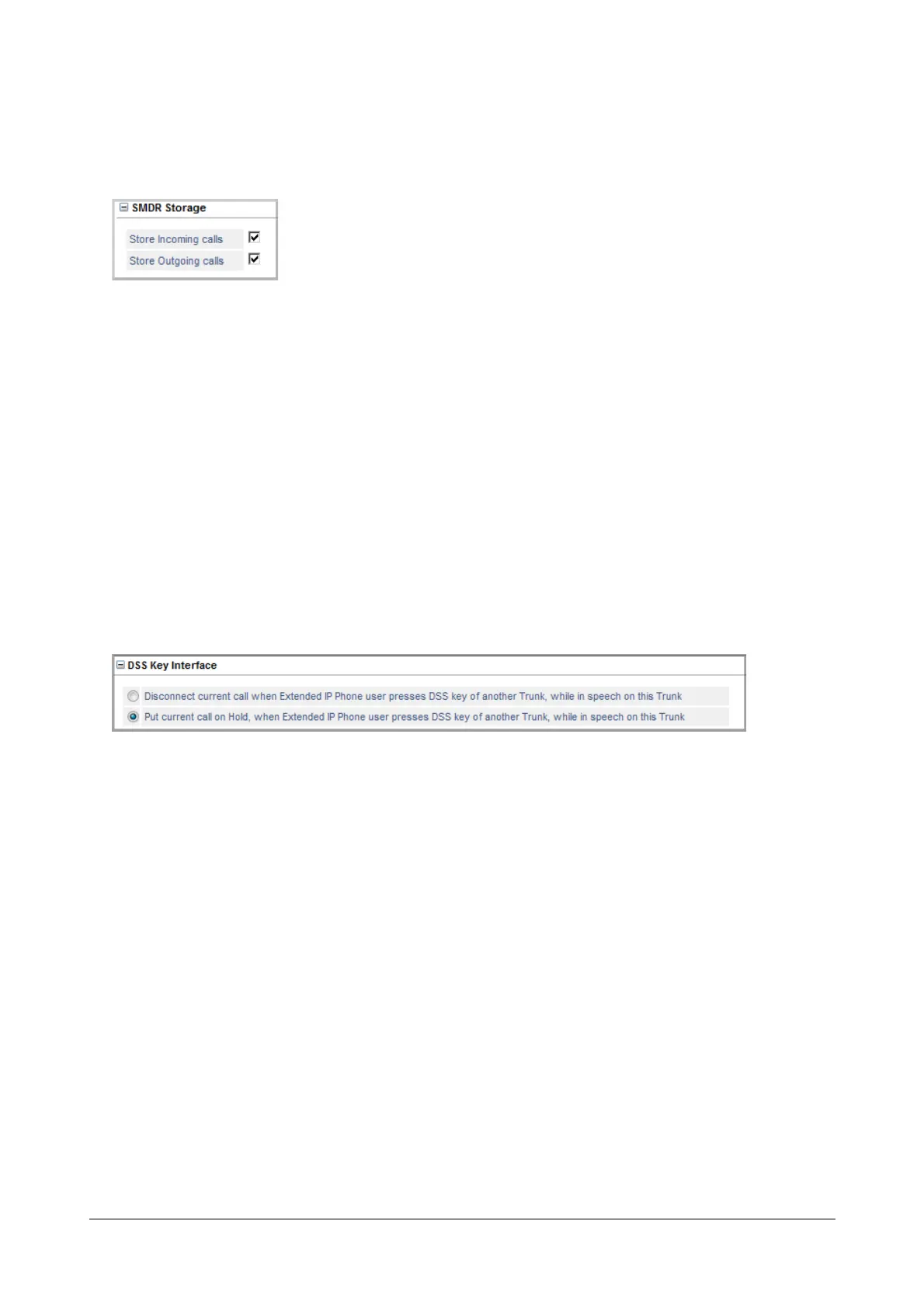
SMDR Storage
The Station Message Detail Recording (SMDR) feature of SARVAM UCS enables you to record the details of
Internal, Incoming (IC) and Outgoing (OG) calls made from/to all its trunks and extensions. To obtain SMDR as a
report, you must enable SMDR Storage, and set filters. See “Station Message Detail Recording (SMDR)” and
“Station Message Detail Recording–Storage” to know more.
• Click SMDR Storage to expand.
• To store details of incoming calls landing on this SIP trunk, select the Store Incoming Calls check box.
Default: selected.
• To store details of outgoing calls made from this SIP trunk, select the Store Outgoing Calls check box.
Default: selected.
• Click Submit.
DSS Key Interface
This parameter determines what the system should do when an external called party in speech on this trunk is put
on Hold by an extension user by pressing a DSS key to dial another port.
For example, the Extended IP Phone user (SIP1) is in the middle of speech with an external party on a CO2.
If the SIP1 user presses a DSS key to call another extension port, SIP2, two situations are possible, depending on
the DSS Key Interface you configure:
i. The external caller on CO2 will be played music-on-hold, and the user on SIP1 will hear Ring Back
Tone. The call will be placed on SIP2.
ii. The external caller on CO2 will be disconnected. SIP1 user will hear Ring Back Tone. The call will be
placed on SIP2.
• Click DSS Key Interface to expand options.
• Select the radio button of the desired DSS Key Interface option:
• Disconnect current call when Extended IP Phone user presses DSS key of another Trunk, while
in speech on this Trunk.



 To Next Page