338 Matrix ETERNITY NE System Manual
If your service provider offers the same Pulse Rate for calling a number for the entire day, there is no need
to change the default Time Schedule. The system will follow Time Zone 1.
See “Call Cost Calculation (CCC)”.
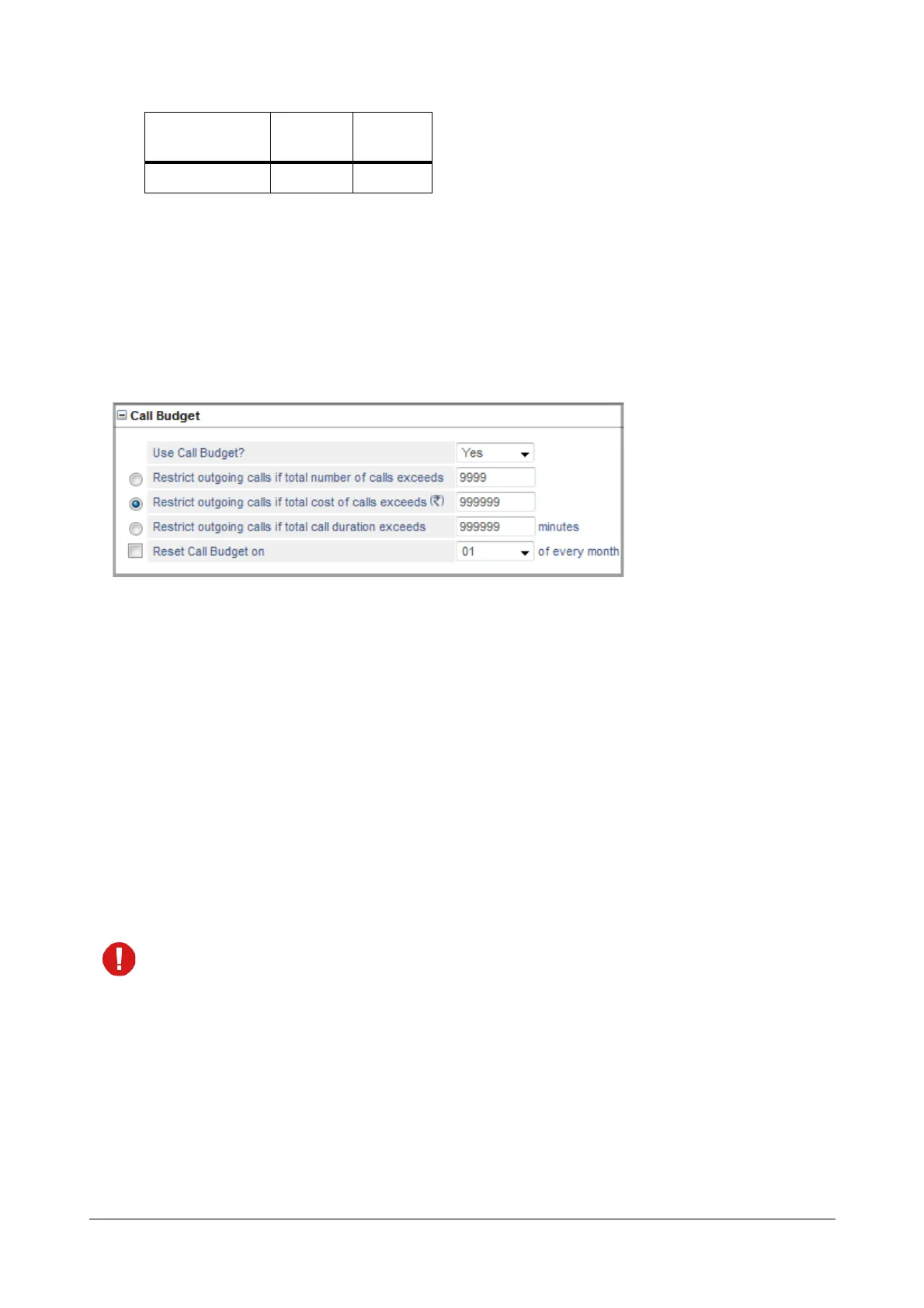
Call Budget
• Click Call Budget to expand.
Configure this parameter if you want to control the cost of phone calls made from this trunk. See “Call Budget
on Trunk” to know more.
• To enable call budget on the trunk, set Use Call Budget? to Yes. Default: No.
• Define the call budget in terms of number of calls in the Restrict outgoing calls if total number of calls
exceeds. Default: 9999.
• Define the call budget in terms of amount in the Restrict outgoing calls if total cost of the calls
exceeds. Default: 999999 (local currency).
• Define the call budget in terms of duration in the Restrict outgoing calls if total call duration exceeds.
Default: 999999 minutes.
• To have the system reset the Number of Calls/Amount/Minutes automatically on a particular date, select
the desired date from the Reset Call Budget on combo box as 1st to 31st of the every month.
The consumed Call Budget Amount/Minutes/Number of Calls can be reset from SE and SA Mode,
referred to as Manual Reset. Refer the feature description “Call Budget on Trunk”.
T4 00:00 23:59
Time Zone Index
Start
Time
End Time



 To Next Page