342 Matrix ETERNITY NE System Manual
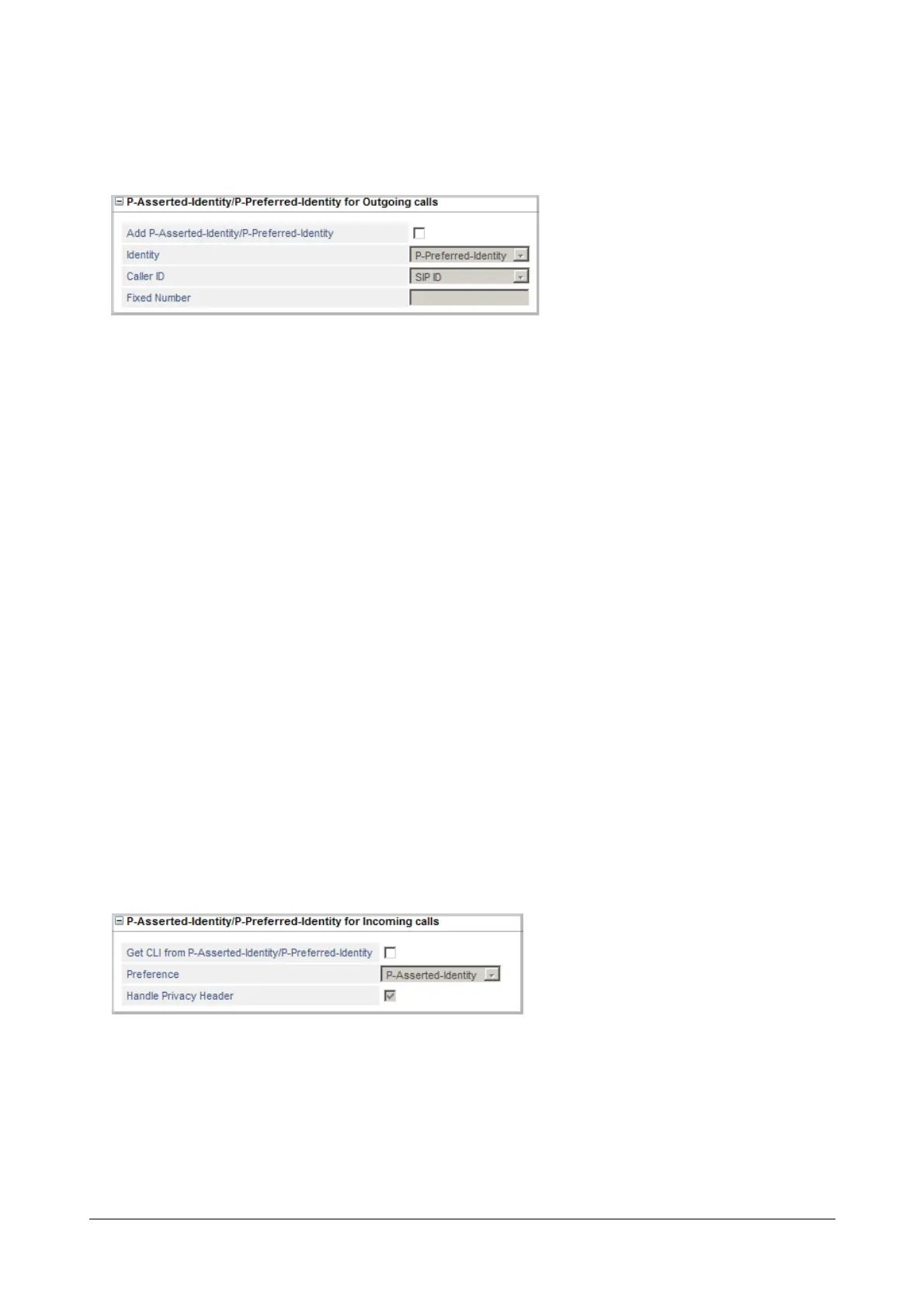
P-Asserted-Identity/P-Preferred-Identity for Outgoing calls
• Click P-Asserted-Identity/P-Preferred-Identity for Outgoing calls to expand.
• Configure the following P-Asserted-Identity/P-Preferred-Identity for Outgoing calls parameters as
provided to you by your Service Provider.
• Select Add P-Asserted-Identity/P-Preferred-Identity check box, if supported by your Service
Provider.
• Select P-Preferred-Identity or P-Asserted-Identity as Identity.
• Select the desired Caller ID option from the following:
• SIP ID: Select this option, if you want the SIP ID configured on the SIP Trunk to be displayed as the
Caller ID.
• Calling Party Wise: Select this option, if you want the Calling Extension Number (the number of
the extension making the outgoing call through the SIP trunk) to be displayed as the Caller ID.
• Fixed Number: Select this option, if you want a specific number to be sent as the Caller ID. When
you select this option, you must also define the number to be sent as the Caller ID.
The Fixed Number may consist of a maximum of 40 characters. Valid characters are from 0-9 and
plus (+).
Default: SIP ID.
P-Asserted-Identity/P-Preferred-Identity for Incoming calls
• Click P-Asserted-Identity/P-Preferred-Identity for Incoming calls to expand.
• Configure the following P-Asserted-Identity/P-Preferred-Identity for Incoming calls parameters as
provided to you by your Service Provider.
• Select Get CLI from P-Asserted-Identity/P-Preferred-Identity check box, if supported by your
Service Provider.
• Select P-Preferred-Identity or P-Asserted-Identity as the Preference.



 To Next Page