Matrix ETERNITY NE System Manual 349
• Select the dB Level for Bypass Gain (dB) from -31 to 31 dB. Default: -9 dB.
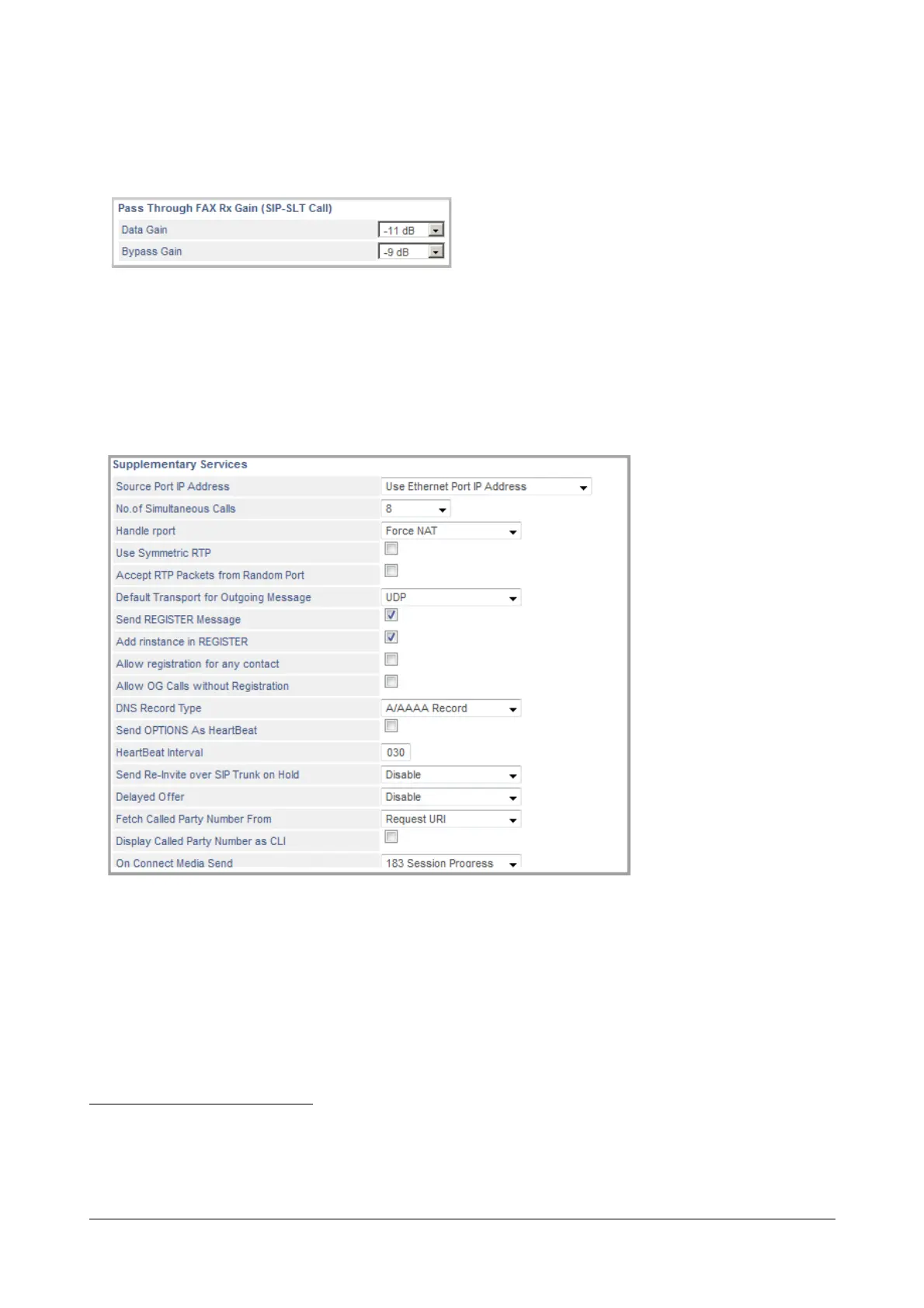
Pass Through FAX Rx Gain (SIP to SLT calls)
Configure this parameter if Pass Through Fax is to be received on a fax machine connected to a SLT port.
• Select the dB level for Data Gain (dB) from -31 to 31 dB. Default: -11 dB.
• Select the dB level for Bypass Gain (dB) from -31 to 31 dB. Default: -9 dB.
Supplementary Services
•In Source Port IP Address list, select the Source Port IP Address according to your VoIP installation
scenario.
• Select Use Ethernet Port IP Address, if SARVAM UCS is connected directly to the public internet.
• Select Use IP Address Fetched Using STUN, if SARVAM UCS is located behind a NAT router
other than Symmetric.
If you select this option, keep the Outbound Proxy disabled.
77. Pass Through Fax packets are transported using RTP protocol. Normally, fax calls require less gain compared to voice calls. How-
ever, to improve fax reception, SARVAM UCS enables you to configure gain settings for fax. Fax gain settings consist of Data Gain
and Bypass Gain. SARVAM UCS supports Fax Receive Gain for SIP to Digital Trunk calls as well as SIP to SLT Calls.



 To Next Page