Matrix ETERNITY NE System Manual 365
To configure,
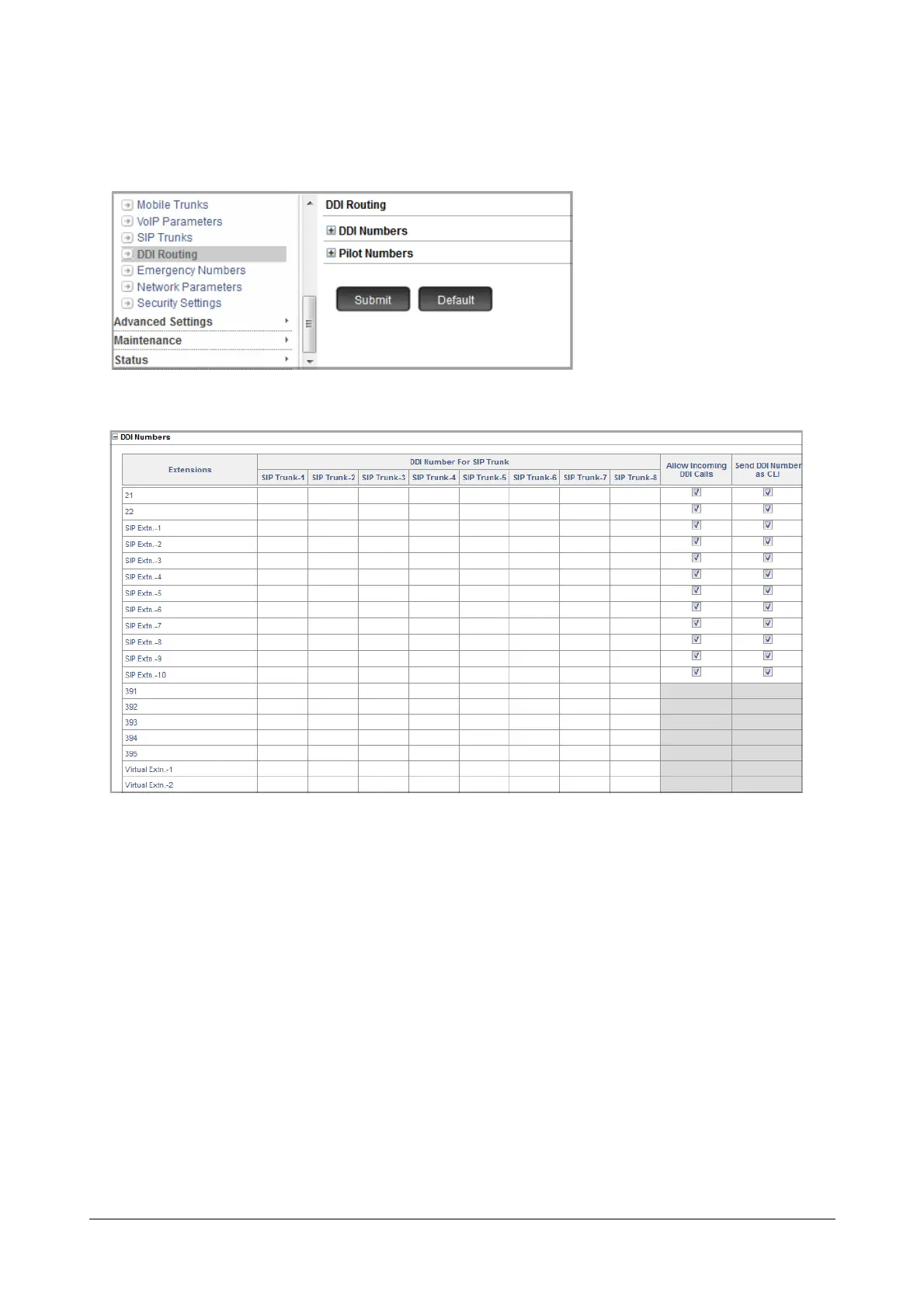
• Click DDI Routing.
• Click DDI Numbers to expand.
•In Extensions, the access codes and the names of the Extension users as configured by you in the
Extn. & Feature Codes page will be displayed.
•In DDI Number for SIP Trunk, for each SIP Trunk, enter the DDI Numbers provided by the ITSP of
that trunk.
You can assign these DDI numbers to SLT, SIP, Virtual extension users, Department Groups, VMAA.
For example, in SIP Trunk 1, enter the DDI numbers among the DDI numbers provided by the ITSP
with whom you have registered the SIP Trunk 1. Each number can be assigned to the desired SLT, SIP
or Virtual extension users, Department Group, VMAA.
Similarly, assign the DDI numbers for other SIP Trunks.
• Keep the Allow Incoming DDI Calls check box enabled, to allow the system to land incoming calls
with the same DDI number on the extension user who is assigned this number. Default: Enabled.
Clear the check box, if you want to disable.



 To Next Page