Matrix ETERNITY NE System Manual 371
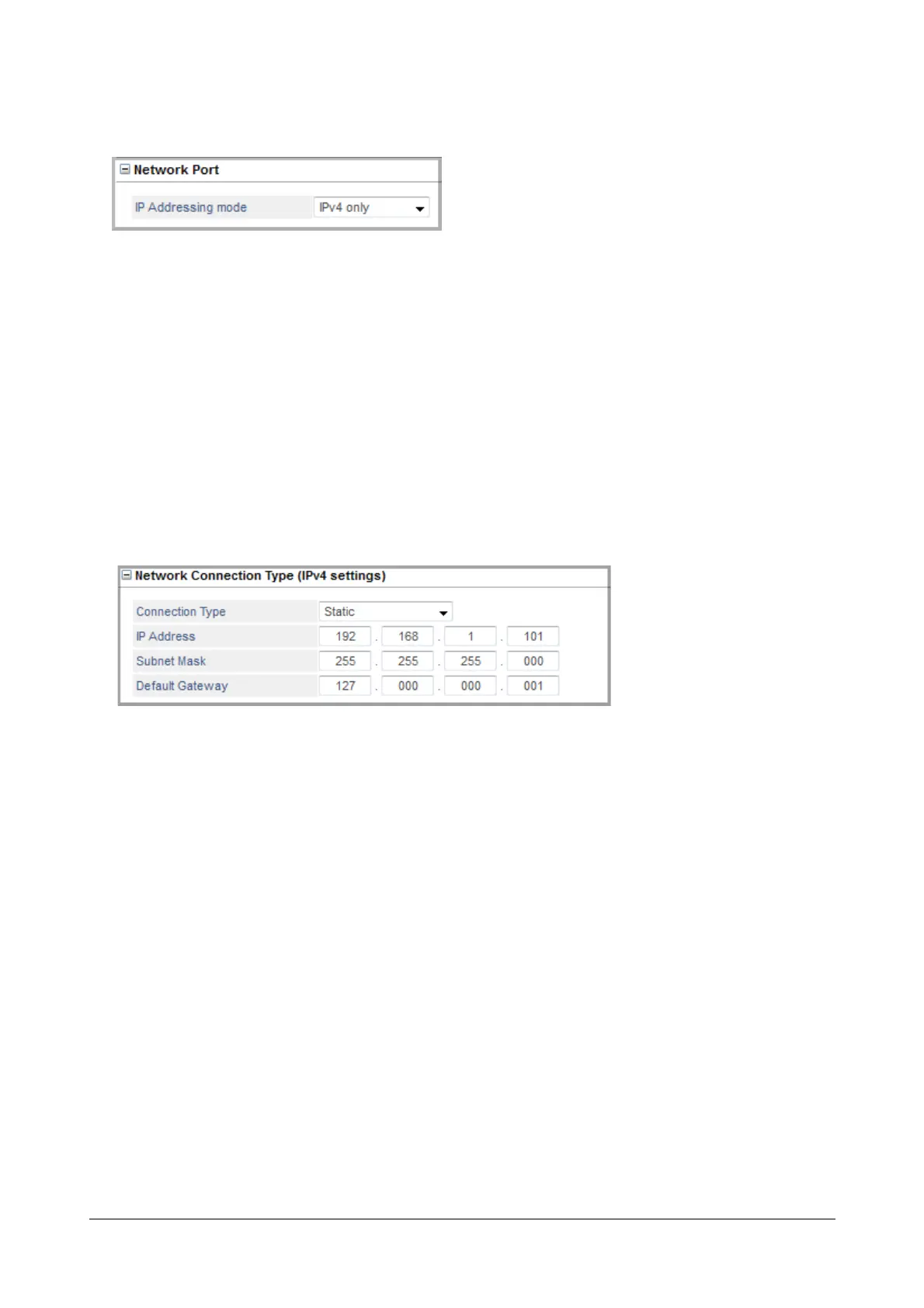
Network Port
• Click Network Port to expand.
• IP Addressing mode: Select the IP version you want the system to use. You may select — IPv4 only or
IPv4 and IPv6. Default: IPv4 only.
If you select IPv4 only, you can configure the IPv4 parameters only.
If you select IPv4 and IPv6, you can configure both IPv4 and IPv6 parameters.
• Preferred DNS Server: If you select IPv4 and IPv6 as the IP Addressing mode, you must select the
Preferred DNS Server — IPv4 or IPv6. Default: IPv4
Network Connection Type (IPv4 settings)
• Click Network Connection Type (IPv4 Settings) to expand.
• Select the network connection type, i.e. the IP Addressing Scheme used by your network to assign the
WAN IP address to the Ethernet Port: Static, DHCP, PPPoE. Default: Static.
• Static: If your network uses Static IP addresses, select Static and configure the following parameters.
• IP Address: Enter the IP Address you obtained from your network Administrator for the Ethernet
Port of SARVAM UCS in this field. Make sure that the IP Address does not conflict with that of any
other device on the LAN.
• Subnet Mask: Enter the Subnet Mask you obtained from your network Administrator for the
Ethernet Port in this field.
• Default Gateway: Enter the IP Address of the Router’s LAN Interface as the Default Gateway IP
Address.
• DHCP: If your network uses DHCP addressing, the DHCP server will dynamically assign an IP
Address, the Subnet Mask, the Gateway Address to the Ethernet Port whenever SARVAM UCS is
restarted. You have to configure the Domain Name Server (DNS) Address only, if not already provided
by your Internet Service Provider.



 To Next Page