Matrix ETERNITY NE System Manual 373
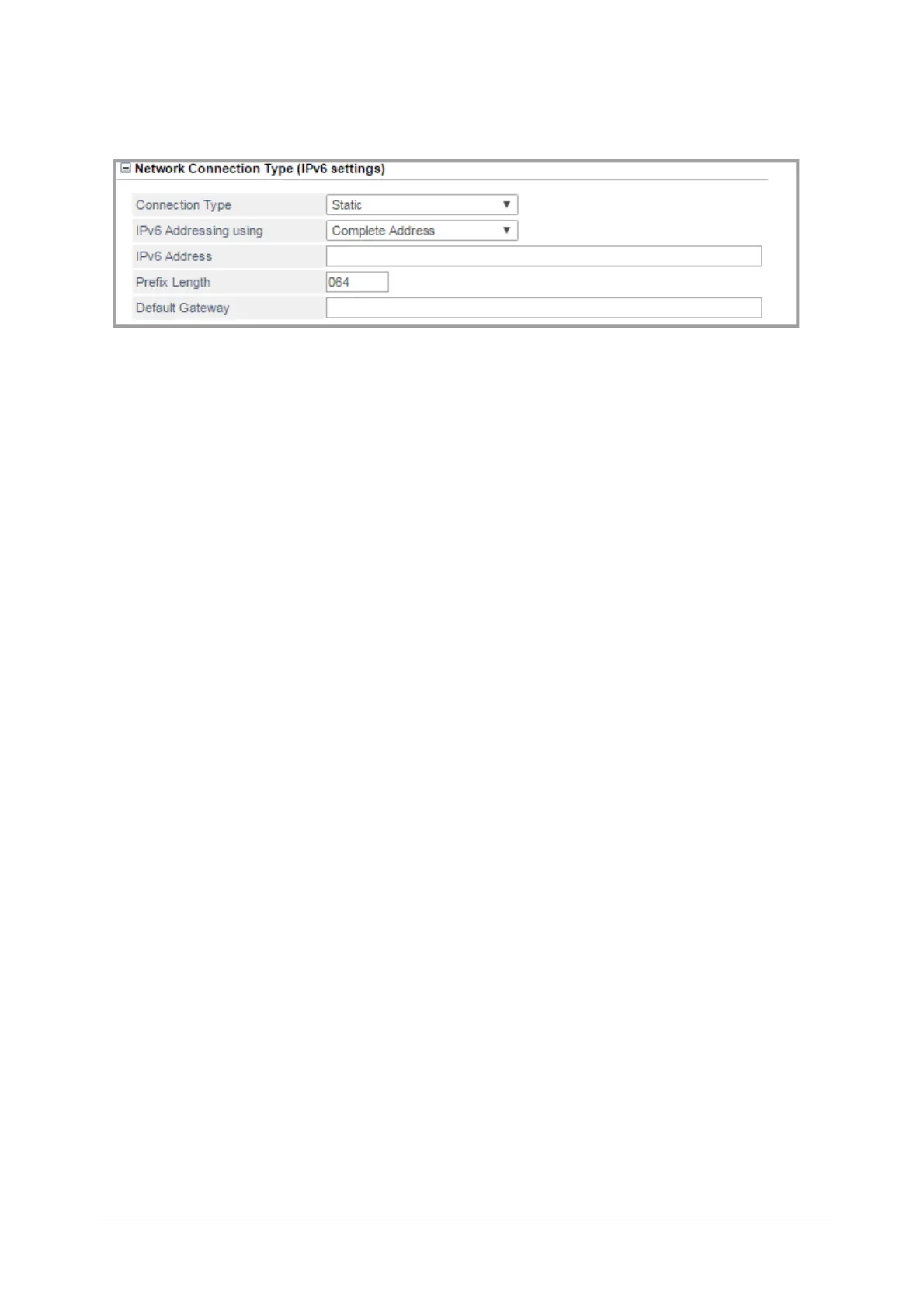
Network Connection Type (IPv6 settings)
• Click Network Connection Type (IPv6 settings) to expand.
You can select — Static, Statefull DHCPv6, Stateless Auto-Configuration, PPPoE. Default: Static.
• Static: Select this option if the connection type is Static.
• IPv6 Addressing using: You can select — Complete Address or Prefix.
If you select Complete Address,
• Configure the IPv6 Address and the Prefix Length. The IP Address configured will be
considered as the complete IPv6 Address.
The Prefix Length is a decimal value that indicates how many of the high-order contiguous bits
of the address comprise the prefix (the network portion of the address).
Valid Range of the IPv6 Address is A to F, a to f, 0 to 9,:(colon). It can be a maximum of 39
characters. Default: Blank.
The Prefix Length range is from 1 to 128 bits. Default: 64.
If you select Prefix,
• Configure the IPv6 Prefix. The system will consider the configured value as 64 bit Prefix of the
IPv6 Address. Then the system will generate the complete IPv6 Address from it. Default: Blank.
Valid characters 0 to 9, a to f, A to F and : (colon). It can be a maximum of 21 characters.
• Default Gateway: Configure the Gateway IP Address for the WAN Port. It can be a maximum of 39
characters.
• PPPoE: Select this option if the connection type is PPPoE. As the PPPoE server will automatically assign
the IP Address, Subnet Mask and Gateway Address to the Ethernet Port, you need not change any of
these.
Configure the following PPPoE parameters:
• IPv6 Scope Preference: IPv6 includes support of Global as well as Non-Global Addresses(Unique).
Select the scope of preference — Global or Unique. Default: Global.



 To Next Page