384 Matrix ETERNITY NE System Manual
• access to Remote Login, Web Server, Third Party Auto Configuration will be allowed only to the
configured Trusted IP Address/es.
• Trusted IP Addresses configured for the registration of the SIP Extension, will not be blacklisted.
The successful attempt to access SARVAM UCS using Remote Login or Web will be logged in the System Activity
Log. Also, Enable/Disable of Force complex SIP Authentication Password will be logged in the System Activity Log.
When you change the default settings of the jumper (J7) on the CPU module, the parameters—Allow
Remote Login, Allow Web Server Access From—will also be set to default.
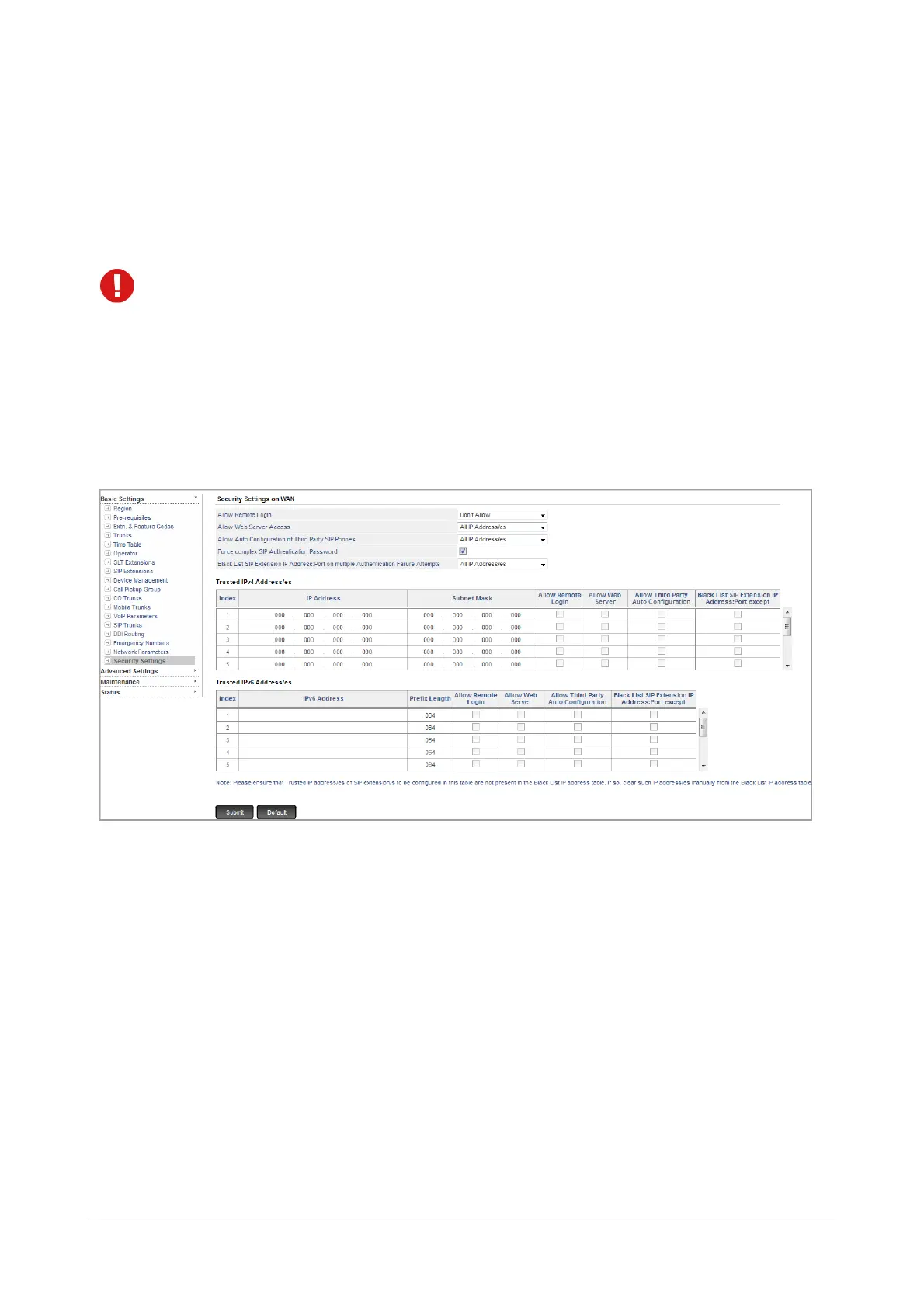
How to configure
• Log in as System Engineer.
• Click Basic Settings.
• Click Security Settings.
Trusted IPv4 Address/es
•In Allow Remote Login, you can select Don’t Allow, All IP Address/es or Only Trusted IP Address/es
option. By default, Don’t Allow is selected.
If you want to allow access to generate the password for the Remote Login from all IP Addresses, select
All IP Address/es option.
If you want to allow access to generate the password for the Remote Login from specific IP Addresses
only:
• select Only Trusted IP Address/es option.
• configure the IP Address/es and their respective Subnet Mask in the Trusted IPv4 Address/es table.
• enable the Allow Remote Login check box in the Trusted IPv4 Address/es table.
If you select All IP Address/es or Only Trusted IP Address/es option, click Generate Key.



 To Next Page