Matrix ETERNITY NE System Manual 31
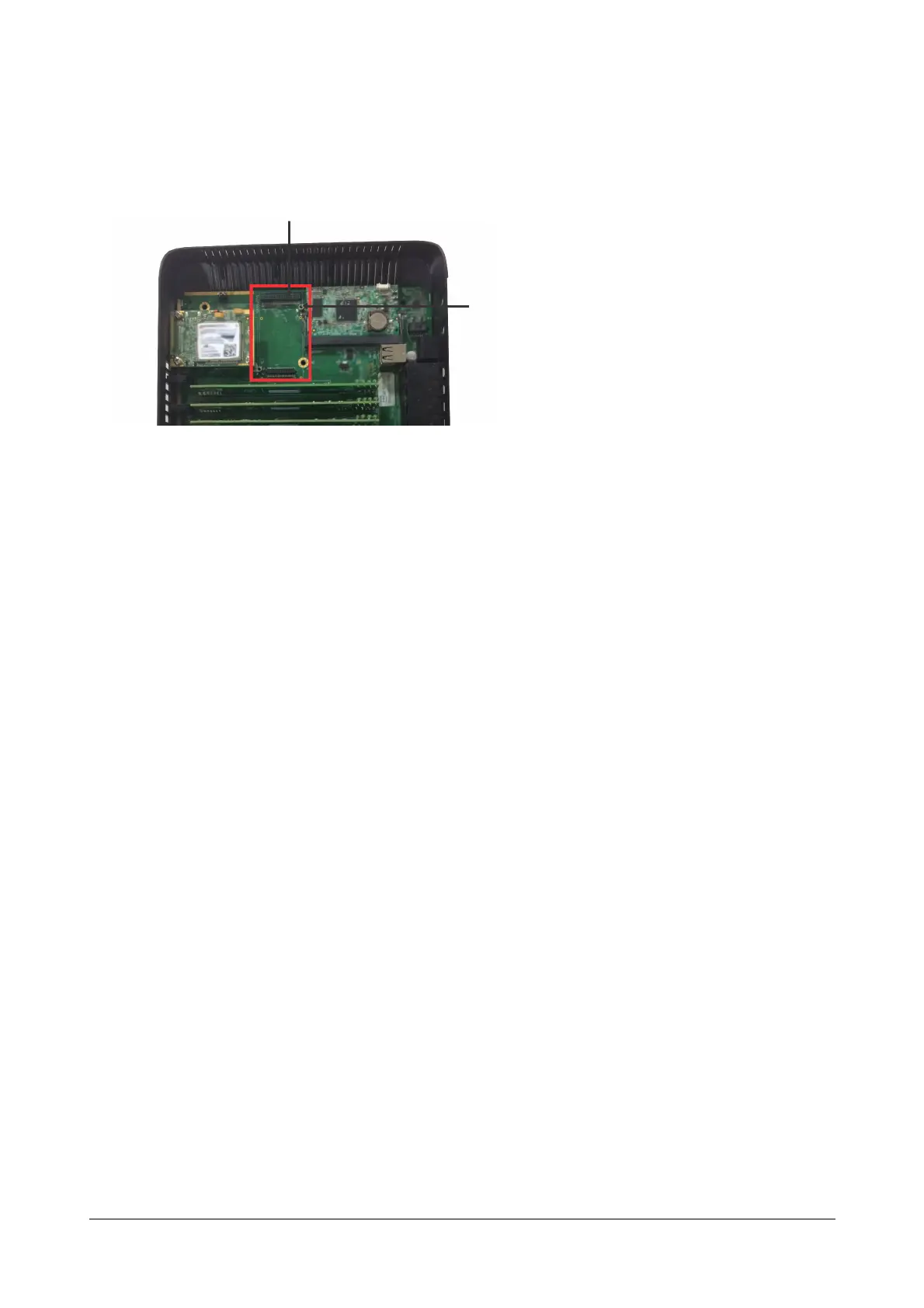
• Gently seat the VoIP module on the connector on the mainboard. The connector pins on the module must
make complete contact with those on the mainboard. Do not apply pressure.
• When the module is seated firmly on the connector on the mainboard, secure the module with the screws
on the studs.
• If you have no other modules to install, replace the top cover and secure the cover with the screws.
Before you connect the system to WAN, we recommend that you first connect a computer to the Ethernet Port of
ETERNITY NENX, configure the Basic Settings, and then connect to WAN.
• You can connect ETERNITY NENX to WAN either over Ethernet port (Ethernet WAN) or over Mobile Port
1 (Wireless WAN).
While several installation scenarios are possible, only three most common and most typical scenarios are
depicted here.
Ethernet WAN
• Use the RJ45 Ethernet cable supplied for the Ethernet port of ETERNITY NENX to connect the system to
the IP network, which may be Public Internet or a LAN.
Studs for VoIP Module
on mainboard
Connector Pin for
VoIP module on
mainboard



 To Next Page