36 Matrix ETERNITY NE System Manual
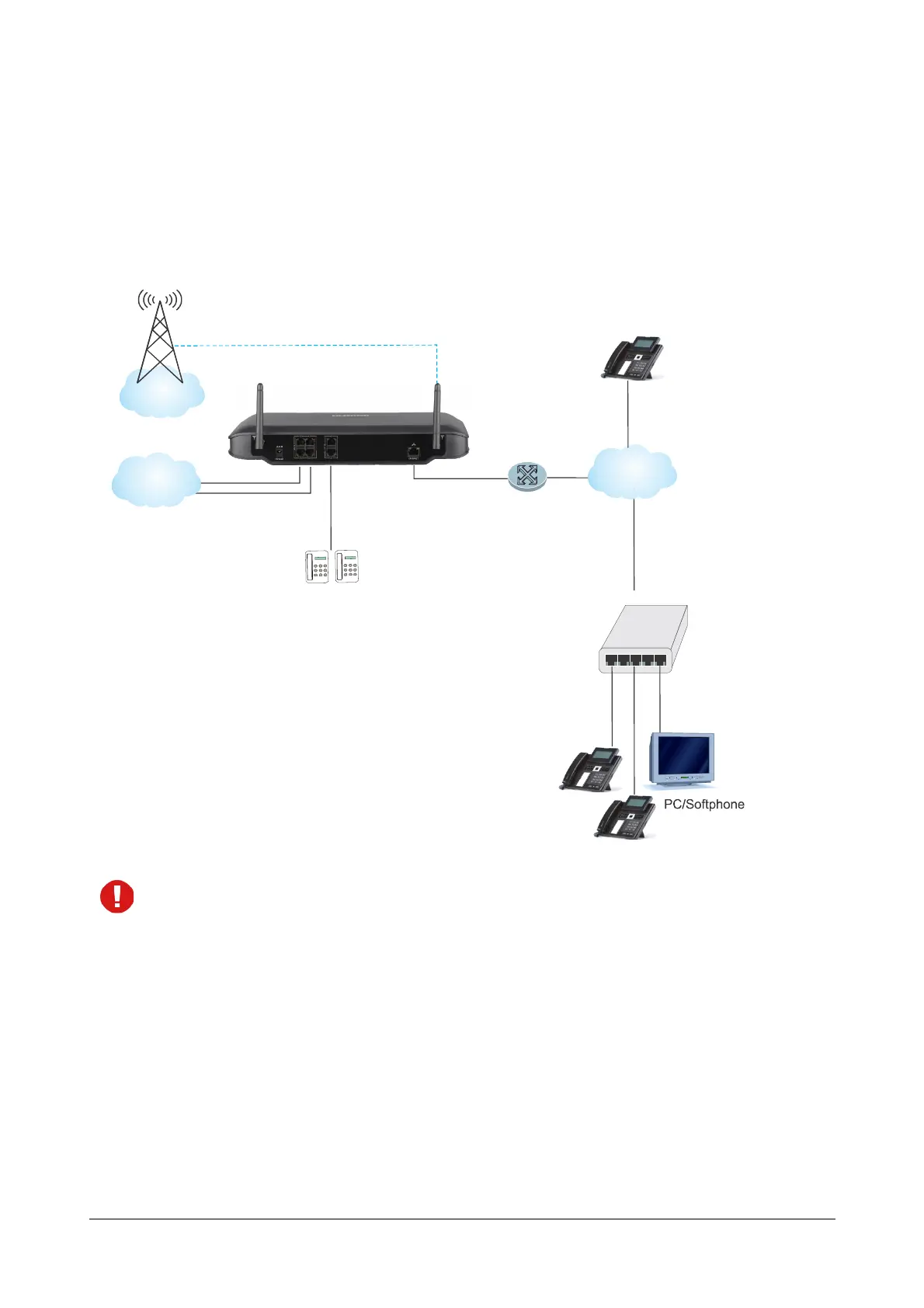
Ethernet WAN
If ETERNITY NENX is connected to a Public Network,
• Connect the Extended IP Phone, or any Open IP SIP device to the LAN Switch.
• Register any SIP device—Extended IP phone/ Soft clients or Open IP phone—on the public network as
SIP Extension.
When you register any SIP device, other than the Extended IP Phone, on the public network as SIP
Extension, you must configure the Registrar Server Address of ETERNITY NENX, the Registrar Server
Port, the SIP ID, Authentication ID and Password in the SIP device.
If ETERNITY NENX is connected to a Private Network (Behind the NAT),
• Connect the Extended IP Phone, or any standard IP Phone to the LAN Switch.
• You may also register any SIP device—Extended IP Phone or Open SIP phone—on the public network as
SIP Extension. In this case, you must configure Port Forwarding for SIP and RTP on the Router.
Modem/
Router
IP
IP
GSM/UMTS/
LTE
Ethernet
WAN
SLT Extensions
SIP Extensions
SIP Extension
CO



 To Next Page