Matrix ETERNITY NE System Manual 475
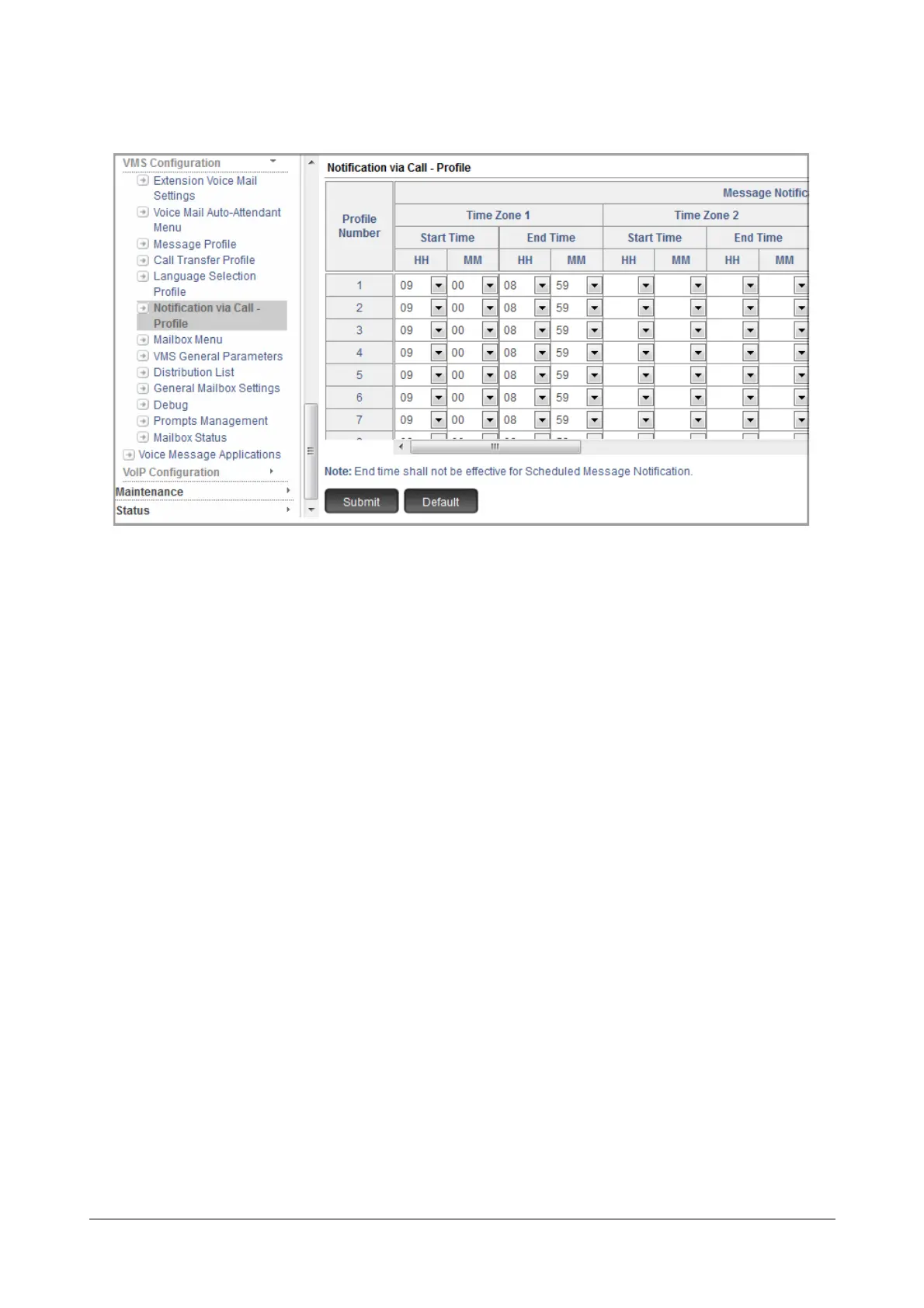
• Click Notification via Call - Profile.
• Select the Profile Number which you want to assign to Message Wait Notification via Call.
The Message Wait Notification Profile determines how notification calls are to be made to the desired
numbers. You can configure upto 8 different profiles. In each profile, you can set different time zones
according to the user preferences.
Configure the following parameters against the Profile Number you select:
• For Each Time Zone, Time Zone 1 to 4, configure the Start Time and End Time. The valid range is
00:00 to 23:59.
• If you want to receive notifications on a holiday, select the Notify on Holiday check box.
• Click Submit
• Now, assign the profile numbers to the desired extensions. Make sure the Message Wait Notification
via Call parameters have been configures in the Extension Voice Mail Settings of these extensions.



 To Next Page