478 Matrix ETERNITY NE System Manual
• Mailbox Management: The system allows user to manage his/her personal mailbox. For further
information, see “Mailbox Management”.
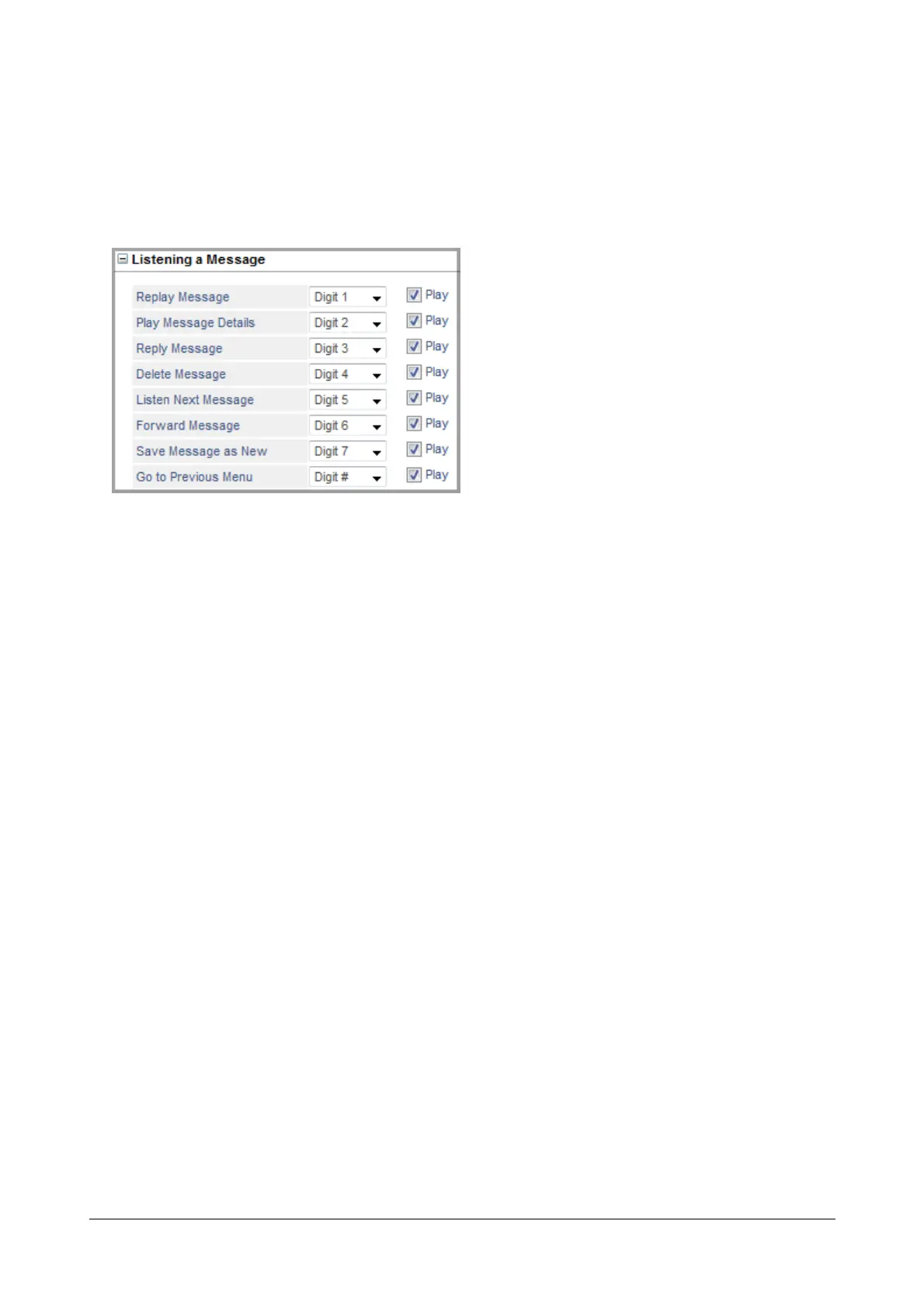
Listening a Message
Listening a Message is a menu which will be played to the caller after every message (old/new).
• Replay Message: The system will play the message again.
• Play Message Details: The system will play the message details — Message Date/Time and the Name of
sender. The message details will be played as per the Message Playback Settings configured in the
Message Profile. For details, refer “Message Playback Settings”.
• Reply Message: The system will allow the caller to reply the sender with a message. The Message will be
sent as per the Message Leave Settings configured in the Message Profile. For details, refer “Message
Leave Settings”.
.
After sending the reply message, the Mailbox Access menu will be played again.
Reply Message will not be played if:
• the message does not include the calling party number.
• the message includes the calling party number but no Mailbox is assigned.
• the message includes the calling party number as an external number.
• it is a Broadcasted or a Call Tapping message.
• Delete Message: The system will delete the message and play the next message(old/new).
• Listen Next Message: The system will play the next message(old/new) as per the last message played.
After playing the next message, the Mailbox Access menu will be played again.
• Forward Message: The system will play a prompt asking caller to enter the Destination Number of the
recipient for forwarding the message.
The Destination Number may include a Distribution List. A maximum of 10 Destination Numbers can be
added. The Message will be sent as per the Message Send/Forward Settings configured in the Message
Profile. For details, refer “Message Send/Forward Settings”.
After forwarding the message, the Mailbox Access menu will be played again.



 To Next Page