512 Matrix ETERNITY NE System Manual
Forwarding an incoming Email as SMS
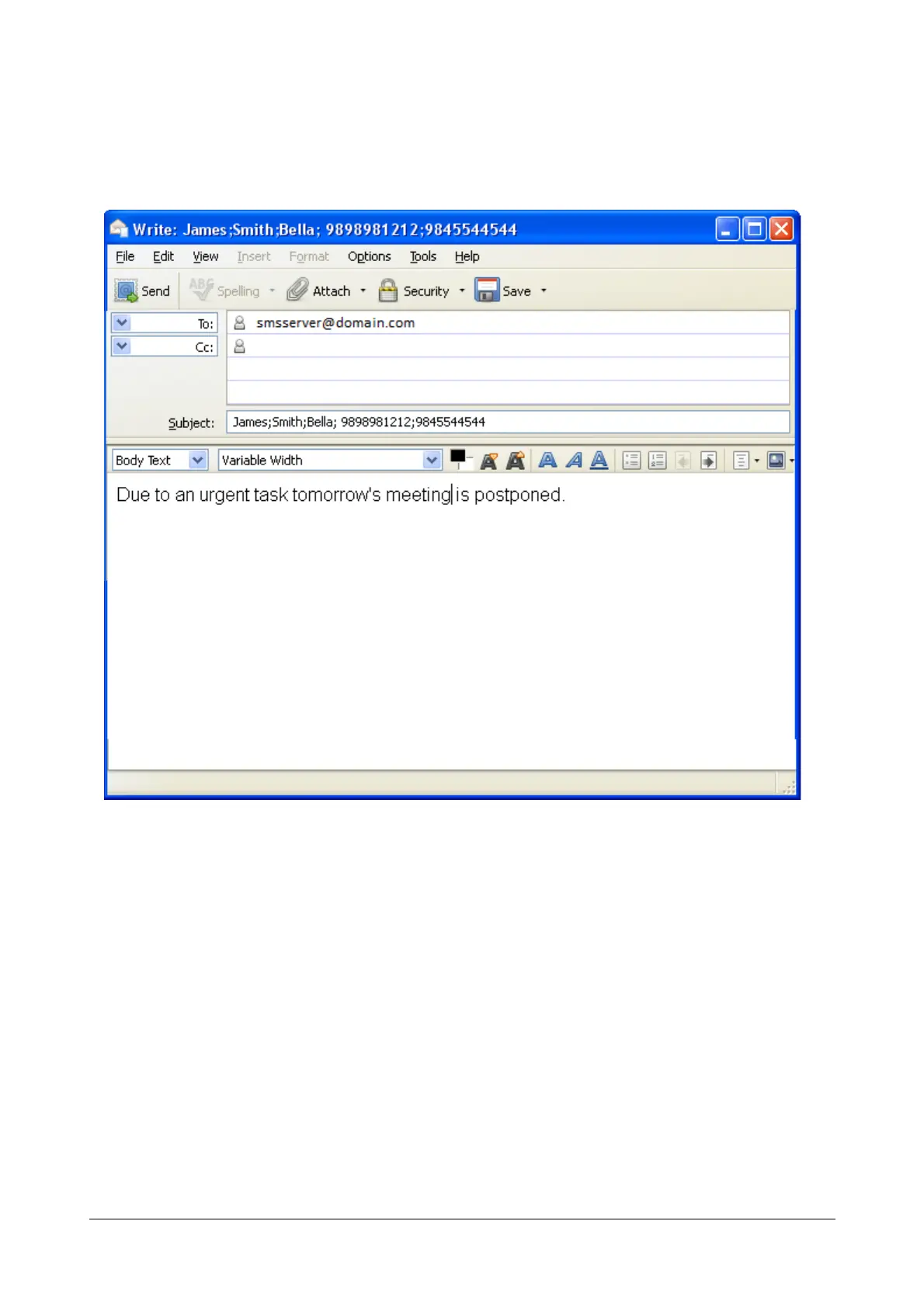
• To forward an Email as an SMS, the sender must send the Email to the SMS Server in a specific format.
Illustrated below is as example of the format.
Here,
• The sender of the Email is John, John@matrixrd.org.
• The To field must be the Email ID of the SMS Server, smsserver@domain.com.
• The Subject must contain the destination where the SMS to be delivered.
The destination can be a Name/Numbers of the users to whom the SMS is to be sent. To send the SMS to
multiple destinations, enter the destinations separating them with a comma or semicolon. Here the
destination, that is the recipients are James, Smith, Bella, 9898981212, 9845544544.
• The body must contain the message to be sent to the recipients, that is ‘Due to an urgent task tomorrow’s
meeting is postponed.’
• The senders Email ID or Name will be displayed to the recipients, if you have configured the parameter
Send Footer/Signature in SMS.



 To Next Page