Matrix ETERNITY NE System Manual 635
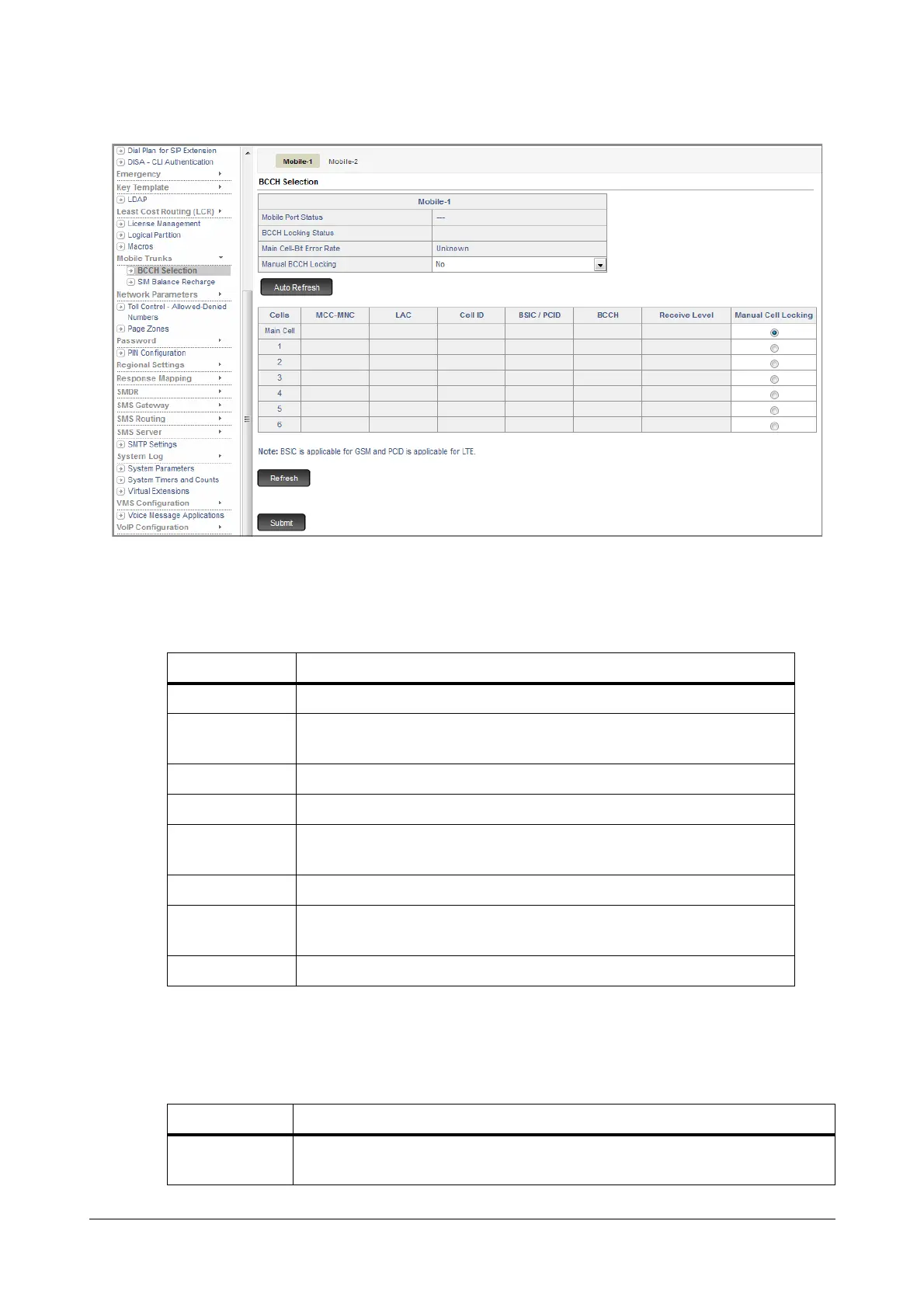
• Click BCCH Selection.
• The page displays the following parameters:
• Mobile Port Status: The current state of the Mobile Port is displayed in this field. Given below is the
description of the various status indication messages that will appear in this field.
• BCCH Locking Status: The current BCCH Locking status of the mobile port is displayed in this field.
Given below is a description of the various BCCH Locking status indication messages that will appear
in this field.
STATUS DESCRIPTION
Disabled Displayed when Mobile Port is disabled.
GSM
Initialization
Displayed when GSM module is in initialization state i.e. before SIM
detection.
SIM Absent Displayed when SIM Card is not detected by the system.
SIM PIN wrong Displayed when wrong SIM PIN is issued.
SIM PUK
required
Displayed when SIM PUK is required.
Registering Displayed when the Mobile Port is in registration process with the Network.
Idle
Displayed when the Mobile Port is registered with the Network and it is
free.
Busy Displayed when any active call is present on the Mobile Port.
STATUS DESCRIPTION
Trying to Lock
Displayed when user selects Manual BCCH Locking as ‘No’ from 'Yes' and
module is in initialization process after system or module restart.



 To Next Page