Matrix ETERNITY NE System Manual 641
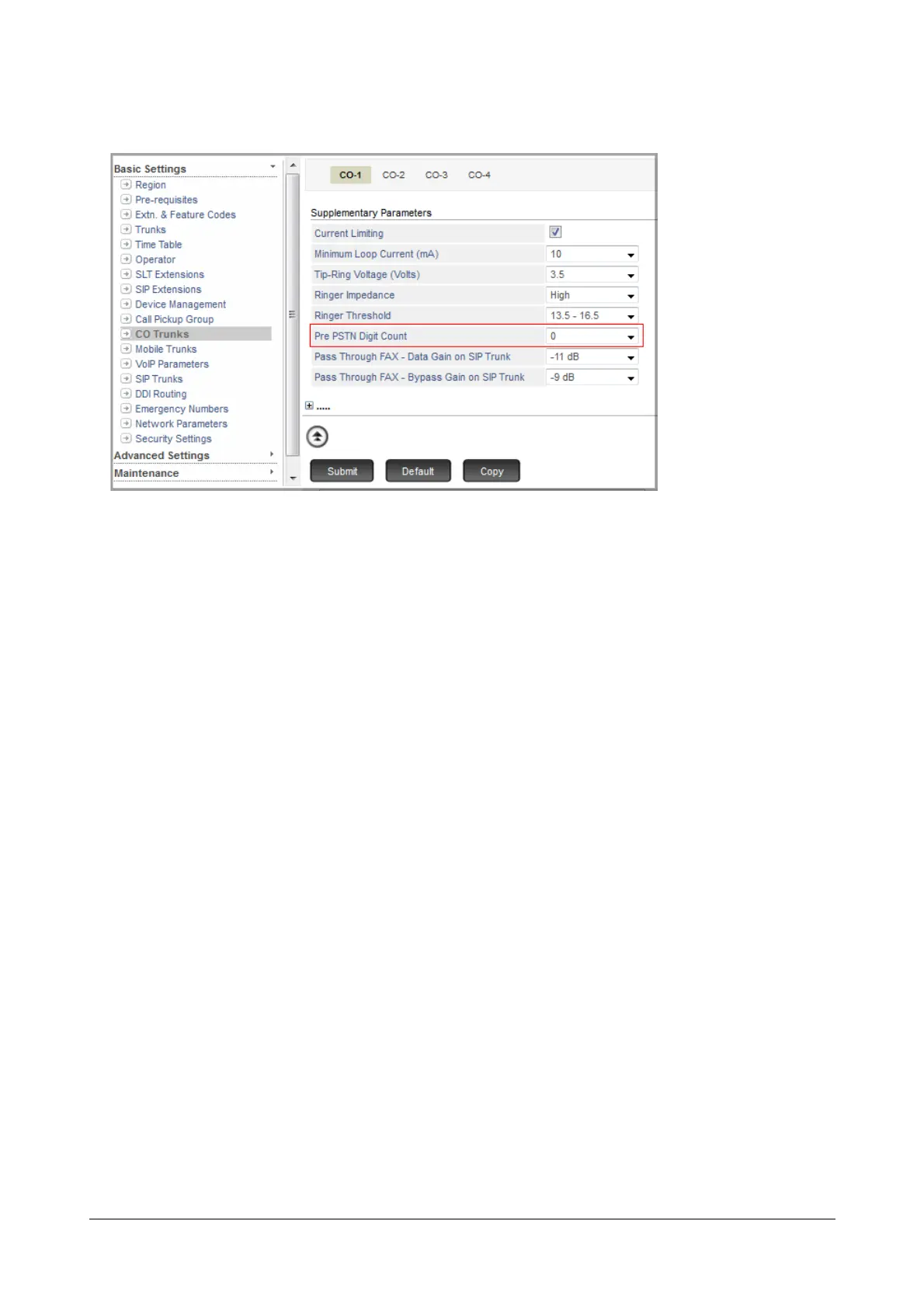
• Scroll to Supplementary Parameters.
• Select 0 in Pre PSTN Digit Count.
• Click Submit.
• Similarly, click the desired CO Trunk tab to which you want to assign PPDC count i.e. trunks connected to
the extensions of another System, and assign the appropriate PPDC count to the trunk. This would
depend on the number of digits in the Trunk Access Code defined for the trunks in other System. If the
TAC is single digit, select '1'. If TAC is double or triple digit, select '2' or '3' as applicable.
• Click Submit.



 To Next Page