734 Matrix ETERNITY NE System Manual
How to configure
To be able to use Call Transfer, this feature must be enabled in the Class of Service group of the extensions to be
allowed this feature. The default values of the related Timers may be changed, if required.
To be able to use Blind Transfer to VMS, the extensions must be assigned a mailbox in the VMS of the system. For
instructions, refer to “Configuring Voice Mail System”.
Call Transfer in Class of Service
By default Call Transfer is assigned to all the extensions of SARVAM UCS, as it is included in the 'Basic Features'
assigned to the extensions.
You cannot disable 'Call Transfer' selectively without disabling the entire set of 'Basic Features'. Refer the topic
“Class of Service (CoS)” to know more.
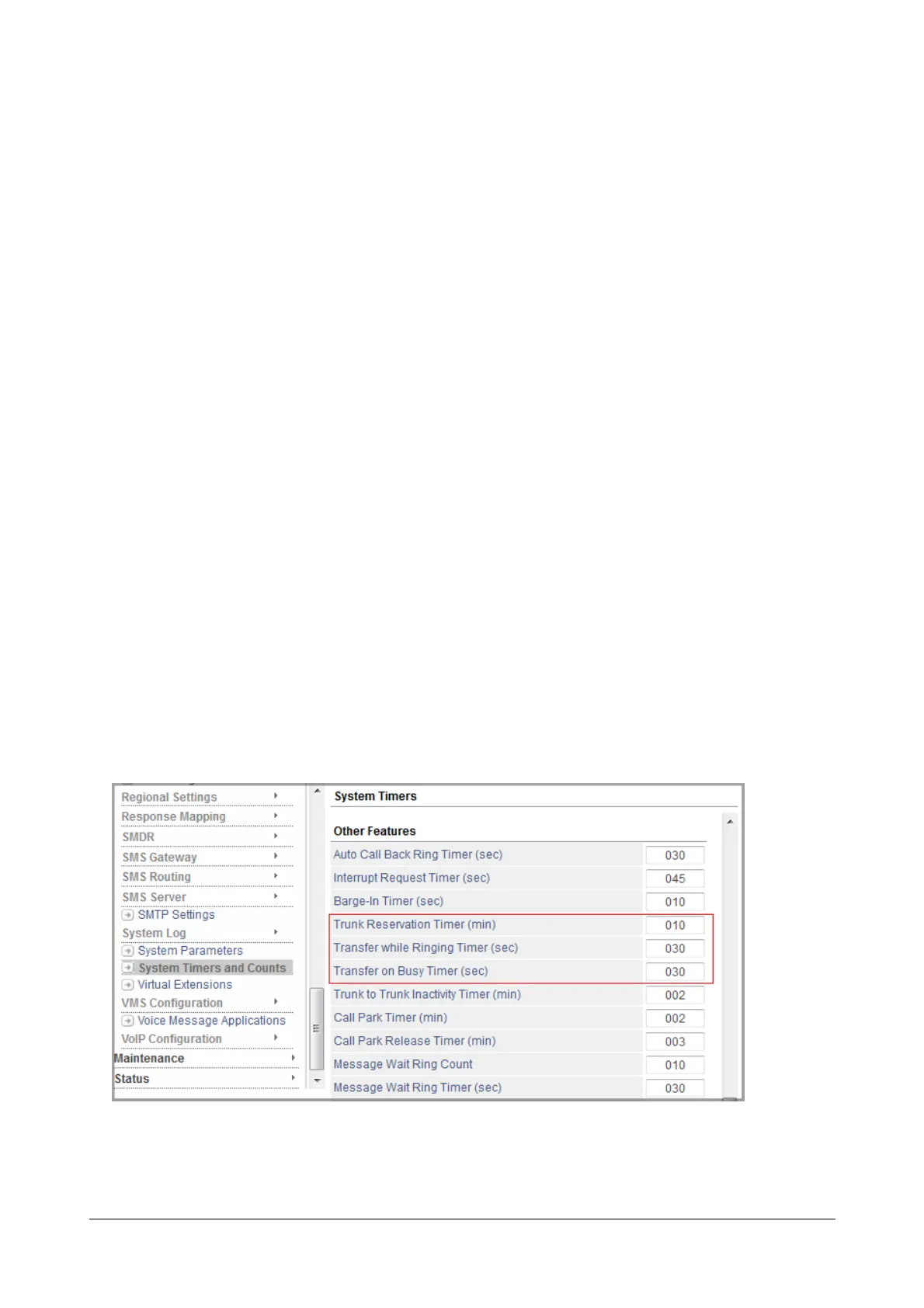
Call Transfer Related Timers
• Transfer While Ringing Timer: This timer is related to Call Transfer - While Ringing. It is the time for
which the system rings the extension. By default it is set to 30 seconds. At the end of the timer the call is
returned to the transferring extension.
• Transfer on Busy Timer: This timer is related to Call-Transfer on Busy. It is the time for which the system
waits for the busy extension to respond to the intrusion tone. By default the timer is set to 30 seconds. At
the end of the timer the call is returned to the transferring extension.
• Trunk to Trunk Inactivity Timer: This is the time duration after which the system disconnects the call
transferred from one trunk line to another. By default it is set to 2 minutes. At the end of the timer the call is
disconnected, if either party does not dial digits to extend the call. This Timer is relevant for CO to CO only.
Changing Call Transfer Related Timers using Jeeves
• Login as System Engineer.
• Under Advanced Settings, click System Timers and Counts.
• Scroll to reach the Call Transfer related timers and change the values as required.
• Click Submit.



 To Next Page