Matrix ETERNITY NE System Manual 67
• S. ADD: This displays the IP address of the Active Server. It may be the Ethernet Port IP Address /
Domain Name of ETERNITY or the Secondary Server IP Address (if configured) or any Fallback Server
IP Address.
•S. PORT: This displays the port of the Active Server. It may be the SPARSH Port of ETERNITY or the
Secondary Server Port (if configured) or the Fallback Server Port.
• DOMAIN: The Domain Name assigned to the phone.
• 802.1x Authentication: The 802.1x authentication status is displayed—Success, Failure,
Authenticating or Disabled.
• FIRM: The version of the current Firmware of the phone.
• UBOOT: The UBOOT release date.
• KERNEL: The KERNEL release date.
Refer to the EON510_SPARSH VP510 User Guide to know more.
Installing DSS532 with SPARSH VP510
Once you have installed SPARSH VP510 with ETERNITY, you can install the DSS532 by following the steps given
below:
• Unpack the box and verify the package contents
11
.
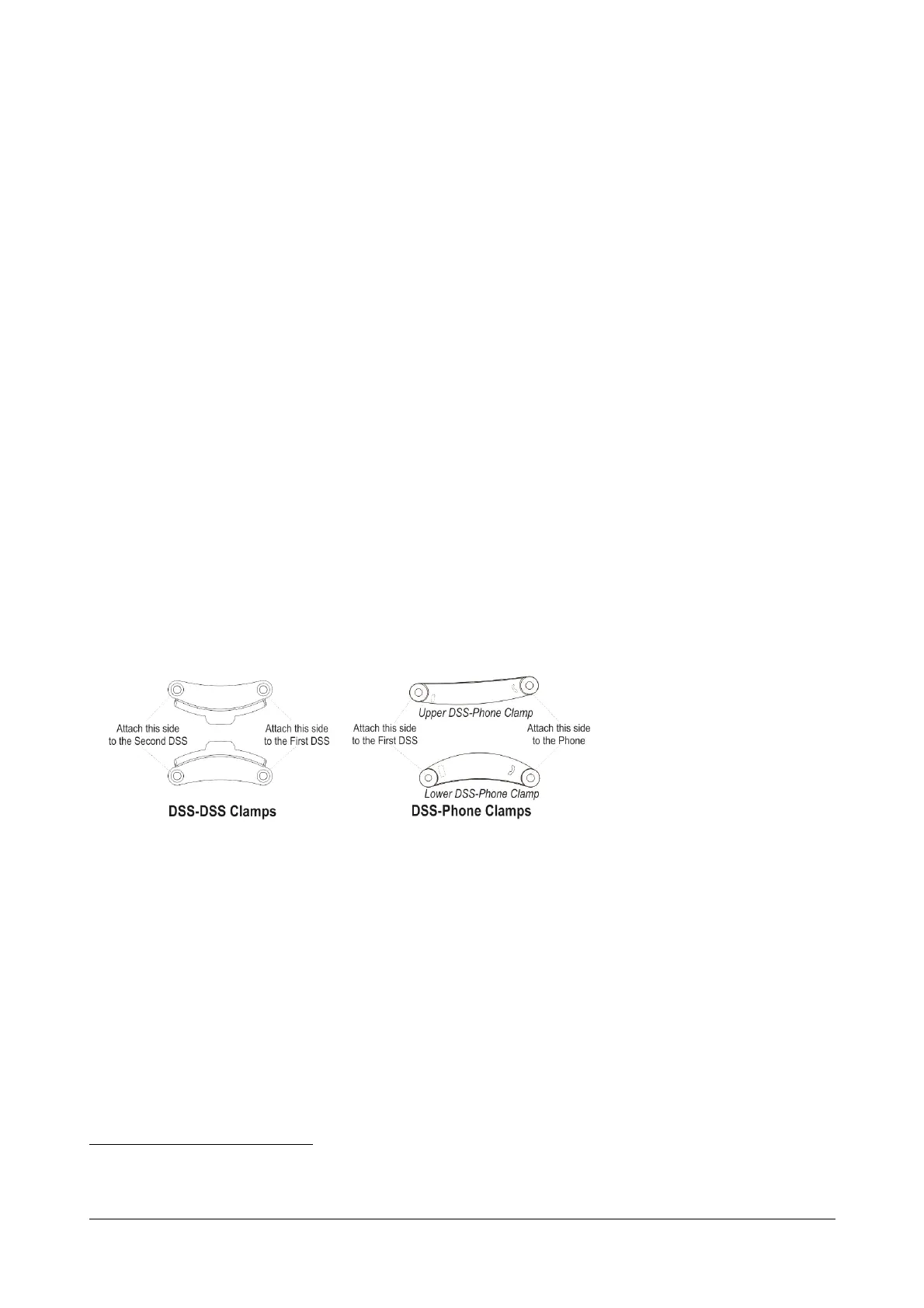
• Four clamps are provided with the phone — 2 DSS-Phone Clamps and 2 DSS-DSS Clamp.
11. See “Packing List” in the Appendix topic.



 To Next Page