Matrix ETERNITY NE System Manual 787
1. The 'Date and Month' method, which specifies a date of the month that DST will start or end. For
example: starting on March 11 and ending on November 4.
2. The 'Day of Month' method, which specifies a day of the month DST will start or end. For example:
starting on the 2nd Sunday of March and ending on 1st Sunday of November.
DST is not applicable in certain regions/countries, like Asia and South America. In such cases, the DST
Mode is to be 'Disabled'.
How to configure
• Login as System Engineer.
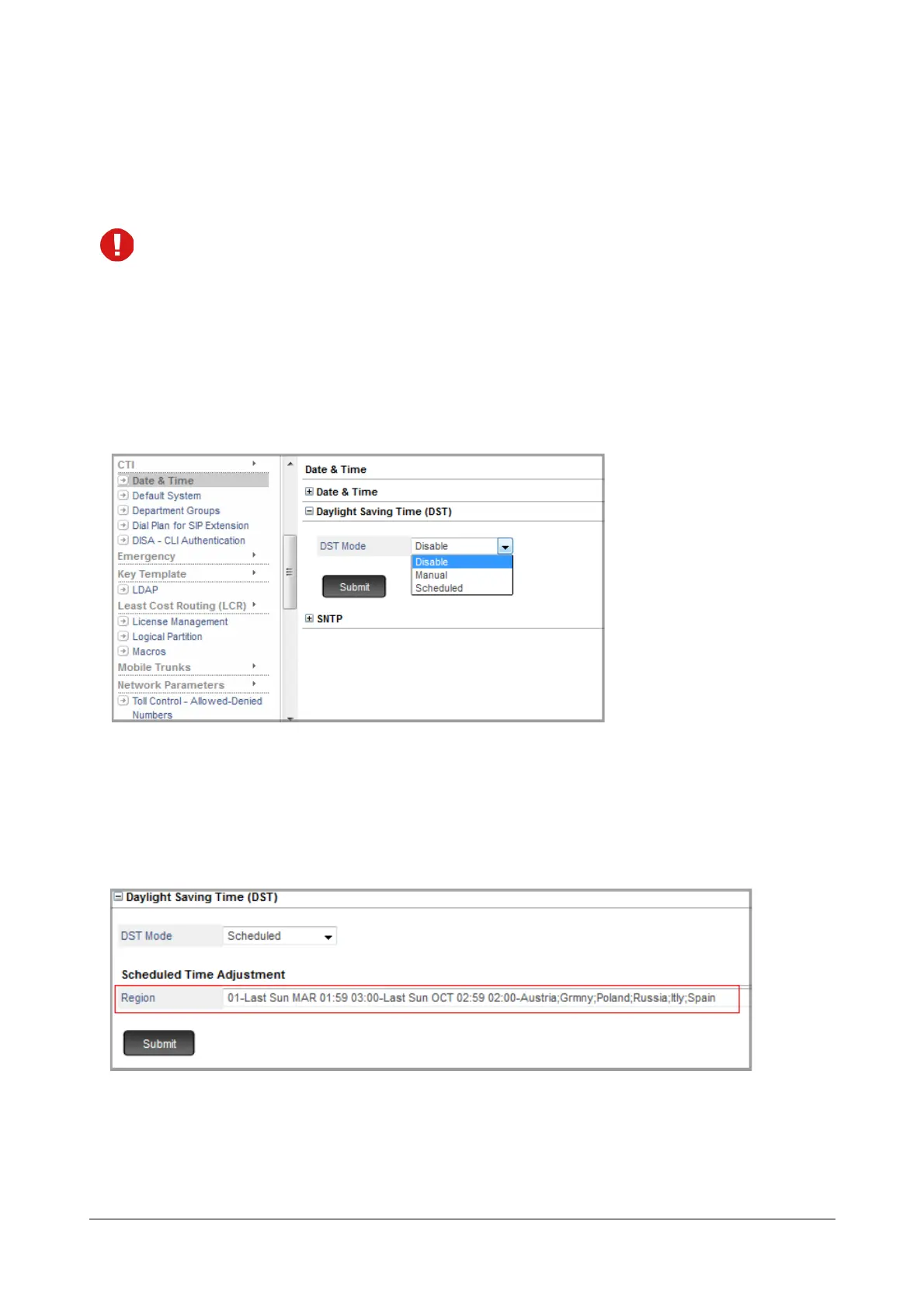
• Under Advanced Settings, click Date and Time.
• Click Daylight Savings Time to expand.
•Set DST Mode to Manual or Scheduled as per your requirement.
Scheduled DST Adjustment
• If you have selected Scheduled DST mode, in the Region, select the country/region where your system is
installed.
• Click Submit to save your DST setting.
• If you do not find your region on this list, you are recommended to set DST Mode to Manual and adjust
DST manually.



 To Next Page