802 Matrix ETERNITY NE System Manual
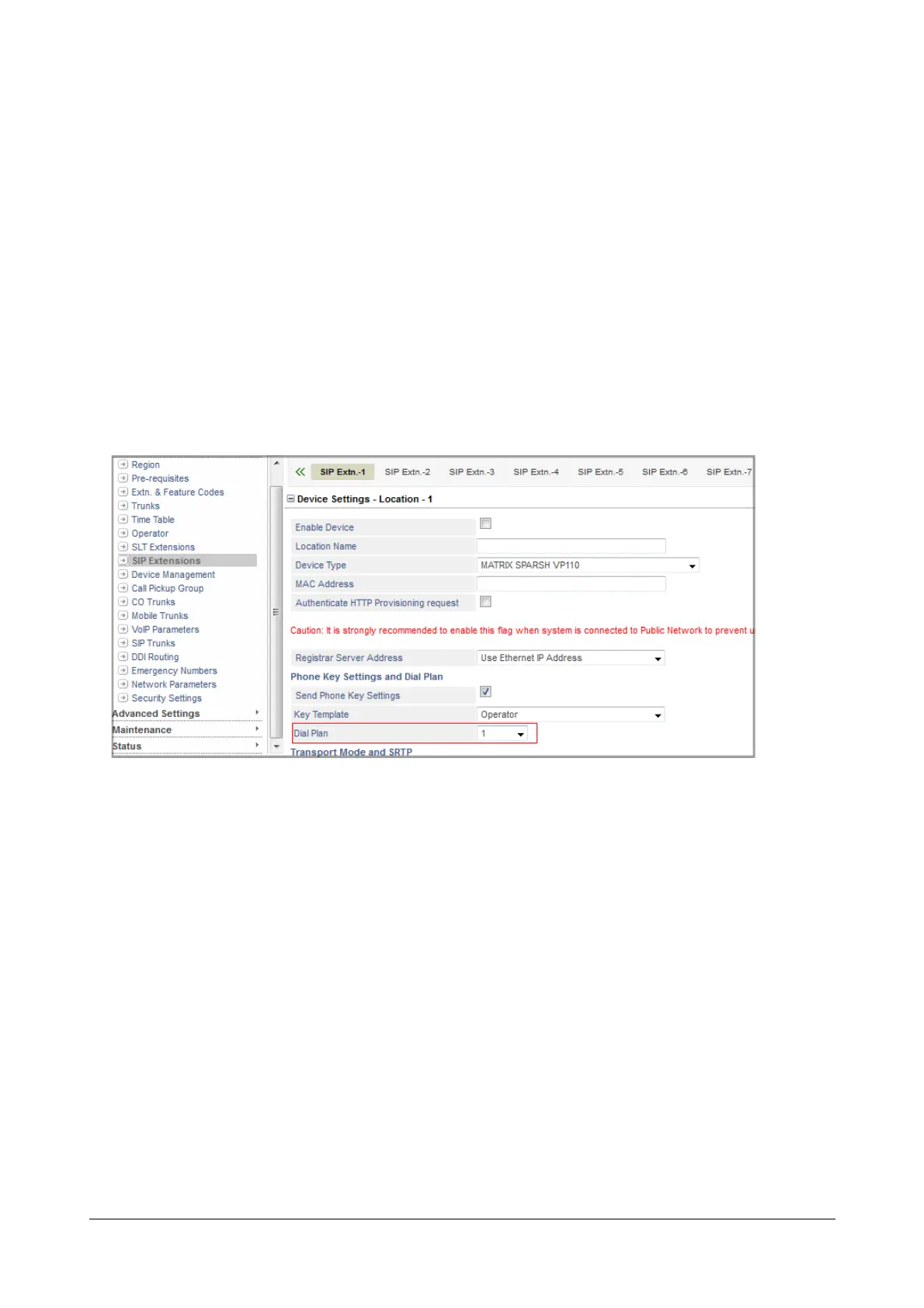
Assigning Dial Plan to SIP Extensions
To assign the Dial Plan you configured for VP110,
• Under Basic Settings, click SIP Extensions.
• Click the tab of the Extension number at which you have registered VP110.
• Now, click the location at which you have registered SPARSH VP110, for example, Device Settings -
Location 1.
• Scroll to Phone Key Settings and Dial Plan.
• Select the Dial Plan number you configured.
• Click Submit.
To assign the Dial Plan you configured for VP710,
• Under Basic Settings, click SIP Extensions.
• Click the tab of the Extension number at which you have registered VP710 as a Standard SIP.
• Now, click the location at which you have registered SPARSH VP710, for example, Device Settings -
Location 1.
• Scroll to Dial Plan.
• Select the Dial Plan number you configured.
• Click Submit.



 To Next Page