Matrix ETERNITY NE System Manual 821
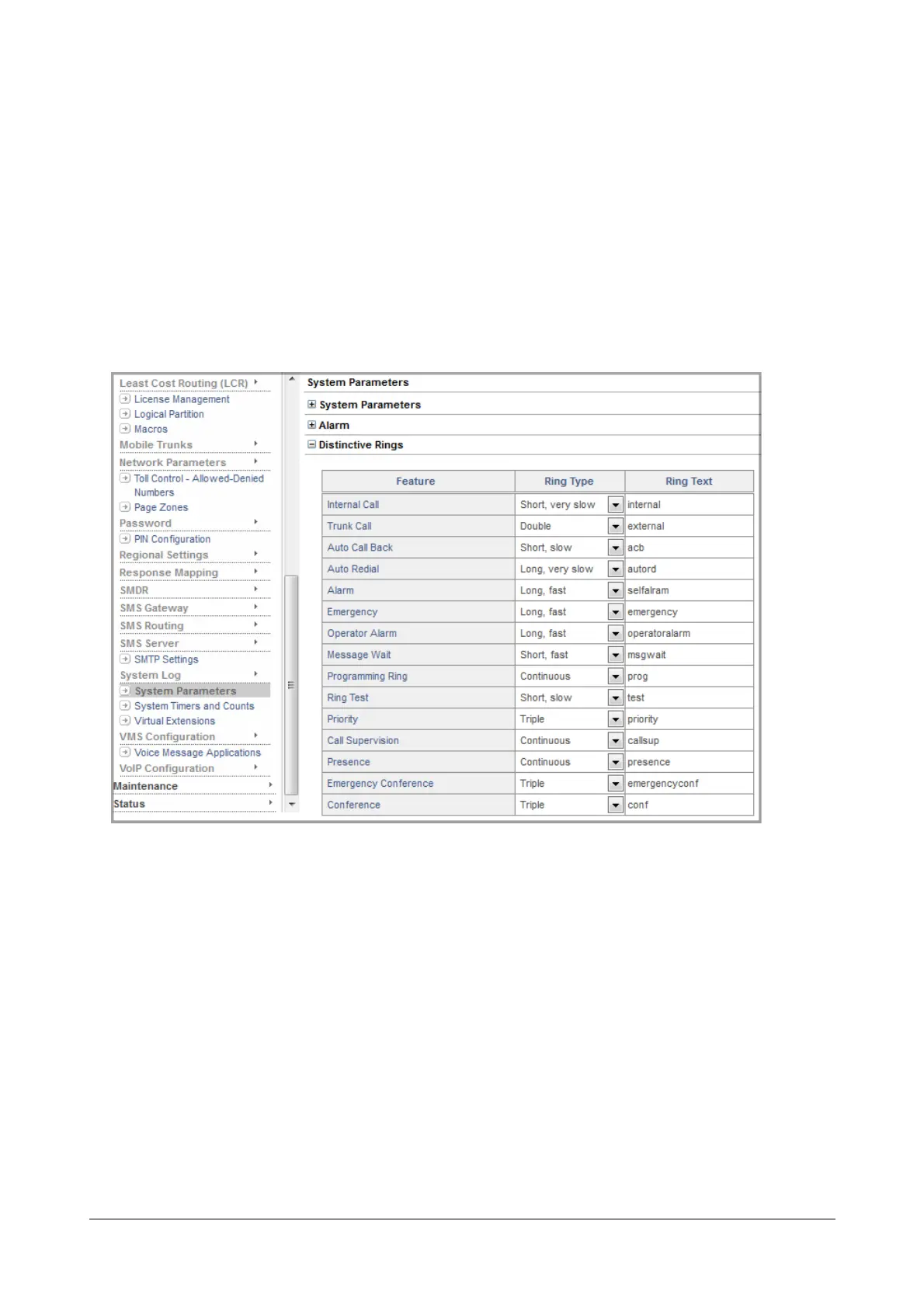
Configuring Distinctive Rings using Jeeves
The country-specific Distinctive Ring Pattern is set automatically by the system when you select the Region Code.
However, if required, you may change the default Ring Pattern loaded by the system.
To configure Distinctive Rings,
• Login as System Engineer.
• Under Advanced Settings, click System Parameters.
• Click Distinctive Rings to expand.
• Select the desired Ring Pattern (Ring Type) for each call event/feature that you want to customize.
• You can also customize the Ring Text of each call event on SIP extensions. The text can be a maximum of
20 alphanumerical characters.
• Click Submit.



 To Next Page