Matrix ETERNITY NE System Manual 857
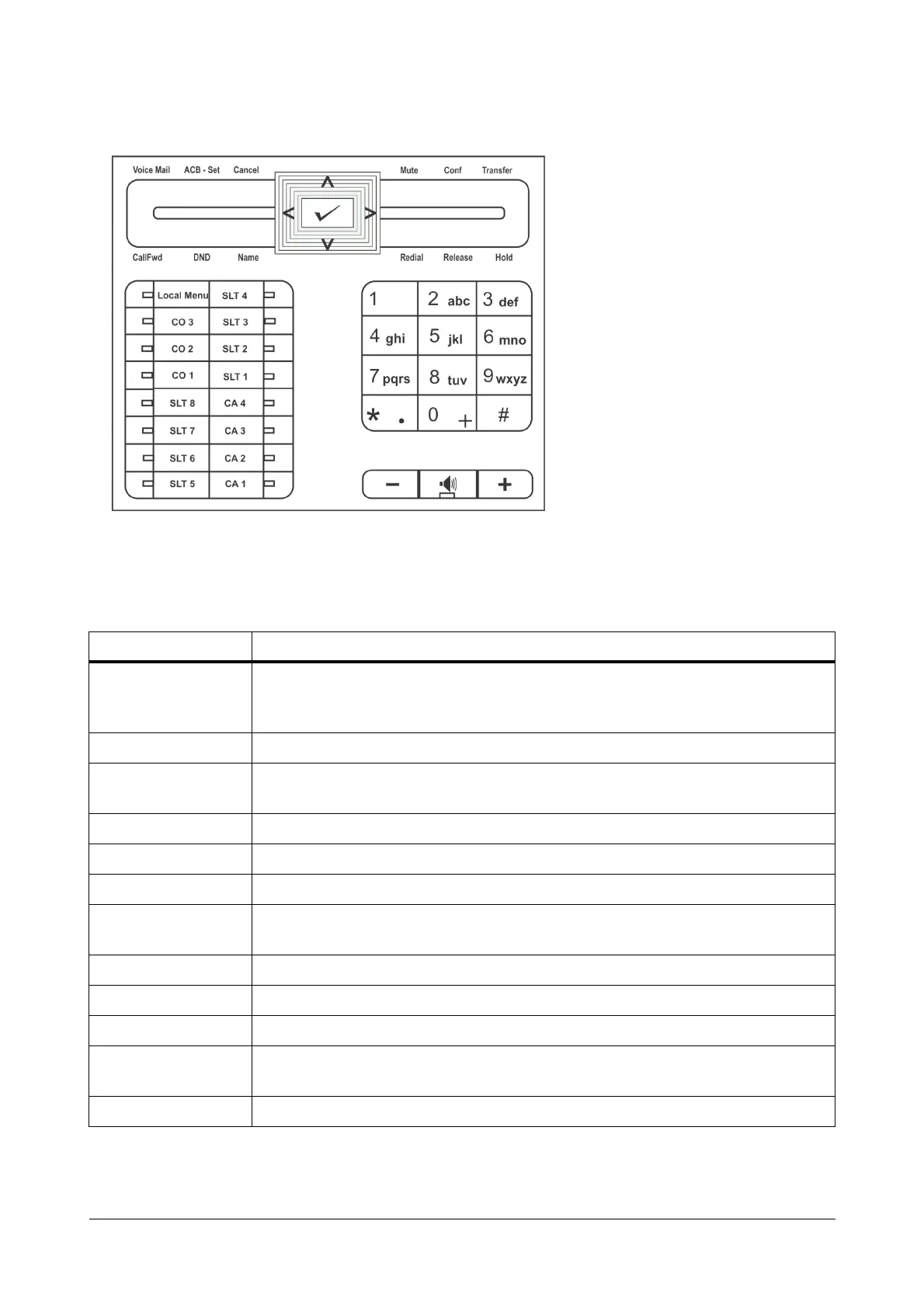
Matrix Extended IP Phone, SPARSH VP248 Key Template (default)
Phone Menu
You can access the following SARVAM UCS and phone features from the Menu of SPARSH VP248:
Menu option Description
Call Logs
To view call history of internal and external Missed, Answered and Dialed calls.
You can also edit numbers in the call logs and store them in the Personal Directory.
Contacts To add, edit, delete names and numbers of contacts in the Global Directory Part 1.
Call Forward
To set and cancel Call Forward-Busy, Call-Forward No Reply, Call-Forward-
Unconditional, and Follow Me.
Dynamic Lock To change the Toll Control level of the phone.
User Status To set User Present or User Absent.
Keypad Lock To lock the keypad of the phone.
Do Not Disturb
To set/cancel Do Not Disturb on the phone, i.e. block incoming internal and external
calls.
Call Cost Display To view the cost of calls made from the phone.
Hotline To set/cancel Hotline and Delayed Hotline.
Alarm To set/cancel Personalized and Automated Alarms.
Change User
Password
To change the User Password.
One Touch Transfer To set/clear Transfer Number.



 To Next Page