Matrix ETERNITY NE System Manual 915
• If A sets immediate Hot Outward Dialing (Hotline Timer set to ‘00’ seconds), A will be connected to the
Trunk/External number as soon as A goes Off-Hook.
• Delayed Hotline/Hot Outward Dialing allows extension users to dial out other numbers or grab another
trunk, without having to cancel the Hotline/Hot Outward Dialing they have set for a particular number or
trunk.
How to configure
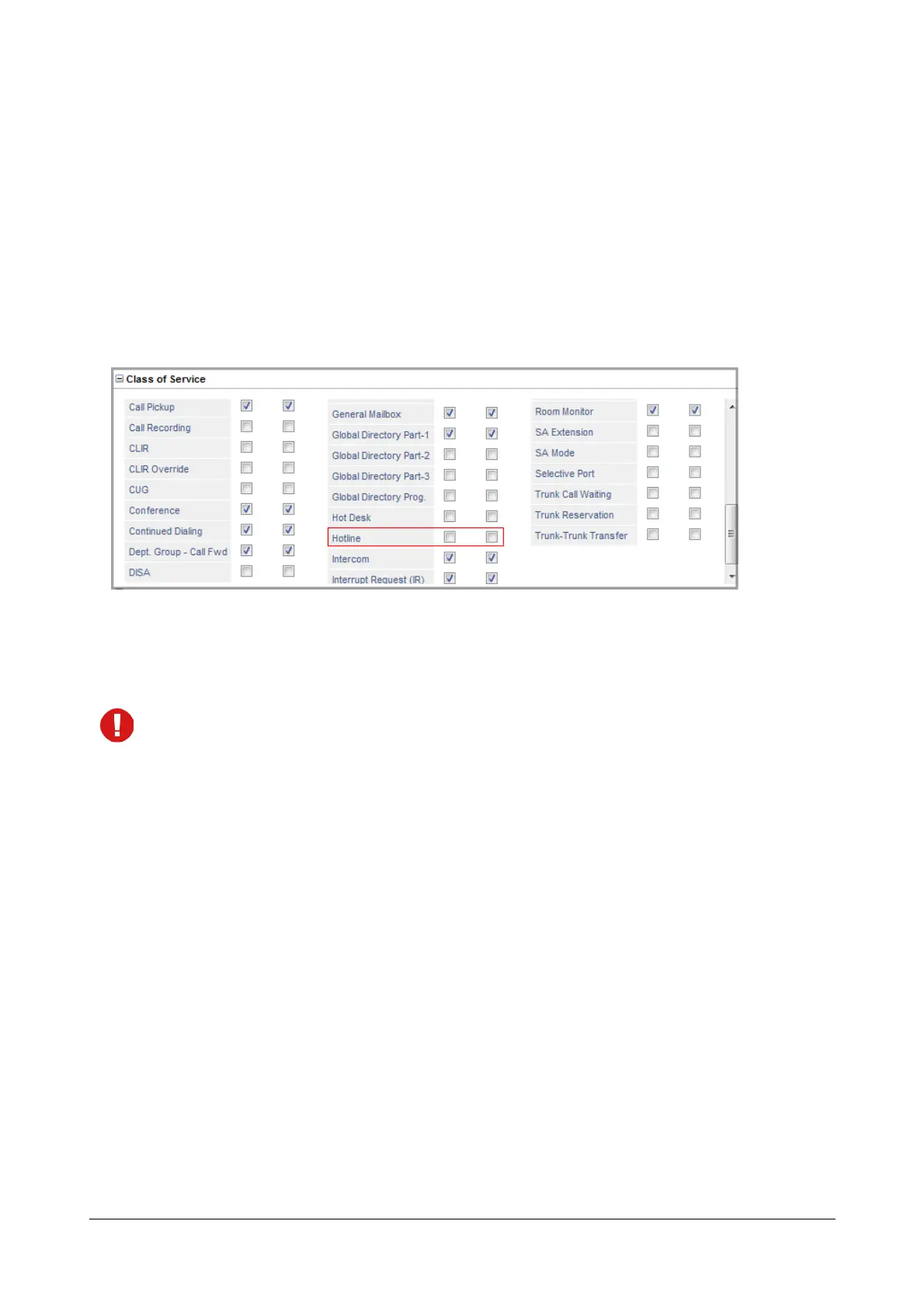
To be able to use Hotline, extension users must have this feature enabled in their “Class of Service (CoS)” for the
Day and Night/Break time, as required. See “Basic Settings” for instructions on configuring the different extension
port types.
How to use
Hotline can be set/canceled by users for their own extension, or for any other extension from the SA mode.
Hotline when set/canceled from the SA mode, will not depend on the assigned CoS.
How to configure
The Operator or any extension user having access to System Administrator mode can set or cancel Hotline for
other extension users from the SA mode. To do this,
• Login as System Administrator.
• Click Extension.
• Now, click on the desired Extension Number tab.
• The extension users details appear on your screen.



 To Next Page