920 Matrix ETERNITY NE System Manual
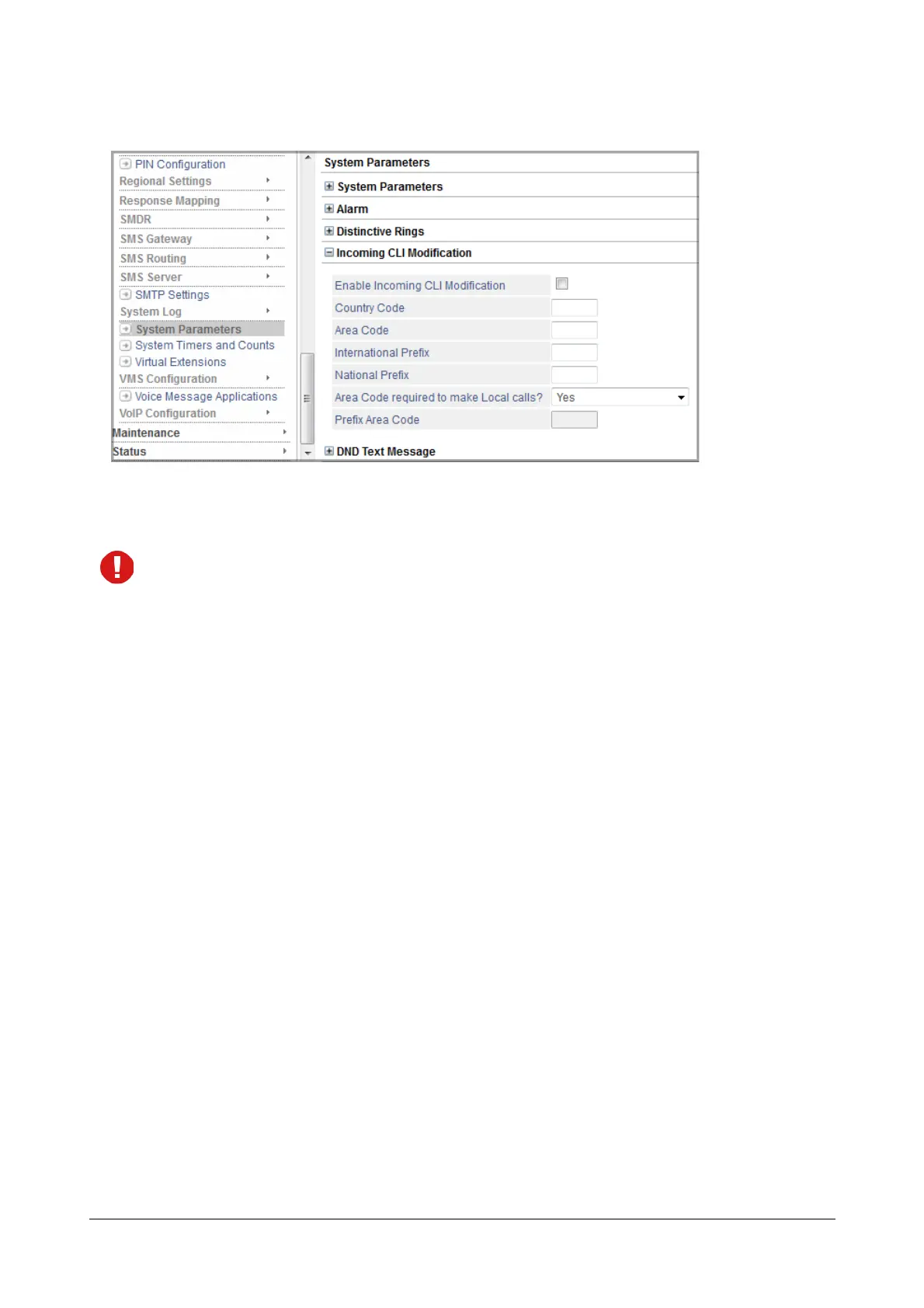
• Enable Incoming CLI Modification: Enable this check box, if you want to use the Incoming CLI
Modification feature. By default, this check box is disabled.
If you receive CLI in dial-able format, there is no need to use this feature. In such case, keep the check box
disabled. You do not need to configure any of the CLI modification parameters.
• Country Code: Enter the Country Code of the country where SARVAM UCS is installed. The Country
Code helps SARVAM UCS detect whether the Incoming CLI received is a national or an international
number. Do not enter any prefix for the Country Code. By default the Country Code is ‘91’ (India).
For example, if the SARVAM UCS is installed in USA, enter only ‘1’ as the Country Code. Do not enter ‘+’
or “00’ as prefix to the country code ‘1’.
•Area Code: Enter the Area Code of the place where SARVAM UCS is installed. The Area Code helps
SARVAM UCS detect whether the Incoming CLI received is a local number. Do not enter any prefix for the
Area Code. By default, Area Code is ‘265’ (Vadodara city).
For example, if you want to enter Area Code for Mumbai, enter only ‘22’. Do not enter the prefix ‘0’ to the
area code.
• International Prefix: Enter the digits that are required as Prefix for dialing International Numbers. The
prefix may be upto 5 digits, with numbers from 00000 to 99999. By default, ‘00’ is set as the prefix for
dialing International numbers.
• National Prefix: Enter the digits that are required as Prefix for dialing long distance, National (within the
country) numbers. The prefix may be upto 5 digits, with numbers from 00000 to 99999. By default, it is
Blank.
• Area Code required to make local calls?: Depending on the dialing pattern of your local public
telephone network, you may choose from the following options:
• No: select this option, if your public telephone network does not require the dialing of Area Code for
local numbers.



 To Next Page