Matrix ETERNITY NE System Manual 923
How to configure
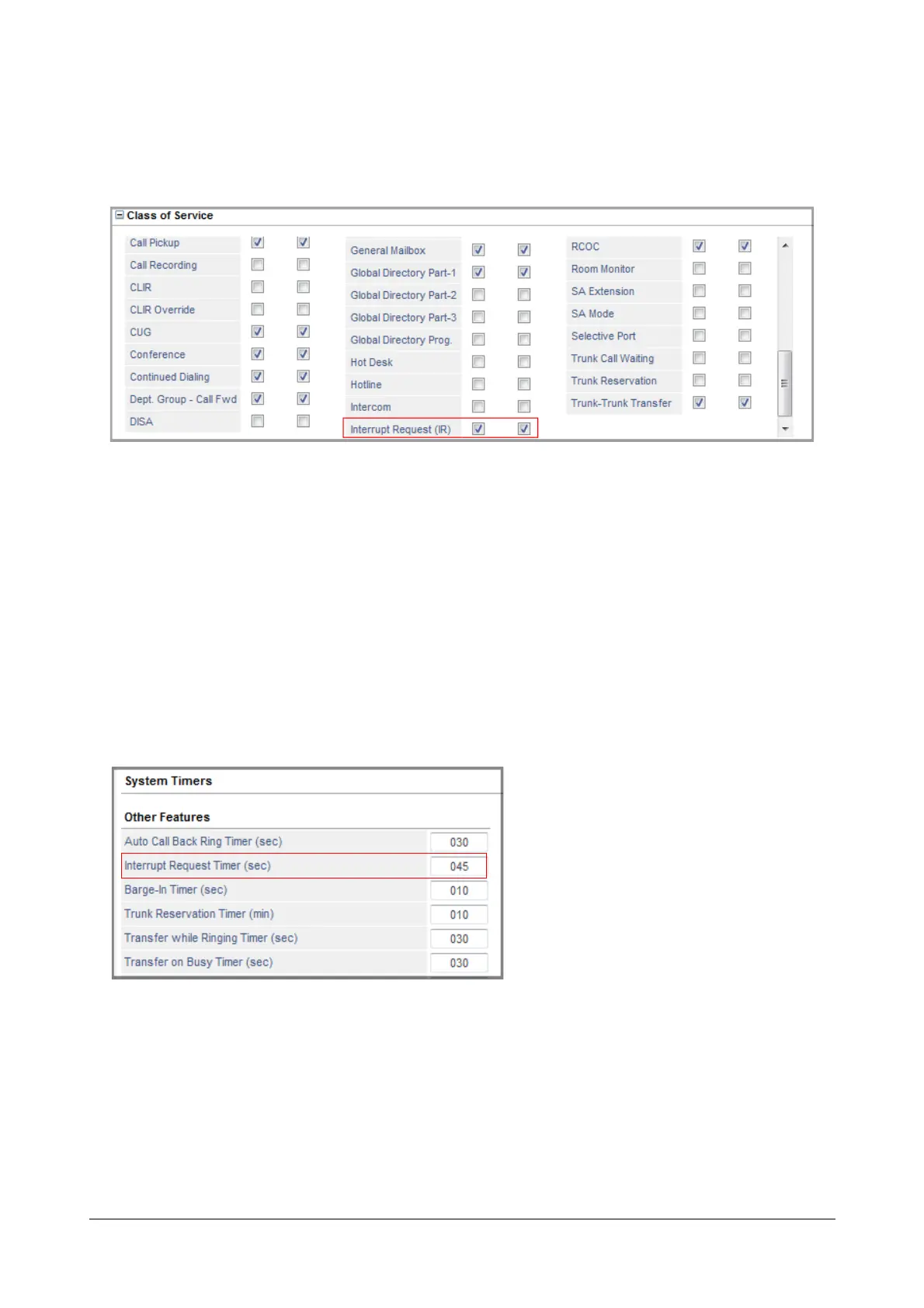
To be able to use Interrupt Request, extension users must have this feature enabled in their “Class of Service
(CoS)” for the Day and Night/Break time, as required.
See “Basic Settings” for instructions on configuring the different extension port types.
Interrupt Request Timer
Interrupt Request Timer is the time for which the extension on which interrupt request is made gets the beeps. By
default the Timer is set to 45 seconds. Valid Range: 001 to 255 seconds. Default: 045 seconds.
Changing Interrupt Request Timer using Jeeves
• Login as System Engineer.
• Under Advanced Settings, click System Timers and Counts.
• Scroll to reach Other Features and go to the parameter Interrupt Request Timer
• Set the desired value for the Timer.
• Click Submit.



 To Next Page