Matrix ETERNITY NE System Manual 945
Demo Provision
Demo provision for licensed features is useful when the customer’s system having licensed features cannot be
repaired on-site and a standby system needs to be installed or when end users demand to use certain licensed
features on trial basis before actually purchasing the license.
Demo Provision allows you to access and use all the licensed features and functionalities
147
supported by the
application free of cost for a period of 60 days.
To avail this facility,
• Login as System Engineer.
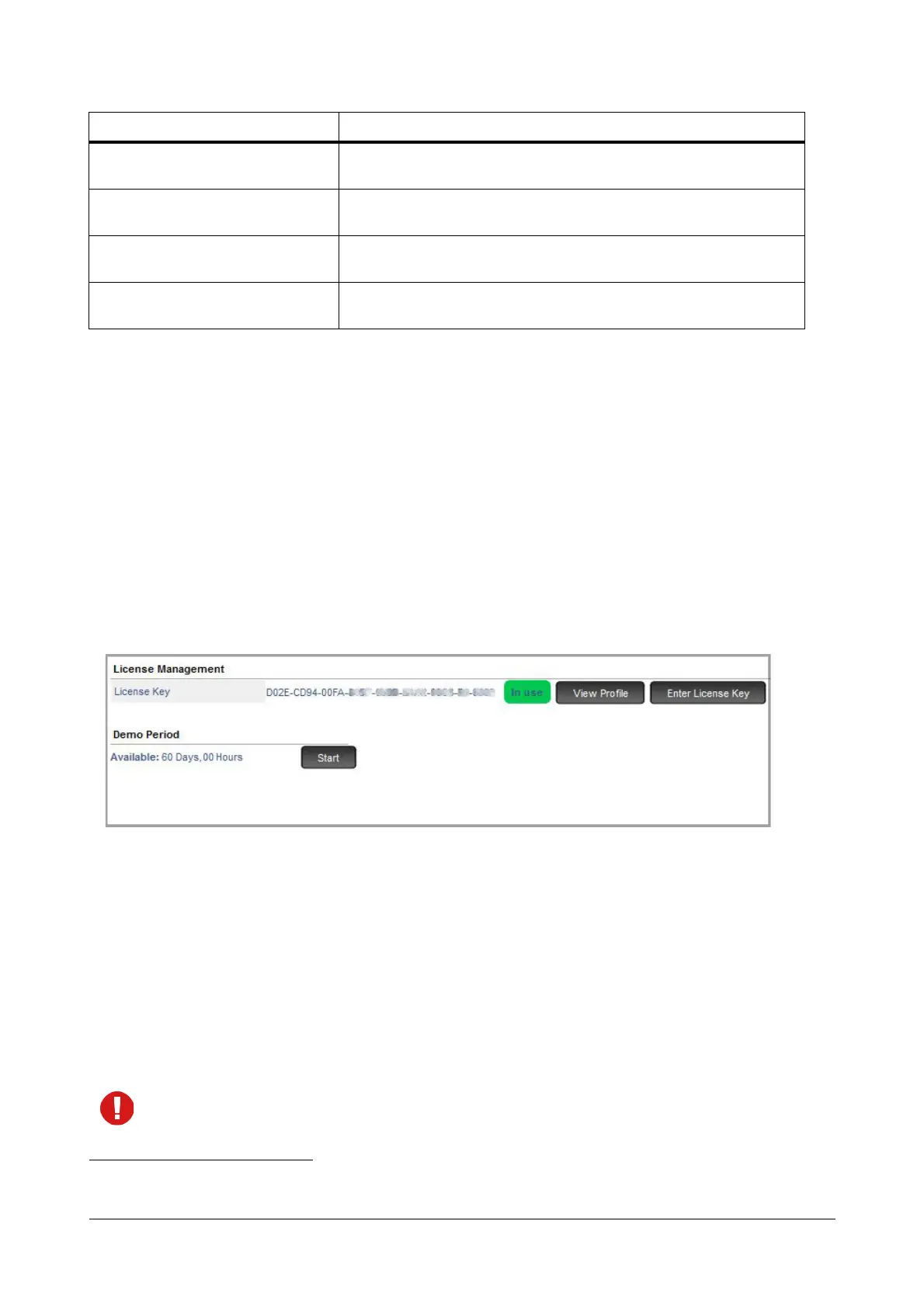
• Under Advanced Settings, click License Management.
• Under Demo Period, click the Start button. The demo period for using the licensed feature in your system
starts and the Start button will change to Pause. The demo period is of 60 days.
After the demo period starts, you can click on the View Profile button to view the list of supported features
and functionalities.
You may Pause the demo period, if required. When you pause the demo period, all licensed features will
work as per the license key installed in the system.
If you want to use licensed feature after the expiry of the demo period, you must purchase the respective
license and activate the license key in your system.
When you default SARVAM UCS, the demo period will not be reset.
SARVAM VARTA USER5C
License for 5 VARTA UC Users with Collaboration features. This license
is required to register Android/iOS/Windows UC Clients.
SARVAM SMS SERVER SOHO
License to enable SMS Server functionality to connect to any Email Client
and send/receive Email to SMS and vice versa over GSM Interface.
SARVAM SMS GATEWAY SOHO
License to enable SMS Gateway functionality to connect to third party
SMS Gateway Clients and send/receive SMS over GSM Interface.
SARVAM CTI SOHO
License to enable CTI functionality to connect to third party CTI
application.
147. In Demo Mode, VARTA Collaboration license will be assigned to all the VARTA clients.
License Name Description



 To Next Page