952 Matrix ETERNITY NE System Manual
• Note down or copy the New License Key generated on this page.
• Go back to the Jeeves window (or login as System Engineer again, if your session has ended).
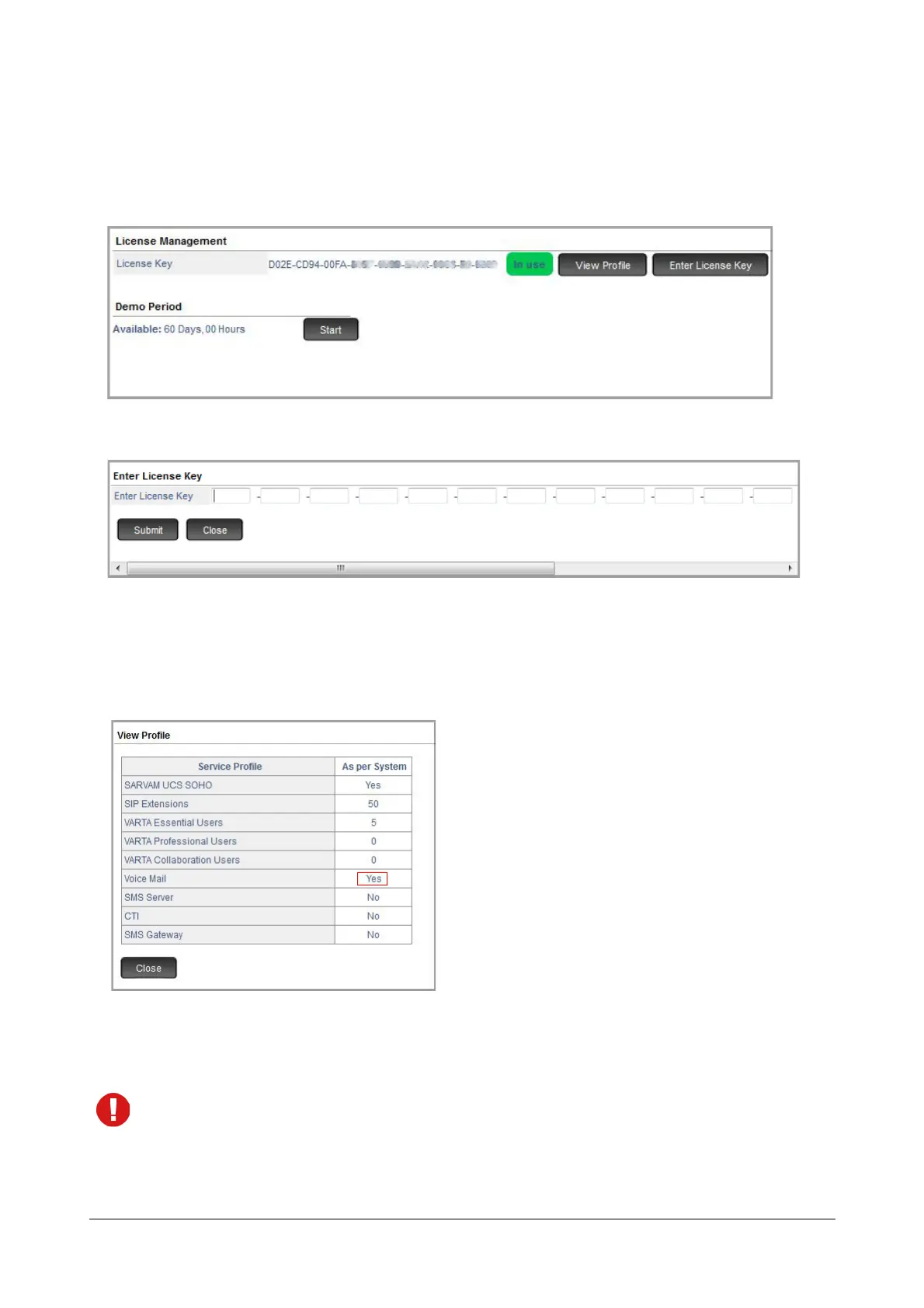
• Under Advanced Settings, click License Management.
• Click the Enter License Key button. A new window opens.
•In Enter License Key, paste or enter this New License Key.
• Click Submit.
To view the status of licenses activated by you, click the View Profile button again.
A new window opens which displays the updated service profile.
• To log off, click Logout.
If you are unable to use Online Activation of the License Key or have no internet access, contact the Matrix
License Support Centre for assistance in generating the New License key.



 To Next Page