954 Matrix ETERNITY NE System Manual
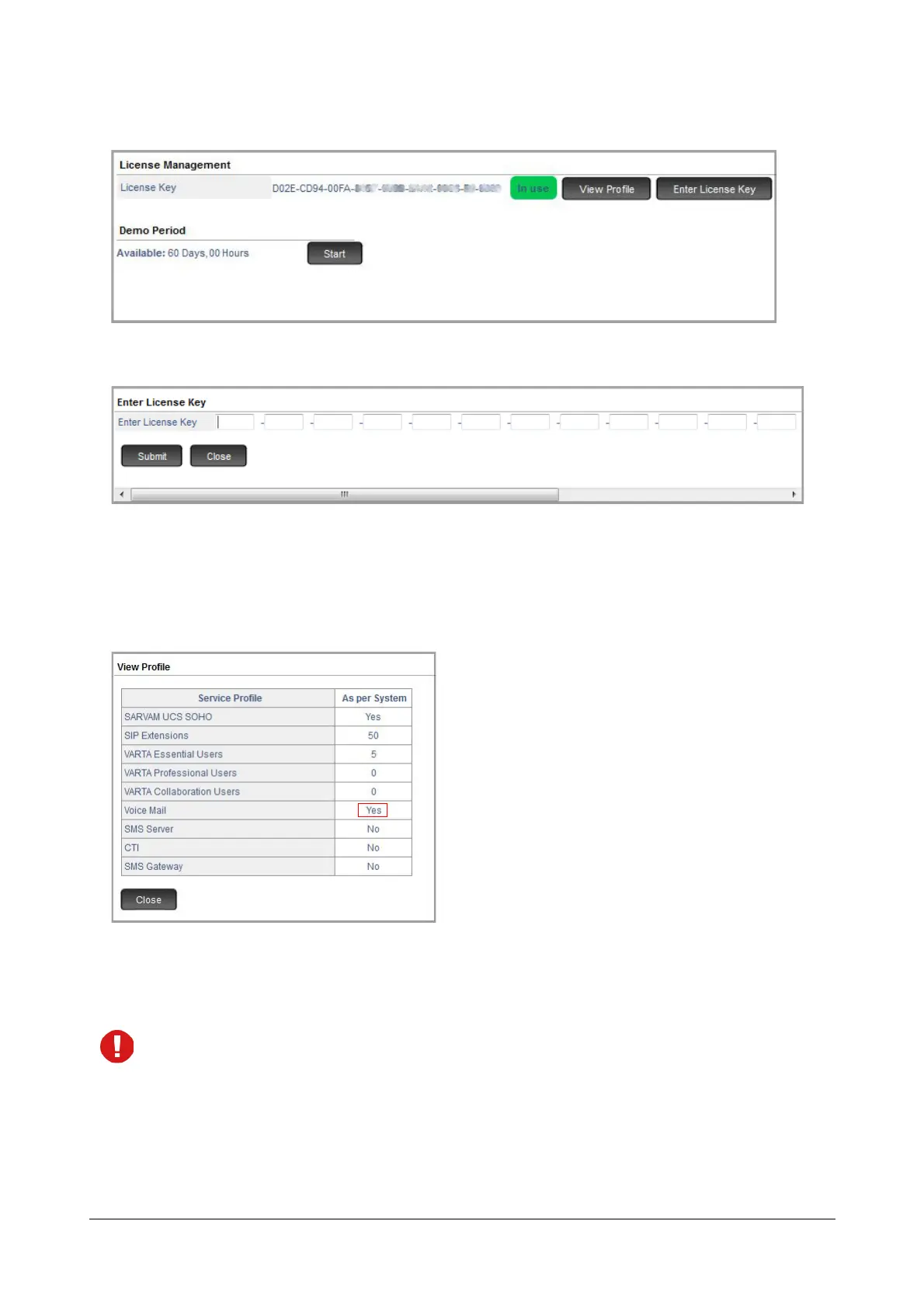
• Under Advanced Settings, click License Management.
• Click Enter License Key button. A new window opens.
•In Enter License Key, paste or enter this New License Key as obtained from Matrix.
• Click Submit.
To view the status of licenses activated by you, click the View Profile button again.
A new window opens which displays the updated service profile.
• To log off, click Logout.
The current License Key and Service Profile will remain unchanged when the system is set to default or
the firmware is upgraded.



 To Next Page