Matrix ETERNITY NE System Manual 957
How to configure
• Login as System Engineer.
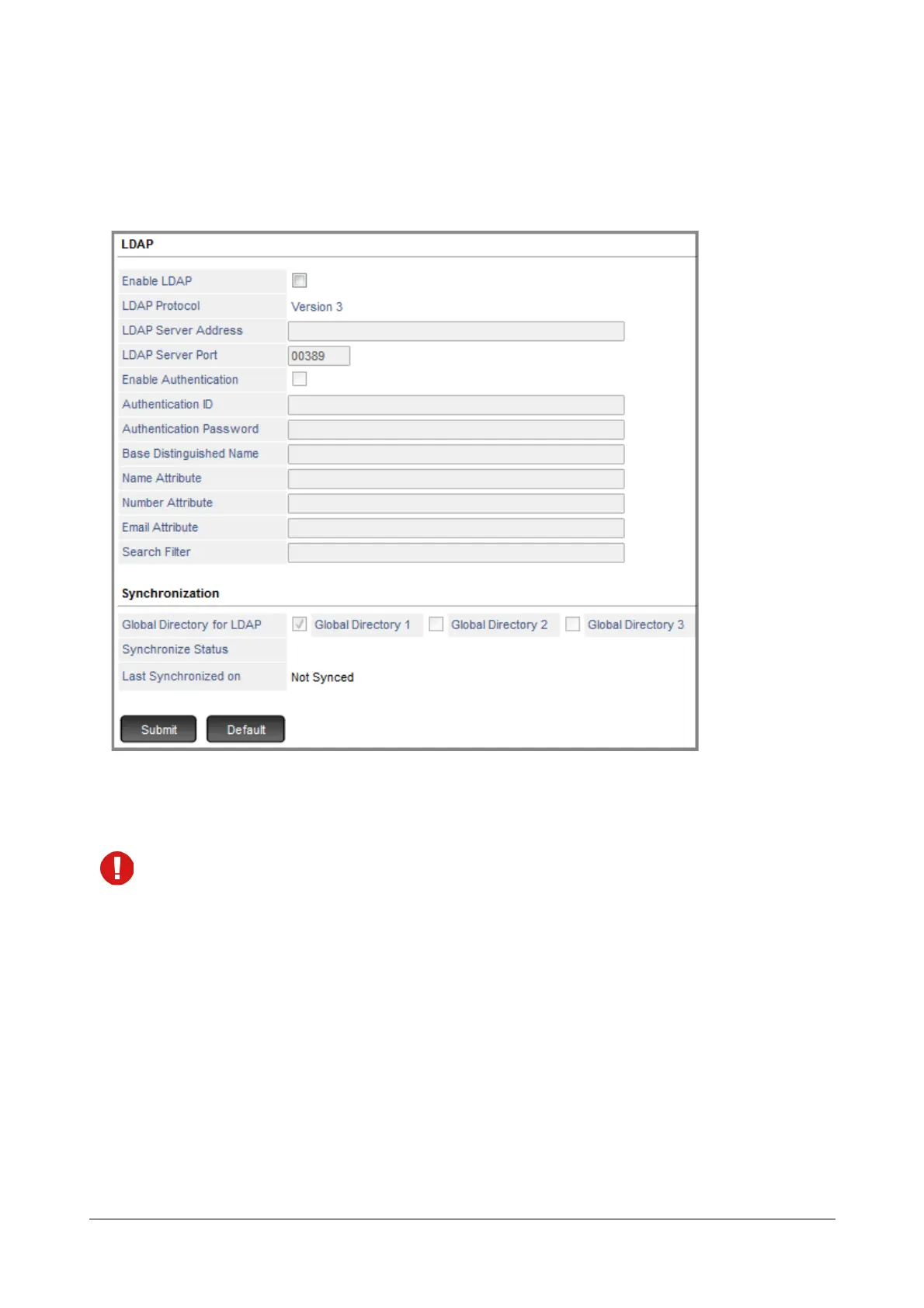
• Under Advanced Settings, click LDAP.
LDAP
Make sure you Contact your LDAP Server Directory Administrator for the LDAP Server configuration
details.
• Enable LDAP: Enable this check box if you wish to synchronize contacts from the LDAP server. When this
check box is enabled, SARVAM UCS behaves as the LDAP client. By default, it is disabled.
• LDAP Protocol: Displays the LDAP Protocol Version supported. By default, it is Version 3.
• LDAP Server Address: Configure the IP address or Domain name of the third-party LDAP server here.
• LDAP Server Port: Configure listening port of LDAP Server here. By default, the value is 00389.
• Enable Authentication: This parameter enables you to set permission for validating the credentials
(Authentication ID and password) of the system by the LDAP server. By default, it is disabled.



 To Next Page