Matrix ETERNITY NE System Manual 963
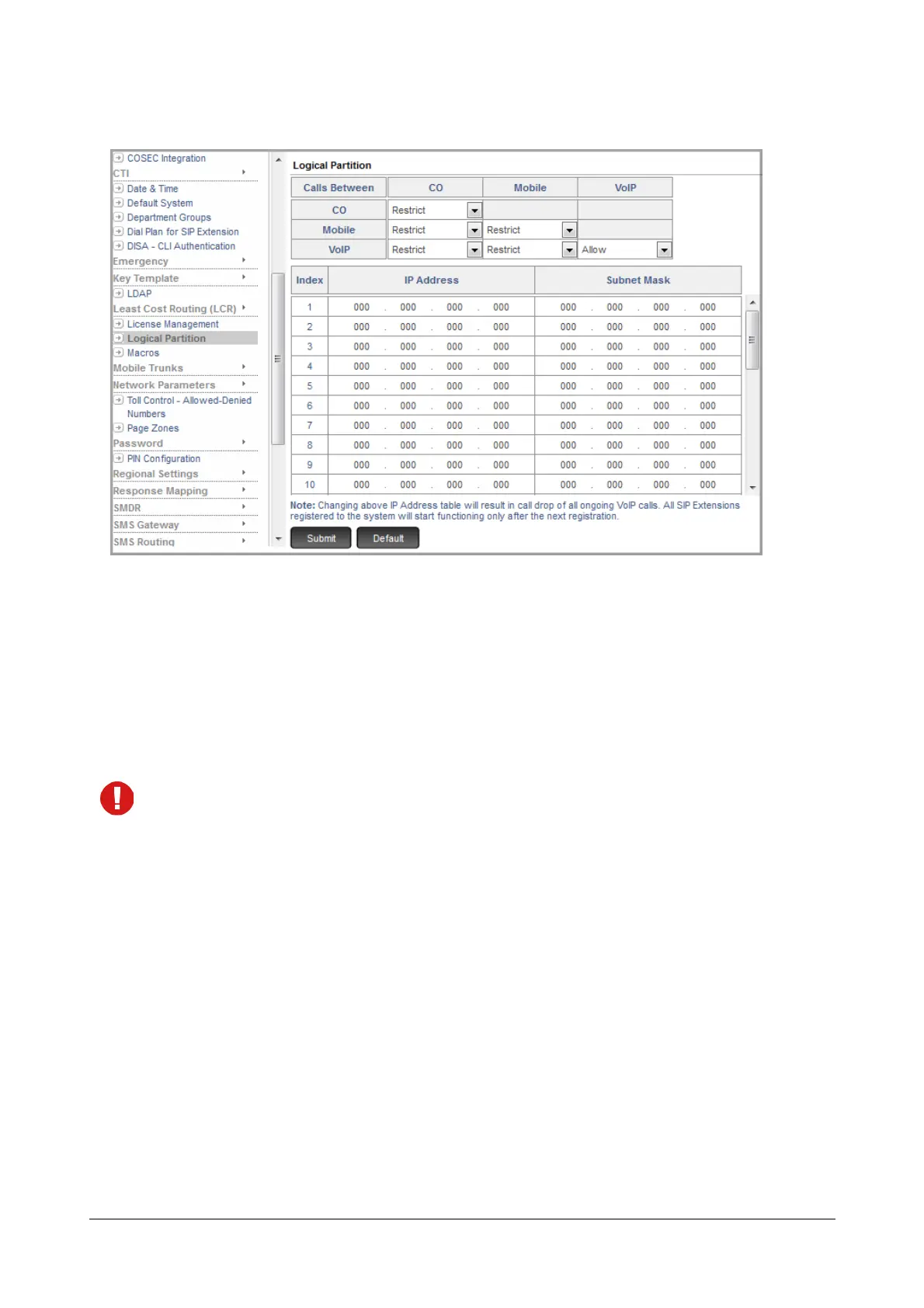
• Under Advanced Settings, click Logical Partition.
Now, allow or restrict the calls between the different Trunk Port types.
• In the table, configure the IP addresses and subnet masks of those local SIP Extensions for which you
want to allow the Internal Extension and External (Trunk) calls without checking the logical partition. These
local SIP Extensions will be considered similar to the PBX extensions such as SLT. You can configure up
to 25 entries in this table.
• Click Submit.
• By default, if India is selected as the Region, calls within and between all types of trunks are restricted,
except within VoIP, which includes both SIP trunks and SIP extensions.
• When call permission is restricted between trunks and/or between a type of trunk to VoIP, the following
feature interactions will apply:
• Call Transfer: Trunk to Trunk Transfer between restricted categories of trunk will not be allowed. If
the user attempts trunk-to-trunk transfer between restricted trunks, Error Tone will be played.
• Raid: If a user using DISA attempts to Raid a conversation of an extension with a trunk to which call
permission is restricted, the Raid attempt will fail and the user will get an Error Tone.
• Conference: An extension user will not be able to include restricted trunks in a 3 party or multi-
party conference. An Error Tone will be played when s/he attempts it.
• Dial-In Conference: Participation in a Dial-In Conference from trunks with restricted call permission
is not allowed.
• External Call Forward: In the case of Built-In Auto Attendant, DISA or when transferring a trunk
call to an extension, if the extension has set call forward to an external number, the system will



 To Next Page