Preserving Retentive Memory in Simulator
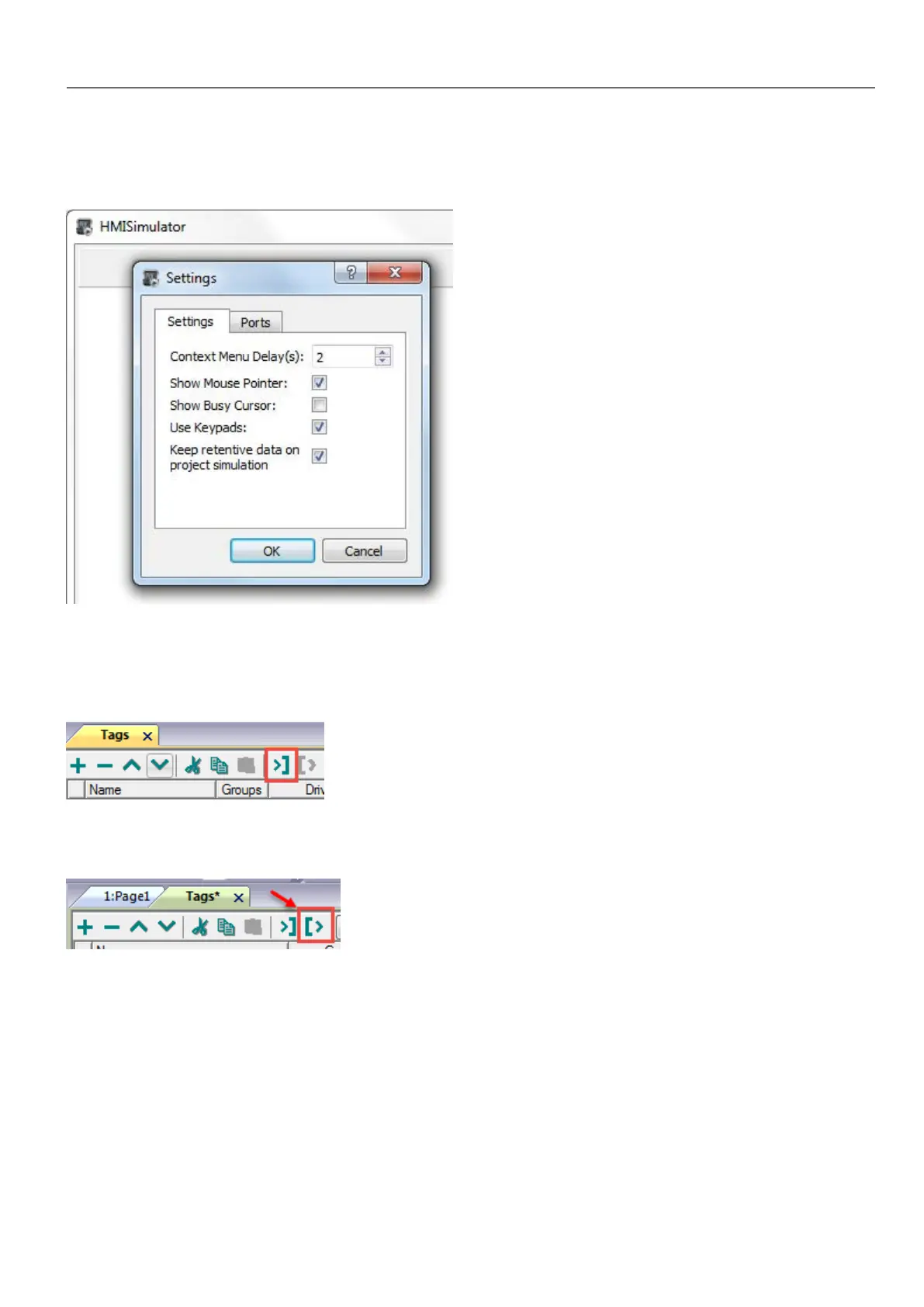
Simulator of HMWIN Studio supports the retentive memory. To enable retentive memory during project simulation use the
option "Keep retentive data on project simulation" in context menu.
Tag Import
Select the driver in Tag Editor and click on the Import Tags button to start the importer.
The system will require a generic XMLfile exported from Tag Editor by appropriate button.
Once the importer has been selected, locate the symbol file and click Open.
Tags included in the symbol file are listed in the tag dictionary. The tag dictionary is displayed at the bottom of the screen.
HMWIN Studio |User Manual| v206 (2017-06-30) | EN| © 2014-2017 Panasonic Electric Works Europe AG
113
9 System Variables (Protocol)



 To Next Page