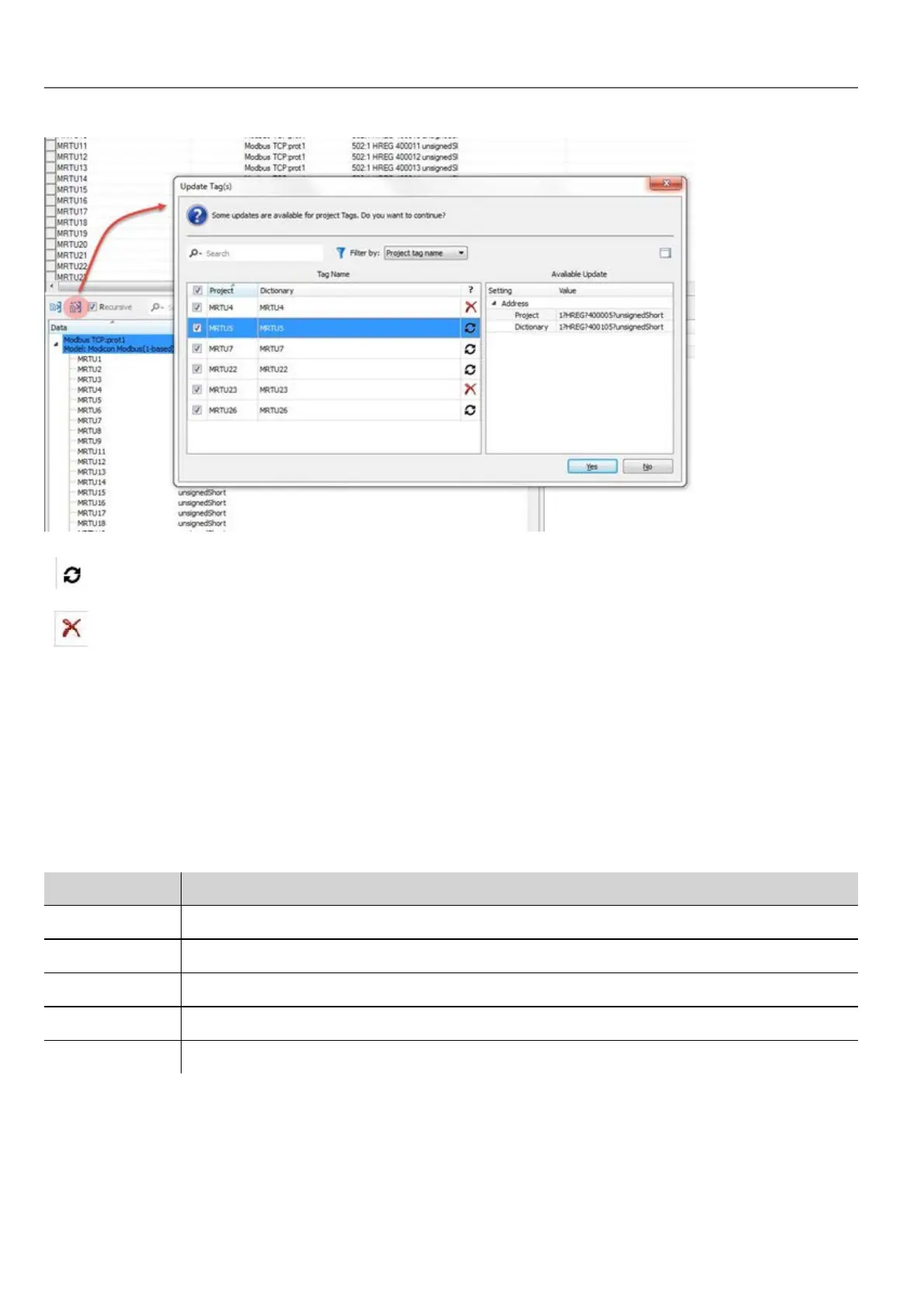
These tags need to be updated. A list of differences between project and dictionary is displayed.
These tags are no longer available in the dictionary. If updated, these tags will be removed from the project.
Attaching widget to tags
To control a widget and animate it through live data it is possible to bind a specific property to different data sources. For
example it is possible to bind the gauge Value property to a probe temperature tag, or the Display property to a recipe data
Data sources
Elements to which an object property can be attached:
Data source Description
Tag Tag defined in the Tag Editor
Alias Indexed tag address
System Predefined system tags (see "System Variables (Attach To)" on page75)
Widget Connect to a widget property (for example, value of a slider widget)
Recipe Data from the Recipe Manager (see "Recipes" on page183)
26
HMWIN Studio |User Manual|v206 (2017-06-30) |EN|© 2014-2017 Panasonic Electric Works Europe AG
Attaching widget to tags



 To Next Page