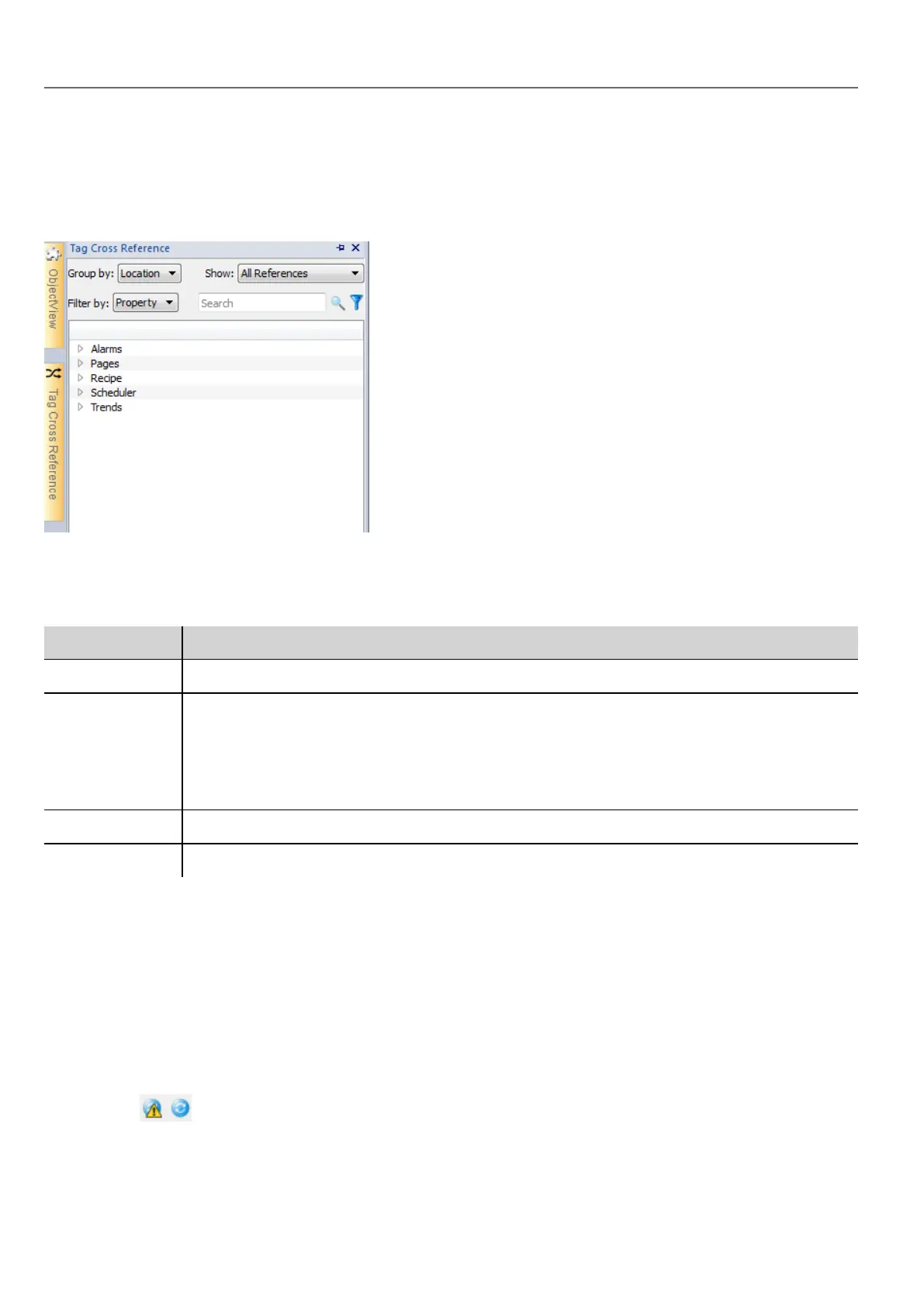
Opening the Tag Cross Reference pane
Path: View> Toolbars and docking windows > Tag Cross Reference
Click the Tag Cross Reference tab to open the Tag Cross Reference pane.
Working in the Tag Cross Reference pane
The Tag Cross Reference pane provides a set of standard functions.
Element Function
Group by Groups tags by Location (alarms, pages, trends and so on) or Tag name
Show Filters tags and displays:
l All Reference: all tags
l Invalid Tag Reference: tags not listed in the Tag Editor.
l Unused Tags: tags listed in the Tag Editor but not used in project.
Search field Applies a filter to display a limited number of tags
Filter by Filters tags by Location, Tag or Property.
Navigate the listed tags to find where they are used inside the project.
Double-click on a tag to open the editor or page where it is used.
Updating data in the Tag Cross Reference pane
Manual update
By default, the information displayed in the Tag Cross Reference pane must be updated manually. To do this, click the
refresh button . A warning sign is displayed when a refresh is needed.
270
HMWIN Studio |User Manual|v206 (2017-06-30) |EN|© 2014-2017 Panasonic Electric Works Europe AG
Updating data in the Tag Cross Reference pane



 To Next Page