Option Description
Can load factory
settings
Restores factory settings.
Can zoom Enables zoom in/out in context menu at run time
Can see log Allows user to see logs at run time
Can create backup Allows user to backup project.
Number of users
allowed to login
Maximum number of users that can be connected to the HMIRuntime at the same time.
Default is 3.
Assigning widget permissions from page view
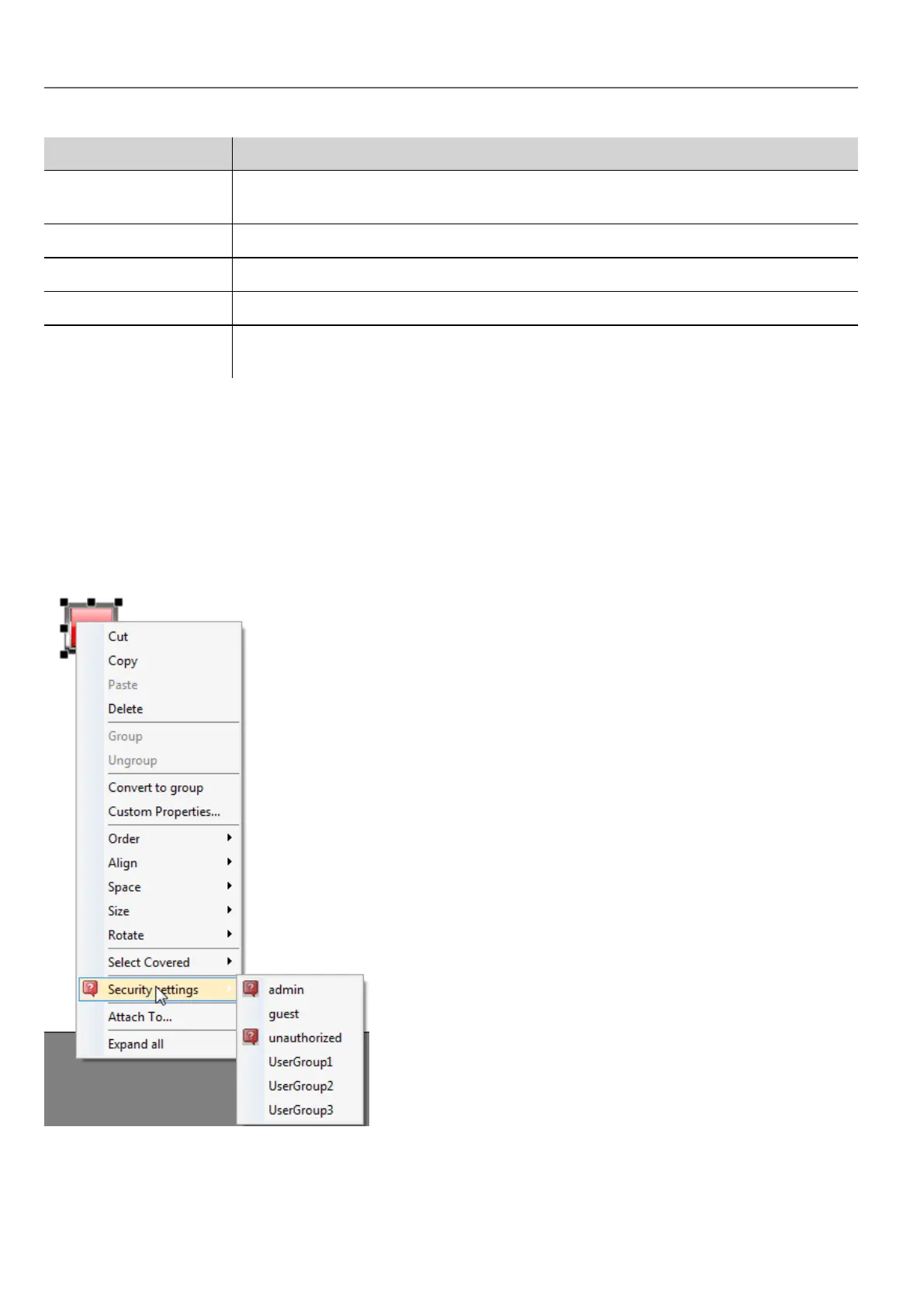
You can assign different levels of security, to different user groups, on a single widget, directly from the project pages.
1. Right-click on the widget and select Security settings.
2. Choose the group: the authorization dialog for the group is displayed.
3. Set the security properties to access the widget.
See "Modifying access permissions" on page231 for details.
236
HMWIN Studio |User Manual|v206 (2017-06-30) |EN|© 2014-2017 Panasonic Electric Works Europe AG
Assigning widget permissions from page view



 To Next Page