Force Remote
Login
Default Access to
workspace
Access limits
- Full -
Disable Full Can be used to block access to some files/folders or to require
authorization
Enable No Access Can be used to open access to files/folders
Important: This setting is common to all users groups.
Adding an HTTPconfiguration
To add and configure a new access click +: the Access limits dialog is displayed.
To restore the default configuration click the Set default access limits icon. Default configuration allows access to the
following:
l PUBLIC folder and Index.html
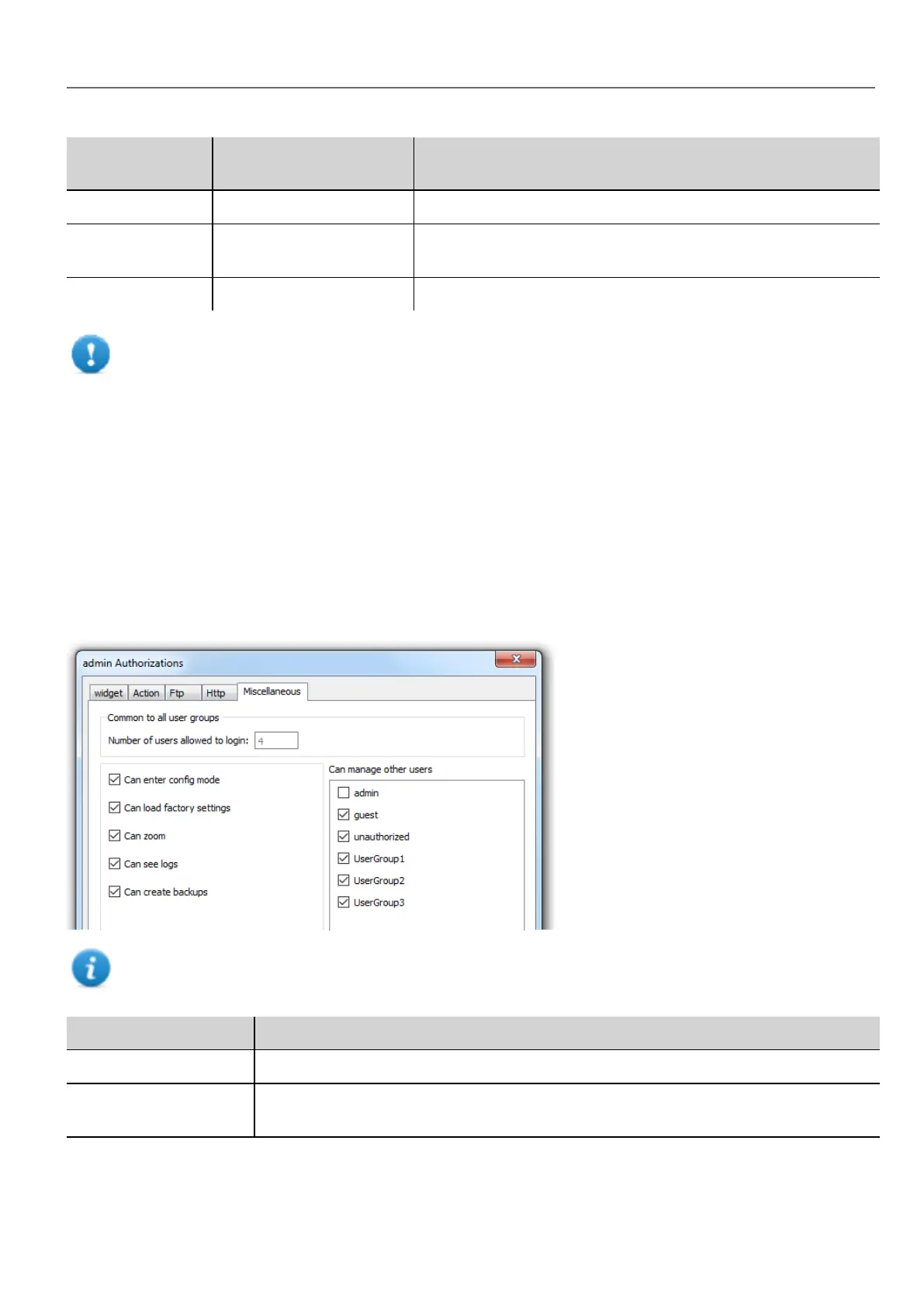
Miscellaneous settings
In the Miscellaneous tab you can define various authorization settings.
Note: Some of these settings are group specific, while other are common to all groups.
Option Description
Can enter config mode Enables switching from runtime to configuration mode. Normally used for maintenance.
Can manage other
users
Gives super user privileges at run time to manage the select groups. Allows adding, deleting
and modifying users' permissions.
HMWIN Studio |User Manual| v206 (2017-06-30) | EN| © 2014-2017 Panasonic Electric Works Europe AG
235
22 User management and passwords



 To Next Page