2. Enter User Name and Password and click Sign In: the Home page will be displayed.
See "User management and passwords" on page229 for details on how to create credentials.
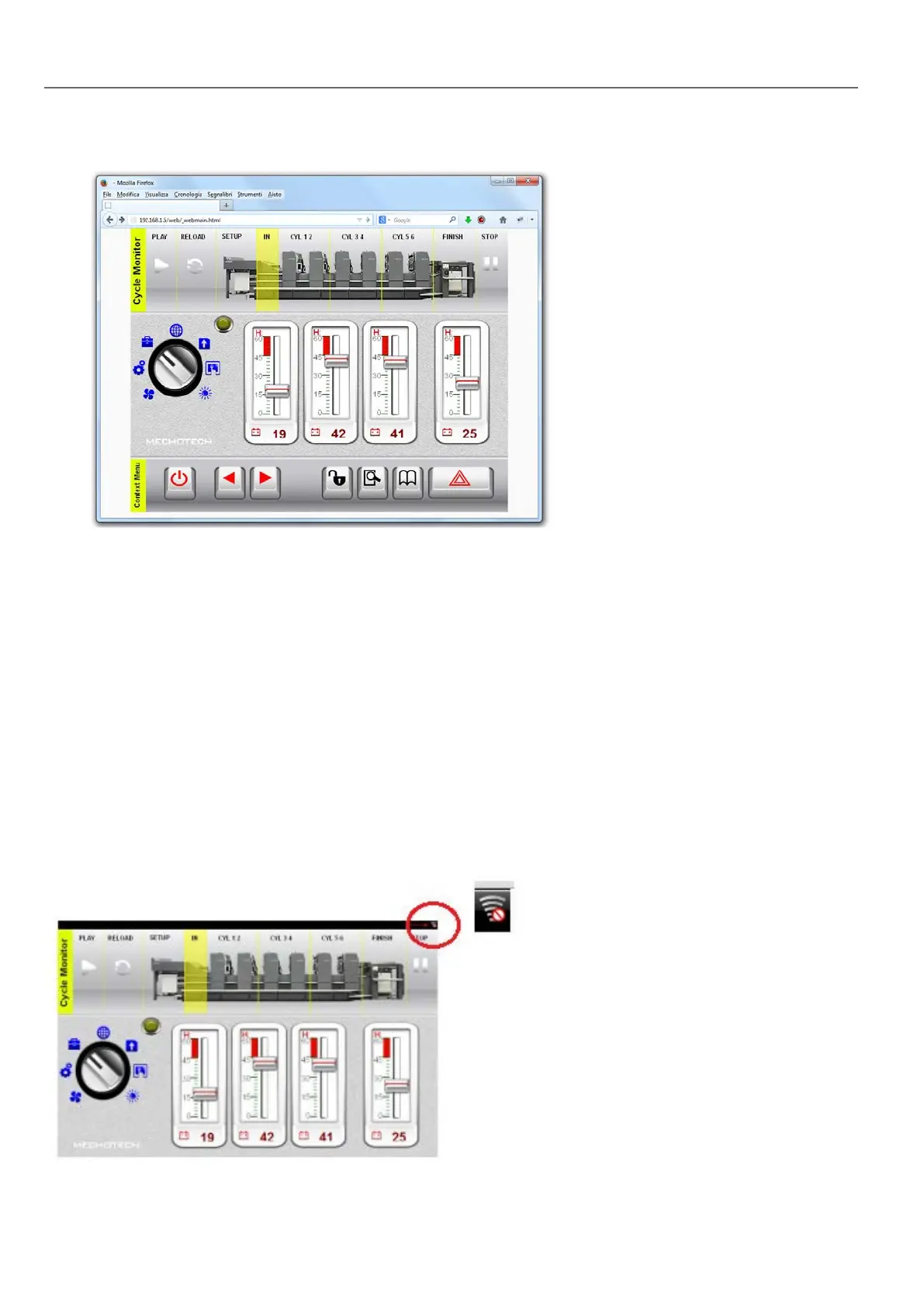
You can interact with the project using the browser in the same way you interact with a device when touching the screen:
click buttons to change pages, view indicators and gauges, drag slider handles to change values, and so on. The HM4Web
project will manage all communications with the web server while you are interacting with the HMI device remotely.
Web connectivity issues
Here are described the most common issues you might encounter when connecting remotely to your HMIdevice.
Server disconnection
Since HM4Web runs remotely from the HMI device, the server might disconnect from the browser (for example if the server
is stopped or the network cable is unplugged). If this happens, a ‘disconnect’ icon will appear in a toolbar on top of the
HM4Web as in this example.
408
HMWIN Studio |User Manual|v206 (2017-06-30) |EN|© 2014-2017 Panasonic Electric Works Europe AG
Web connectivity issues



 To Next Page