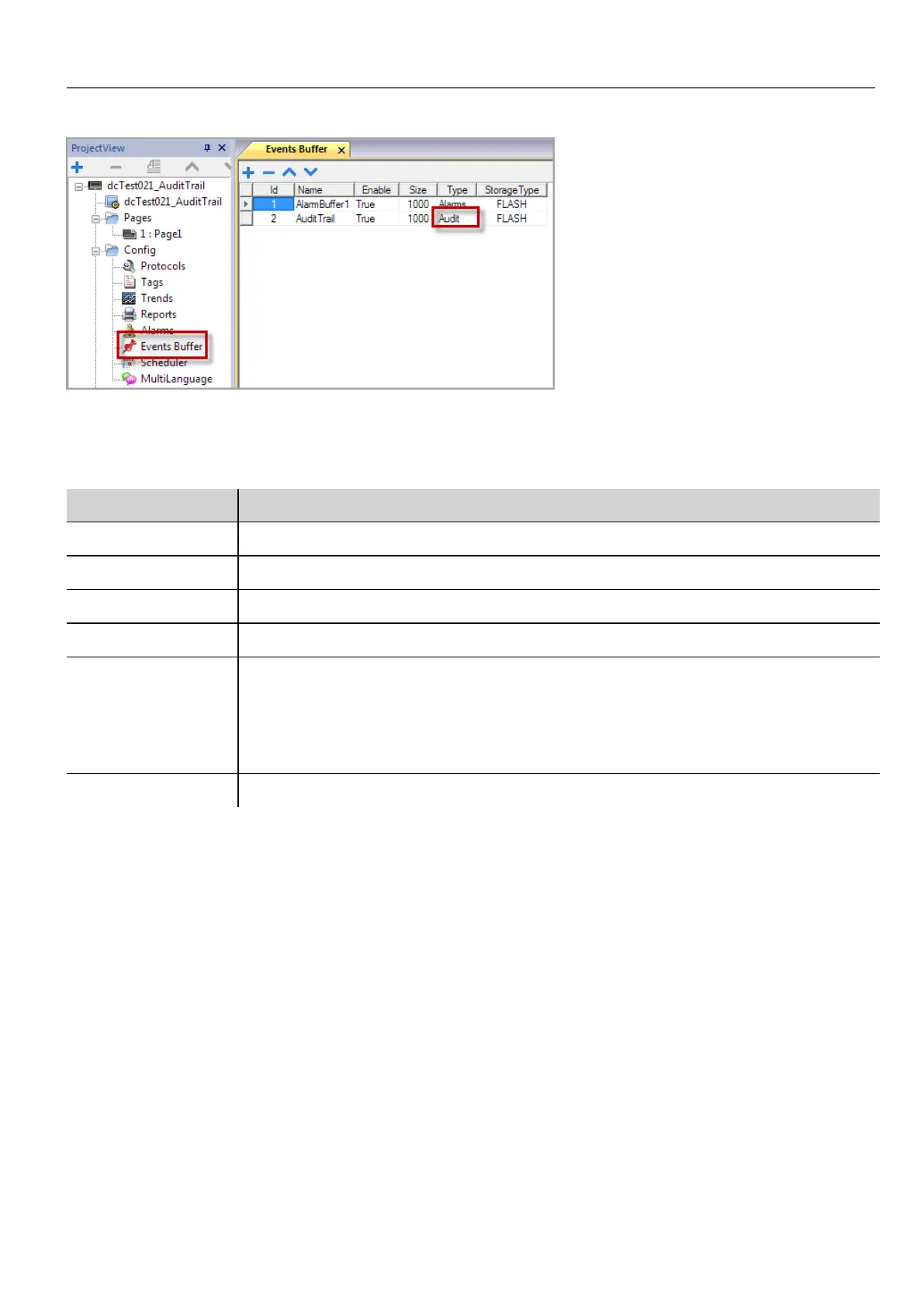
1. In the Event Buffer editor, click +: a row is added to the table.
2. Select Audit for Type.
3. Configure buffer parameters.
Parameter Description
Id Buffer identification number
Name Buffer name
Enable Enable/disable logging
Size Size of log file. Data is automatically saved to disk every 5 minutes.
Type Type of events logged:
l Alarms
l Audit
l Generic
Storage Device Device where audit data will be stored
Configure tags for audit trail
Path: ProjectView> AuditTrail> click AuditTrail
Track only the tags related to actions that you want to keep under control. For tracked tags, all write operations will be
logged together with the time stamp and user that performed the operation.
HMWIN Studio |User Manual| v206 (2017-06-30) | EN| © 2014-2017 Panasonic Electric Works Europe AG
241
23 Audit trails



 To Next Page