Using structured tags
A common problem using a widget that use many tags is the need to create instances of the widget by giving only the tag
name of the structure that contains all the tags instead to configure each single tag.
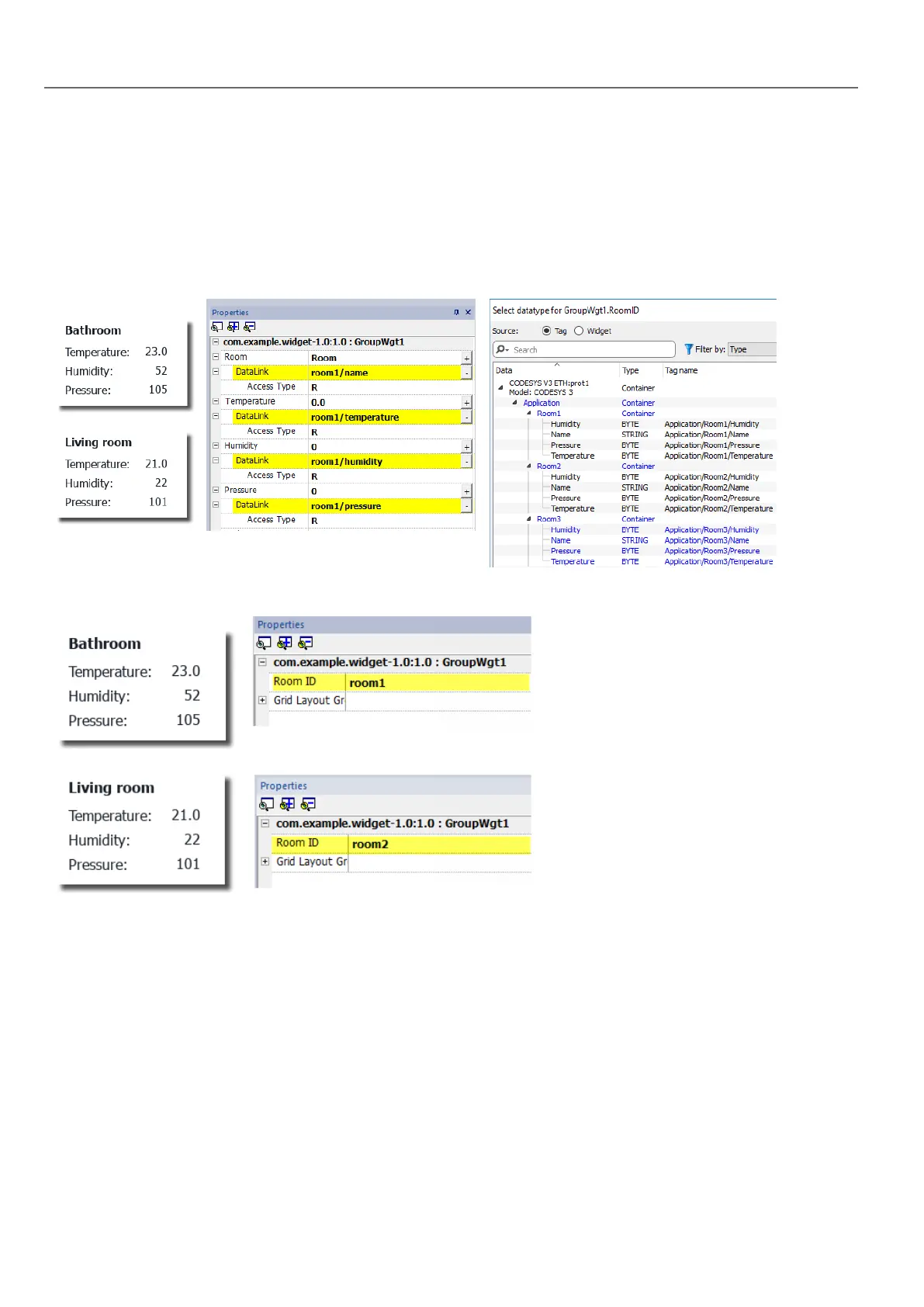
For example, think about the below widget. It use four tags, the room name, temperature, humidity and pressure. If we want
use two instances of this widget for two different rooms we have to configure eight tags, four tags for each room.
By using a Parameter property, is possible to set all the data links of the widget by giving only the name of the structure.
A “Parameter” field can be added inside the custom widget using the "Add Parameter" icon:
324
HMWIN Studio |User Manual|v206 (2017-06-30) |EN|© 2014-2017 Panasonic Electric Works Europe AG
Using structured tags



 To Next Page