Creating a custom widget
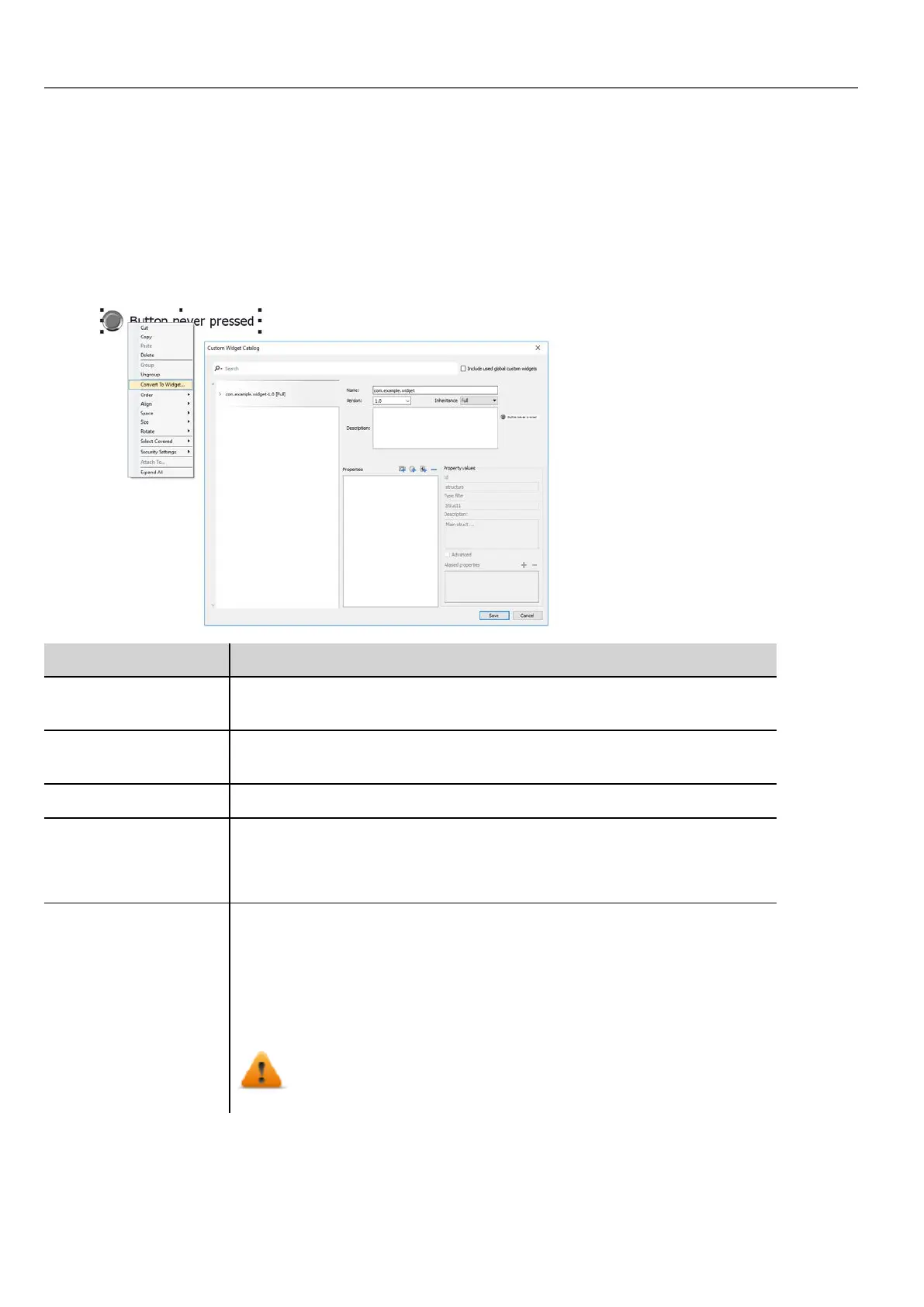
1. Drag and drop on a page all the widget you want to use to compose your custom widget.
2. Select and group them.
3. Right-click on the grouped object and select Convert To Widget: the Custom Widgets Catalog dialog is
displayed.
Parameter Description
Include used custom
widgets
When checked, list all the widgets used inside the project. Even system
widgets.
Name You can define everything you prefer, but is common keep a name structure.
The folder com.hmi is reserved for the system widgets
Description Widget description.
Version Widget version.
All widgets that share the same version share the properties defined from the
Inheritance parameter.
Inheritance Properties shared between widgets with the same version
l Full (both Graphic and Logic)
l Only Graphic
l Only Logic
l Disable
Inheritance is supported from version 2.7
320
HMWIN Studio |User Manual|v206 (2017-06-30) |EN|© 2014-2017 Panasonic Electric Works Europe AG
Creating a custom widget



 To Next Page