Canvas Widget
Path: Widget Gallery> Basic> Generic Canvas
Canvas widget can be used to draw graphic via JavaScript scripting.
Note: the JavaScript methods are the same that are available for the HTML5 <canvas> tag
Parameter Description
Canvas Width
Canvas Height
Canvas size.
Note this is not the widget size. For example, the canvas size could be
500x500 pixels where the widget size could be 100x100 pixels. Draw Hint
parameter will define how to stretch the canvas size to fit the widget size.
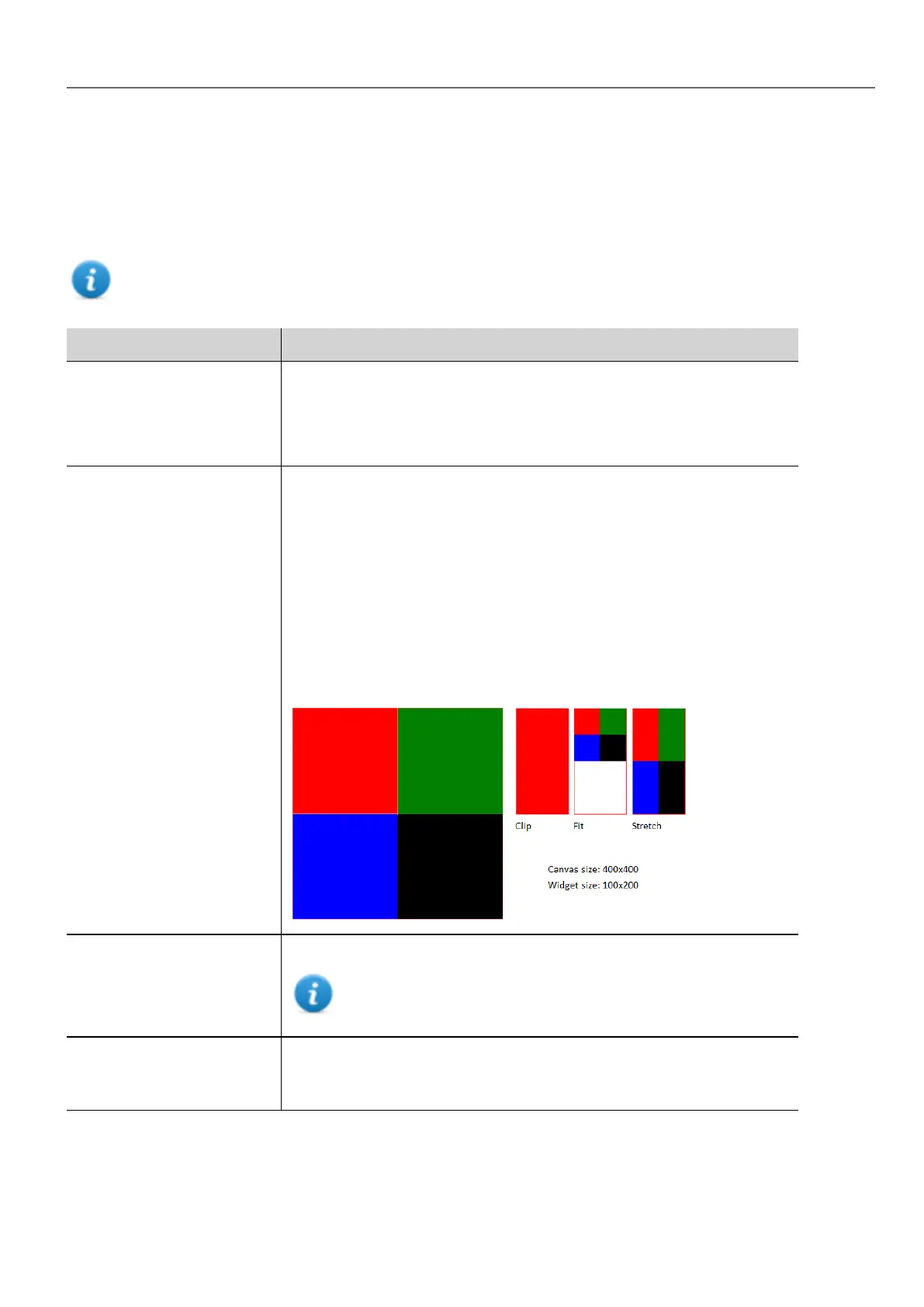
Draw Hint Define how fit the canvas inside the widget size
l Clip
No Transformation is applied, coordinate system is not scaled and
drawing is clipped inside the widget bounding rectangle.
l Fit to size
Fit to the widget size preserving the canvas model aspect ratio.
l Stretch
Fit to the widget size ignoring the canvas model aspect ratio.
Example using a Canvas size larger than the widget size:
Design Time Preview Canvas preview inside HMWIN Studio
Note the JavaScript code could use data not available inside
HMWIN Studio but only inside the HMI device
Auto Clear Background Automatic clear the background before draw canvas. When disabled, the
painted items are persisted and is not necessary redraw everything from
scratch.
HMWIN Studio |User Manual| v206 (2017-06-30) | EN| © 2014-2017 Panasonic Electric Works Europe AG
283
32 Special widgets



 To Next Page