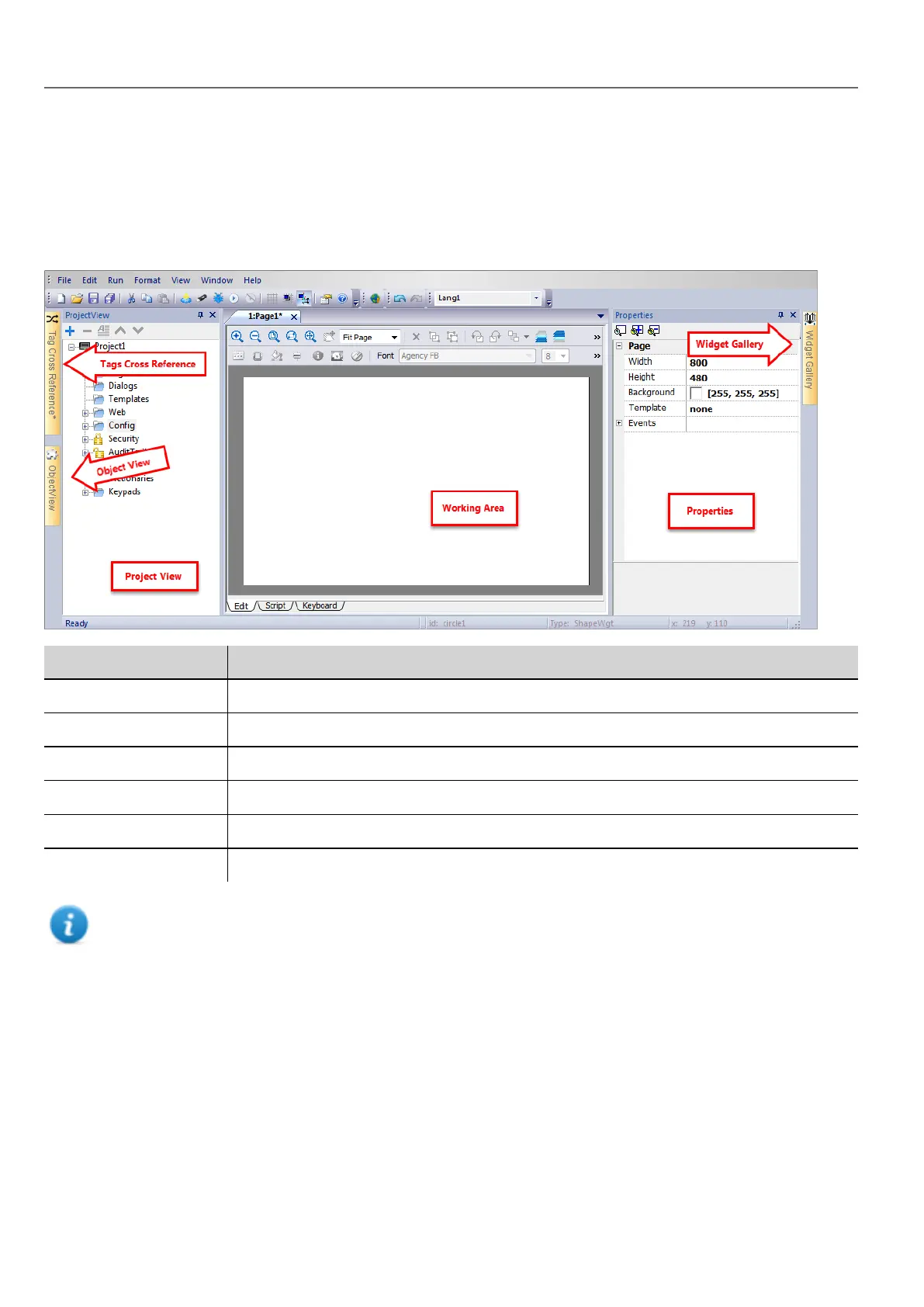
The workspace
Workspace areas
HMWIN Studio workspace is divided into the following main areas:
Area Description
Project View Project elements in hierarchical project tree.
Object View Tree view of widgets organized by page.
Working Area Space where pages are edited. Tabs at the top of the area show all open pages.
Properties Properties of selected object.
Widget Gallery Library of graphic objects and symbols.
Tag cross reference List of locations where a given tag is referenced.
Note: The workspace layout can be changed at any time, changes are saved and maintained through working
sessions.
Resetting the workspace layout
To restore the default layout, use the File > Reset and Restart function.
Creating a project
Path: File> New Project
14
HMWIN Studio |User Manual|v206 (2017-06-30) |EN|© 2014-2017 Panasonic Electric Works Europe AG
The workspace



 To Next Page