Setting events
Path: ProjectView> Config > Alarms > Events column
Events are defined using the Alarms Editor.
See "Alarms Editor" on page166 for details.
Notifying events
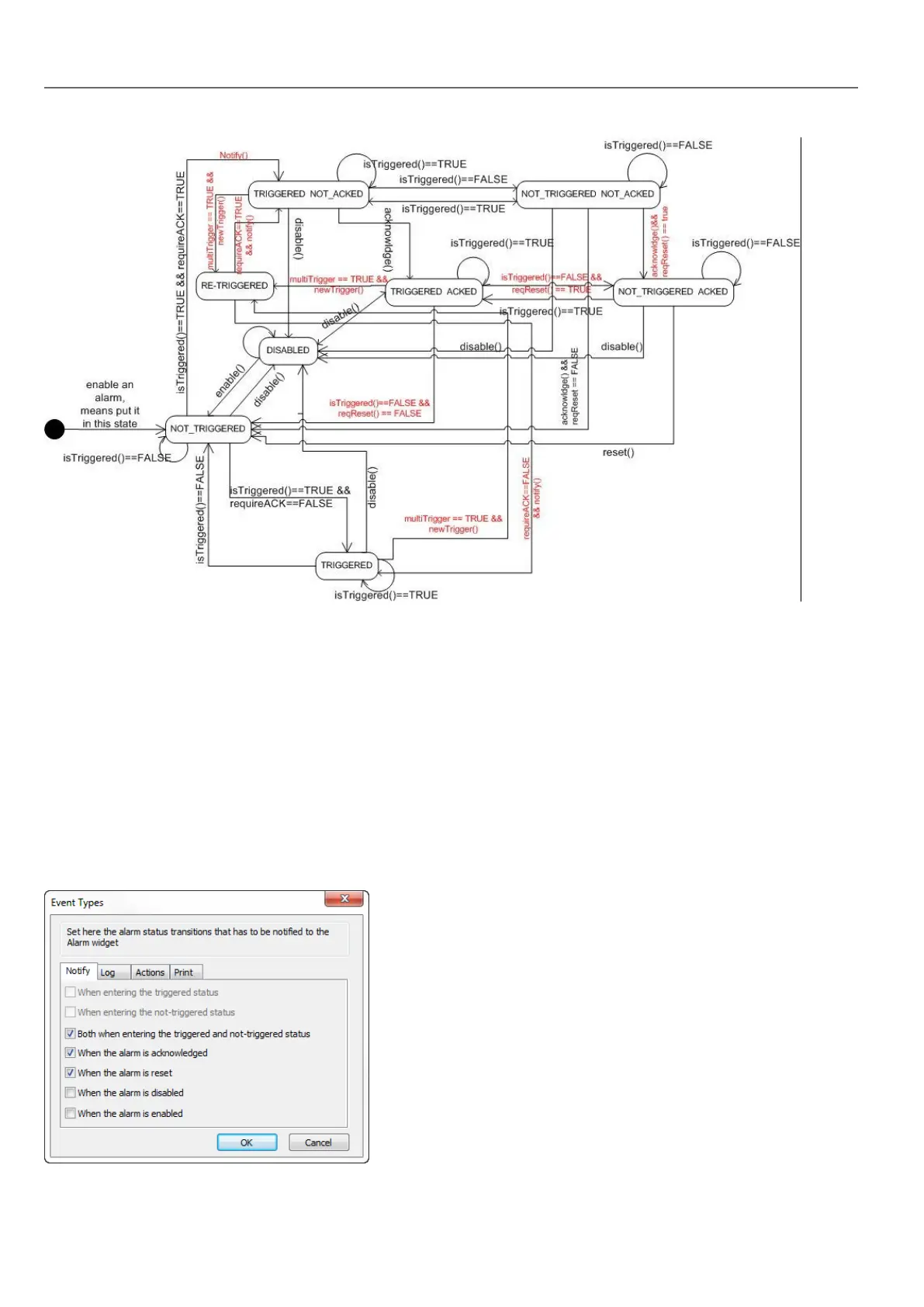
Path: ProjectView> Config > Alarms > Events column > Notify tab
Set conditions under which the alarms will be posted in the alarm widget.
170
HMWIN Studio |User Manual|v206 (2017-06-30) |EN|© 2014-2017 Panasonic Electric Works Europe AG
Setting events



 To Next Page