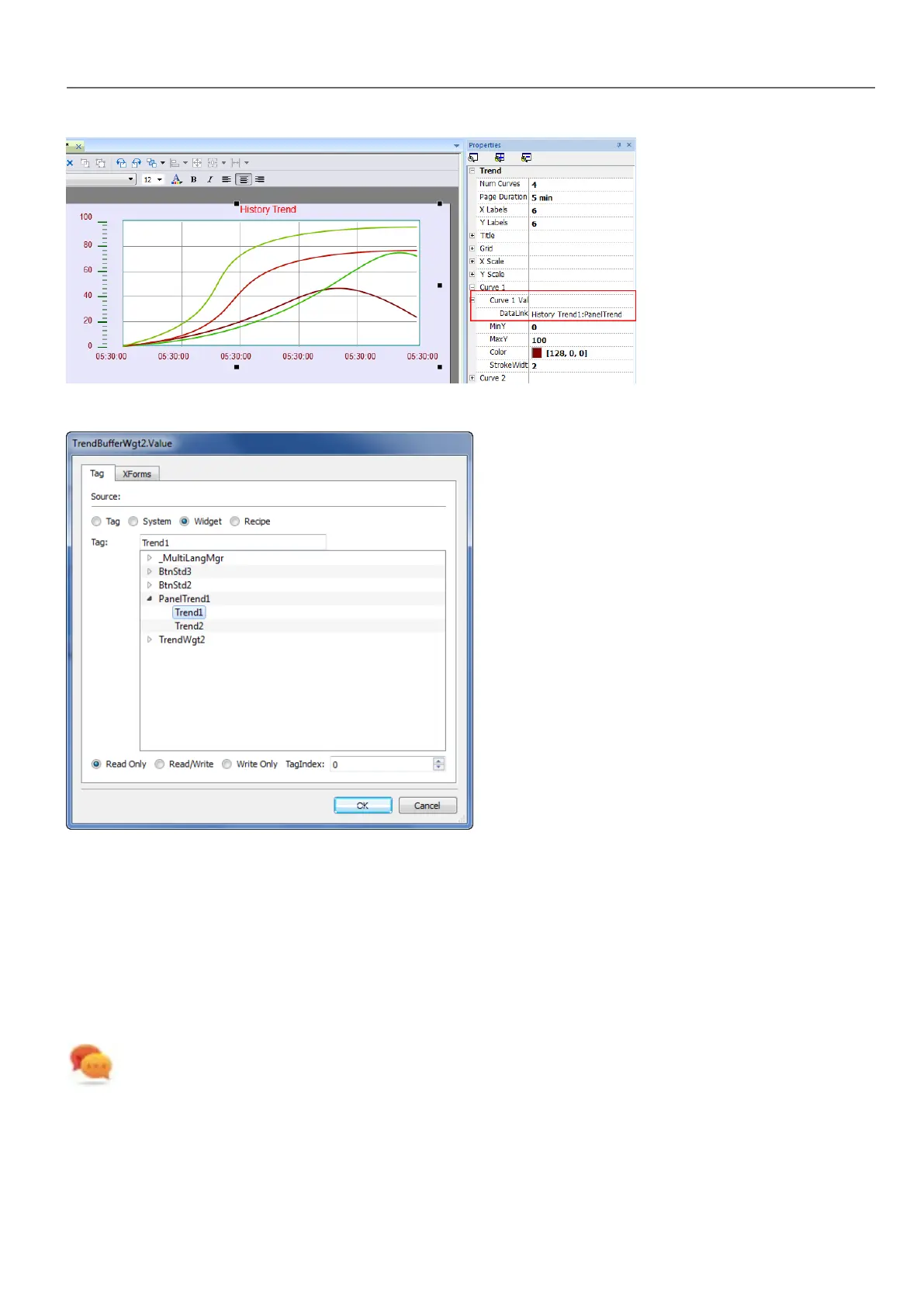
2. In the Properties pane, attach the trend buffer to be plotted in the widget.
Trend widget properties
Some Trend widget properties are only available when the Properties pane is in Advanced view.
Request Samples
Request Sample property can be set for each curve and indicates the maximum numbers of samples read by the widget at
one time from the trend buffer.
Tip: You normally do not need to modify the default value. Adjust it to fine tune performances in the trend widget
refresh, especially when working with remote clients.
HMWIN Studio |User Manual| v206 (2017-06-30) | EN| © 2014-2017 Panasonic Electric Works Europe AG
195
17 Trends



 To Next Page